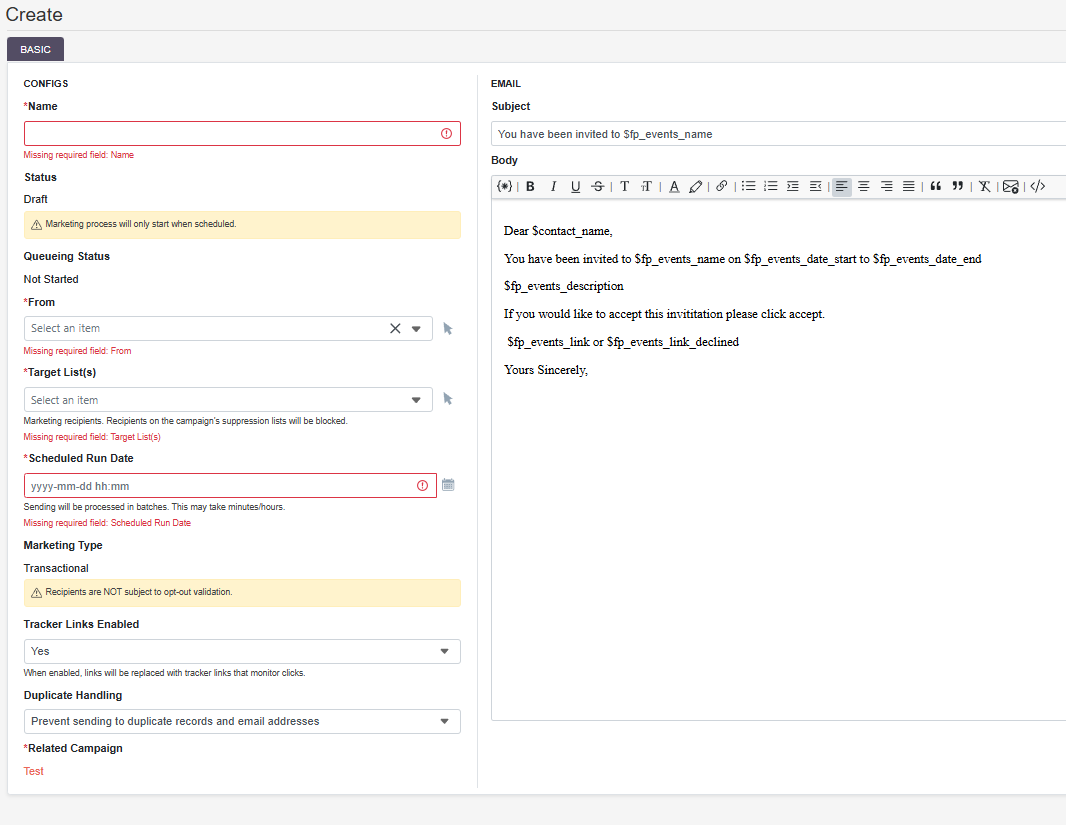
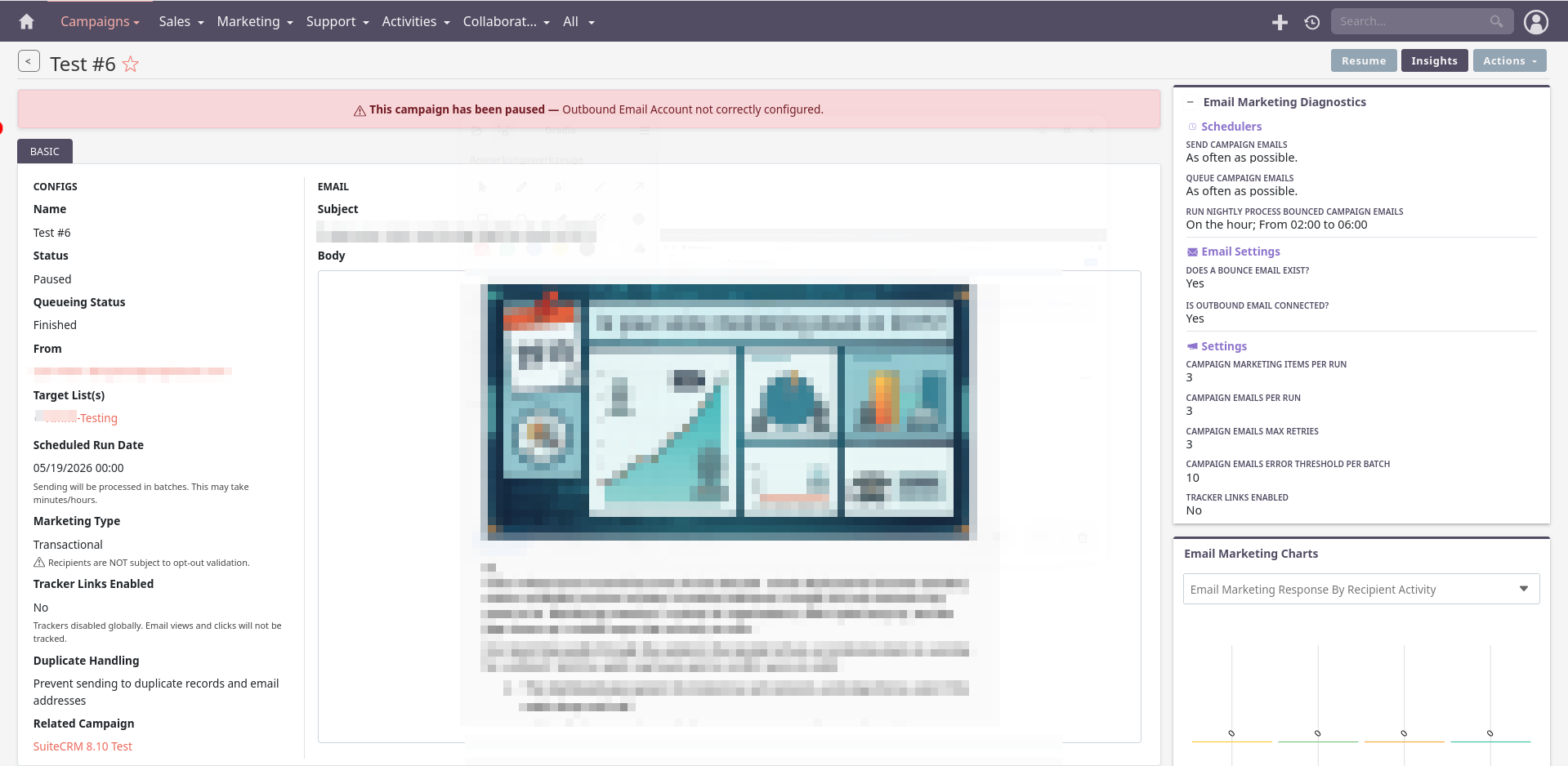
This campaign has been paused — Outbound Email Account not correctly configured

Hi everyone,

I guess I missed something for 8.10.0.
My campaigns are set to pause with the following error:

This campaign has been paused — Outbound Email Account not correctly configured. 

I have the new systemd service configured and it is running.

Test emails are send from the account as well.

Happy to share more info if needed and happy to receive any hint.

Best regards
Timmi

Check out the below doc:

  1. Campaigns :: SuiteCRM Documentation

Hi,

I’m sorry but this does not help me.
Please note that everything was working on 8.9.x.
So I guess I miss something after the update to 8.10. Also please note that the outbound email was working to send the test email.

Best regards
Timmi

I don’t have a dedicated bounce account.
Not sure if this is could be the reason. But I did not find anything that this is required now in 8.10.

If I am not wrong, you may need bounce handling account.

Bounce Handling Accounts
A Bounce Handling account is used with Campaigns to handle bounced mail notifications when emails are undelivered. You will need to set up a Bounce Handling account in order to send a Campaign.
Bounce Handling accounts must be set up by an Administrator. Once set up, users can select the bounce handling account when setting up a campaign.
Set up a Bounce Handling account from the Inbound Email page.


Hi @rsp

I will whatch the video later.

I’m doing Transactional campaign.
So there was not requirements for bounce mail in the past (<8.10).

Hi @rsp

so the bounce email does not help.
Still not able to send out campaign emails since the upgrade to 8.10.

As I wrote before I’m able to send out the test emails. So I assume that the outbound email is working and the error is miss leading.

I’m not sure this helps, but that text of the error appears in two places in the code:

Does that give you any clues?

What I would recommend checking:

  1. Open the outbound email account in Admin
  2. Explicitly fill:
  • From Name
  • From Address
  • Reply-To
  1. Save again
  2. Run Quick Repair & Rebuild
  3. Retry campaign

In the database :oil_drum:,

Please check if you have smtp_from_name and smtp_from_addr in the below table.

outbound_email


You can change the code at: https://github.com/SuiteCRM/SuiteCRM-Core/blob/master/core/modules/EmailMarketing/Service/Fields/InitOutboundEmailDefault.php#L135

if (
    empty($attributes['from_addr']) &&
    !empty($attributes['smtp_from_addr'])
) {
    $attributes['from_addr'] = $attributes['smtp_from_addr'];
}

if (
    empty($attributes['from_name']) &&
    !empty($attributes['smtp_from_name'])
) {
    $attributes['from_name'] = $attributes['smtp_from_name'];
}

Hi,

thank you for the reply.

This did not help.
The parameters are set and repair did not solve it either.

I found the following in the log.

==> /opt/suitecrm8/logs/legacy/suitecrm.log <==
Mon May 18 2026 at 15:46:03 [6127][1][FATAL] Error retrieving template for the email campaign. marketing_id = 3ecb012c-50cd-4682-b709-4266998c7778
Mon May 18 2026 at 15:46:03 [6127][1][FATAL] Error verifying templates for the campaign, exiting
Mon May 18 2026 at 15:46:03 [6127][1][FATAL] Error retrieving template for the email campaign. marketing_id = 3ecb012c-50cd-4682-b709-4266998c7778
Mon May 18 2026 at 15:46:03 [6127][1][FATAL] Error verifying templates for the campaign, exiting

Will take a looking into that tomorrow.

But any hint is welcome.

Run SQL query in DB :oil_drum::

SELECT *
FROM email_marketing
WHERE id = '3ecb012c-50cd-4682-b709-4266998c7778';

Then verify the template exists:

SELECT *
FROM email_templates
WHERE id = '<template_id>';

How did you solved this issue? [8.9.1] issue with email campaign - Error retrieving template for the email campaign. marketing_id

Good morning,

please find the result of the first query below:

"id","deleted","date_entered","date_modified","modified_user_id","created_by","name","from_name","from_addr","reply_to_name","reply_to_addr","inbound_email_id","date_start","template_id","status","campaign_id","outbound_email_id","all_prospect_lists","duplicate","queueing_status","type","has_test_data","trackers_enabled","subject","body","survey_id","pause_reason"
"3ecb012c-50cd-4682-b709-4266998c7778",0,"2026-05-18 14:17:42","2026-05-18 15:41:02","1","9ee1f994-700d-c45e-59e4-5caf61c0d3d1",Test #3,"","","","",,"2026-05-17 22:00:00","",paused,"2839ab86-b620-4142-9aab-d785a132febd",f951d72c-57a3-4335-abdb-02c85ca94cfe,0,email,finished,transactional,0,0,Test #3,<div>Test #3</div>,"",Outbound Email Account not correctly configured.

There is no template ID set. So the second query was not possible.

The old issue did not occur again.

Best regards
Timmi
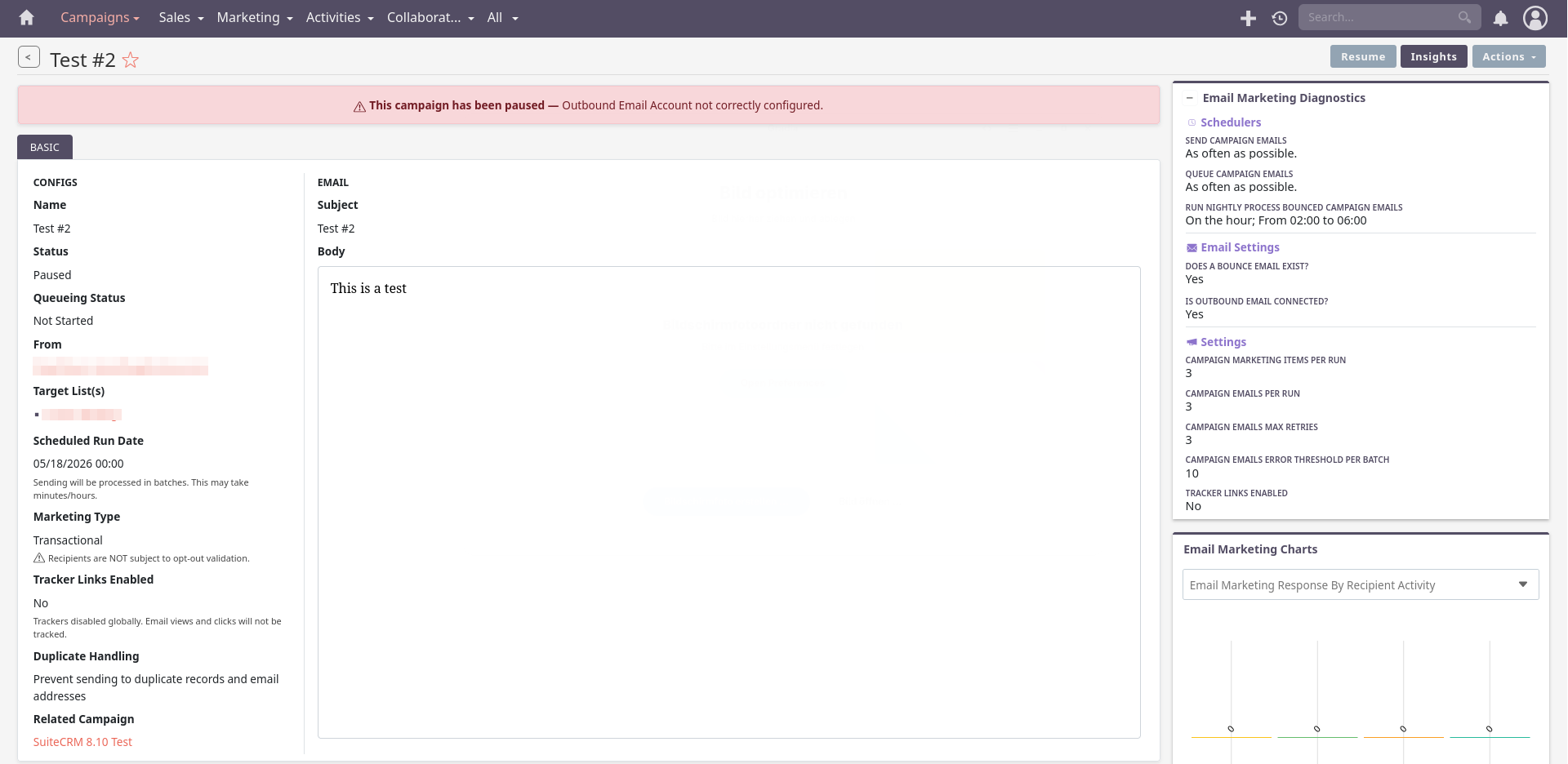
So you have a campaign referencing a non-existent email template, is that it? Can you create a template and connect it to that campaign?

I just created a email template and inserted it via the “insert template” button.

But no success

It’s not inserting the template in the editor, it’s more like a dropdown where you associate the template to the marketing record.

I’m not sure where it is found, sorry

It is so strange that the test emails are working without a problem.

But the schedules not.

Does this help? This is what I’m seeing after I added the template_ID inside the table “email_marketing”.

==> /opt/suitecrm8/logs/legacy/suitecrm.log <==
Tue May 19 2026 at 10:10:03 [12769][1][ERROR] Saving Email with invalid From name and/or Address. Details:
From field is not set.
From-name is not set.
From name is not set.
From address and name pair format is incorrect, use "from@emailaddress.org <Name of Person>" format.
From address and name pair is invalid.
codes:1, 7, 10, 16, 15
Tue May 19 2026 at 10:10:03 [12769][1][ERROR] Unable to find relationship emails_email_templates

==> /opt/suitecrm8/logs/prod/prod.log <==
[2026-05-19T10:10:04.057539+00:00] app.WARNING: Campaigns:DefaultEmailQueueProcessor::processQueue - Outbound Email Account not configured - pausing | email marketing id - 45fec5d2-5e2f-4c45-ae67-3faa2de619c8 {"emailMarketingId":"45fec5d2-5e2f-4c45-ae67-3faa2de619c8","campaignId":"05c61468-2e6b-4261-b52d-941893d136a5"} []

Any idea why the field from_name, from_addr for example are not set? The outbound email is configured. But the fields inside table “email_marketing” are empty!

Have you filled up all required fields in the transactional email campaign?

By the looks of it, when it pauses it is checking for a valid username, port and server to be set on your outbound email you are using with your campaign

Are these not set on your email configuration by any chance?

Not that strange; the test emails are sent from the UI, right? The campaigns, on the other hand, are sent from Schedulers (different PHP environment).

For the “From” problem, I suggest deleting your system outbound email account and re-creating it.

Yes I have filled in the all fields:

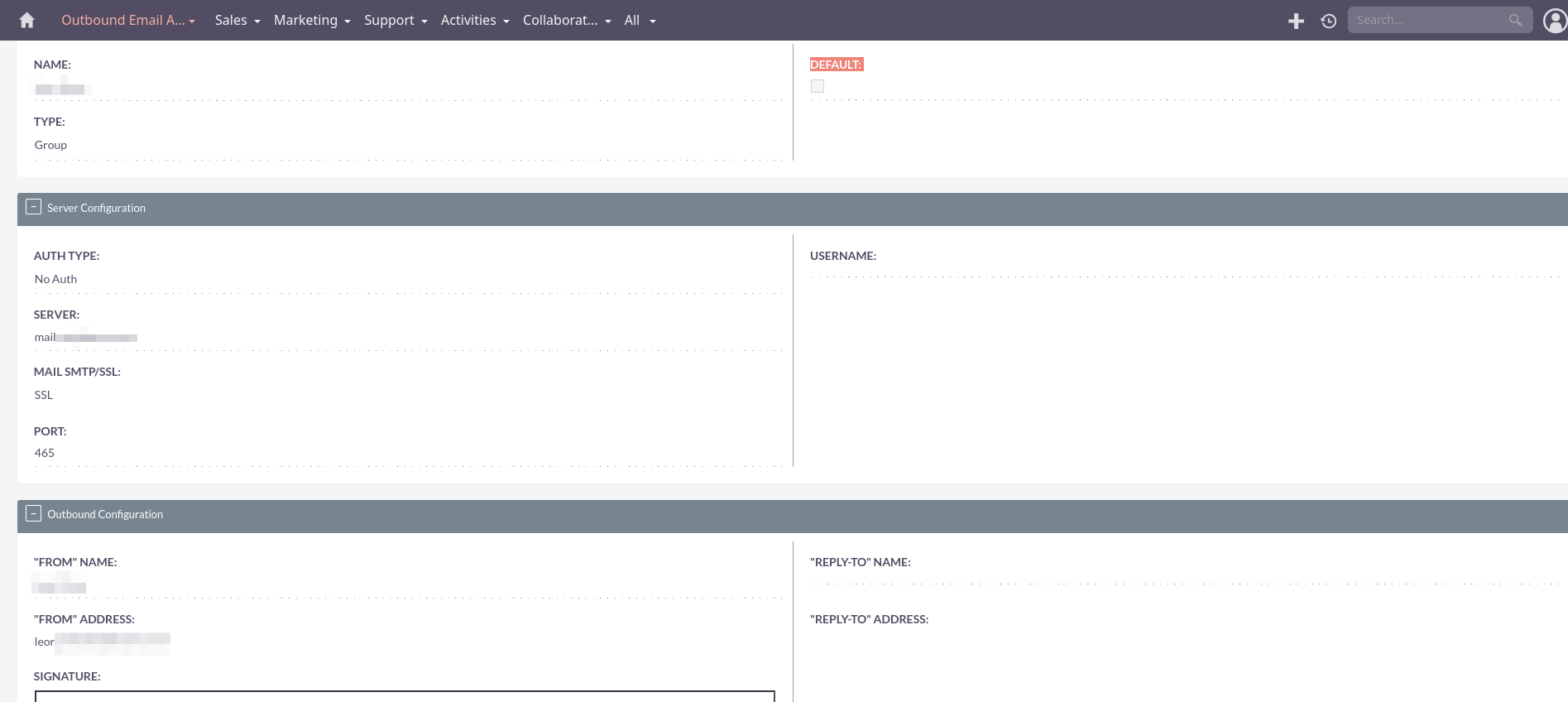
Deleting and recreating the outbound accounts did not help either.

This is the new outbound email account:

thank you already for all your support.

Hope we are able to find the root cause.