Hey @TimmiORG,
What I’ve understood from @Daman reply, is that the code is checking if the field “Username” is set on the outbound email account. And from your screenshot it seems to be blank.
Hey @TimmiORG,
What I’ve understood from @Daman reply, is that the code is checking if the field “Username” is set on the outbound email account. And from your screenshot it seems to be blank.
Could you make your outbound group email as default and then try to send campaign?
Are you trying SEND TEST EMAIL on the campaign or actual campaign?
I don’t need to authenticate with my email server to send the emails.
Still I entered a user name to the outbound email account but also this does not helps.
Tried to create a private account as default. Does not help either.
Test Emails are working.
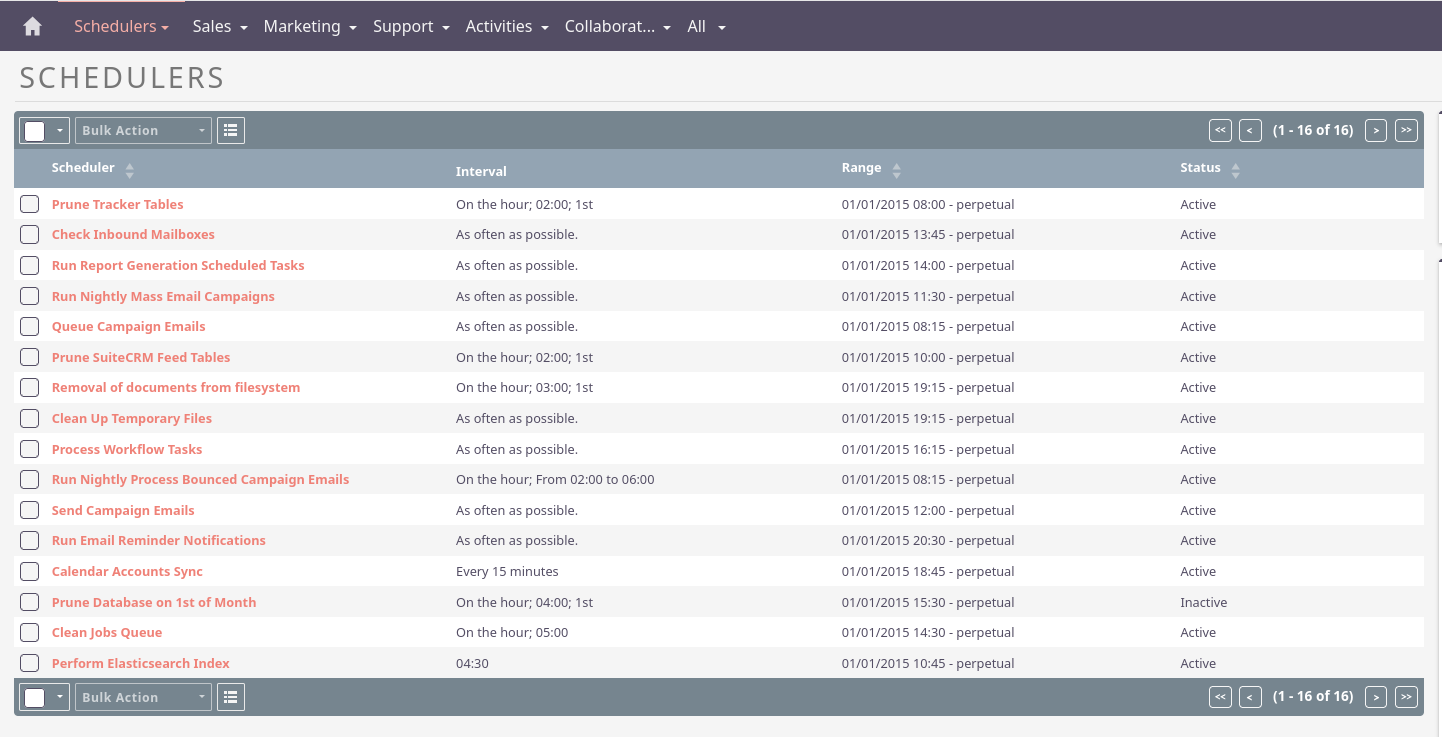
Did you check the scheduler for your Campaign?
I have added the timezone into my php.ini file as it was not set.
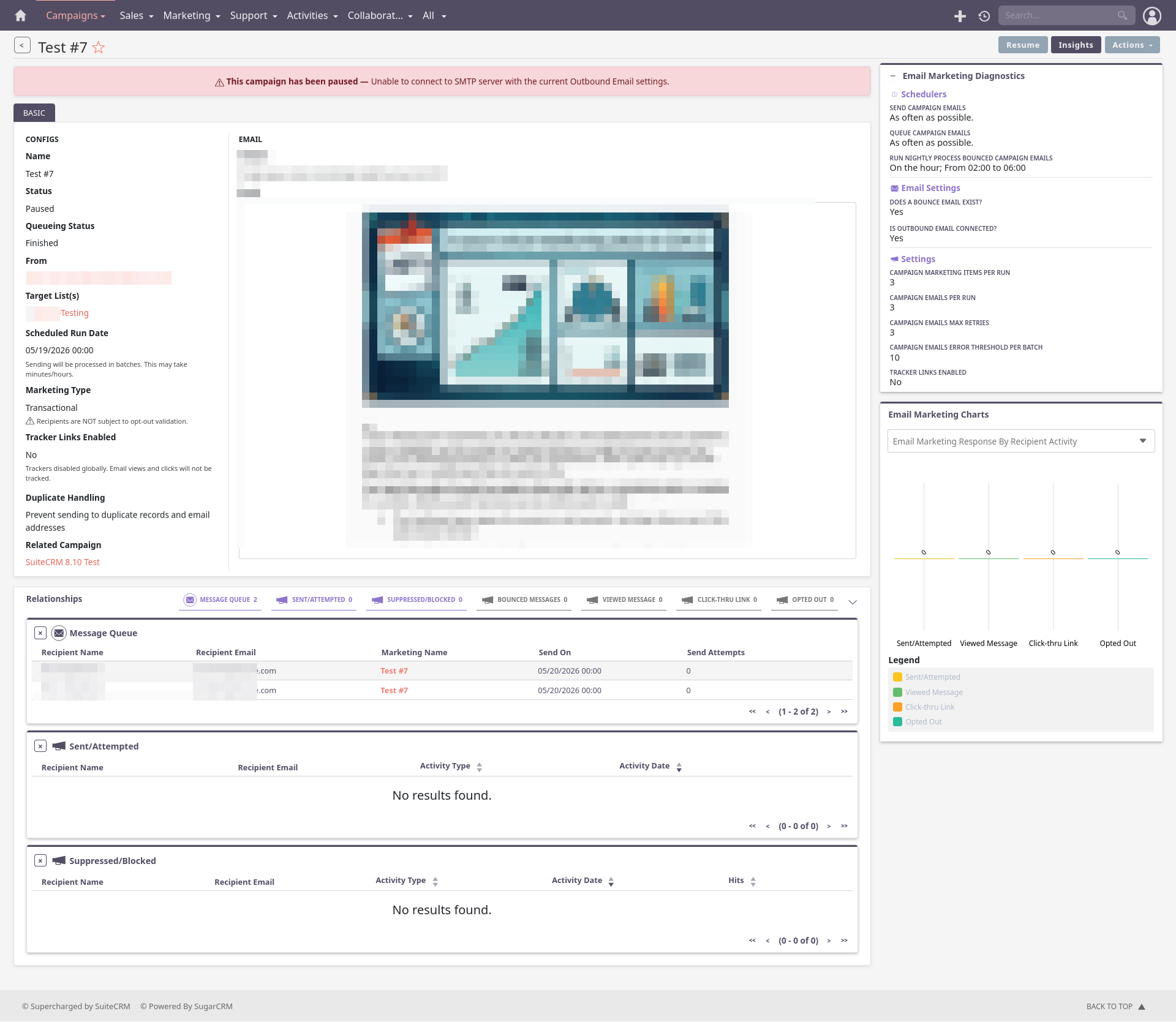
I can see the messages inside the campaign and inside the outbound queue.
Forcing via the “Run Next Batch…” does not work either.
I see every minute the following:
Wed May 20 2026 at 09:38:04 [2194][1][FATAL] Error retrieving template for the email campaign. marketing_id = 986be7a6-0b27-4b63-8a6b-0ef47f1cc83e
Wed May 20 2026 at 09:38:04 [2194][1][FATAL] Error verifying templates for the campaign, exiting
Wed May 20 2026 at 09:38:04 [2194][1][FATAL] Error retrieving template for the email campaign. marketing_id = 986be7a6-0b27-4b63-8a6b-0ef47f1cc83e
Wed May 20 2026 at 09:38:04 [2194][1][FATAL] Error verifying templates for the campaign, exiting
So I guess the scheduler is working but can’t send the emails due to the error above.
Please note that sending campaign emails was working in 8.9.2 for me.
Is that FATAL happening after you added the correct reference in the DB?
Does the record with marketing_id = 986be7a6-0b27-4b63-8a6b-0ef47f1cc83e point to a template_id that exists in the email templates table?
Hey @TimmiORG, could it be that you are running both the legacy scheduler for campaigns and the new scheduler command that runs the new scheduler for campaigns?
See
No the template_id is never set in my tests.
I just entered it via the DB. Now errors are gone from the log. Still the emails are in the outbound queue.
My cron looks as below:
* * * * * apache php /opt/suitecrm8/bin/console schedulers:run > /dev/null 2>&1
OK but now I see the first time the following.
After adding the template_id manually.
==> /opt/suitecrm8/logs/legacy/suitecrm.log <==
Wed May 20 2026 at 13:30:04 [7123][1][FATAL] SugarPHPMailer encountered an error: SMTP Error: Could not connect to SMTP host.
Wed May 20 2026 at 13:30:04 [7123][1][FATAL] SugarPHPMailer encountered an error: SMTP Error: Could not connect to SMTP host.
Wed May 20 2026 at 13:30:04 [7123][1][ERROR] send: PHPMailer Exception: { SMTP Error: Could not connect to SMTP host. }
Wed May 20 2026 at 13:30:04 [7123][1][FATAL] Email delivery FAILURE:Array
(
    [date_entered] => 2026-05-20 07:15:01
    [date_modified] =>
    [user_id] => 1
    [id] => 118898
    [campaign_id] => 2839ab86-b620-4142-9aab-d785a132febd
    [marketing_id] => 986be7a6-0b27-4b63-8a6b-0ef47f1cc83e
    [list_id] => 87eb0253-7f44-0067-7743-67d15fa4cbc1
    [send_date_time] => 2026-05-18 22:00:00
    [modified_user_id] =>
    [in_queue] => 0
    [in_queue_date] =>
    [send_attempts] => 0
    [deleted] => 0
    [related_id] => 635a42fa-1d06-b823-ddd9-67d15eda5b5e
    [related_type] => Contacts
    [related_confirm_opt_in] => 0
    [more_information] => test1@<domain>.com
)
Do you have the `Run Nightly Mass Email Campaigns` scheduler enabled? (you can check the admin page) it should be disabled.
As they say on:
OK, I’m a step further.
I realized that the system mail account was not configured any more.
==> /opt/suitecrm8/logs/legacy/suitecrm.log <==
Wed May 20 2026 at 13:41:04 [7437][1][FATAL] SugarPHPMailer encountered an error: An outgoing mail server is not configured to send emails. Please configure an outgoing mail server or select an outgoing mail server for the mail account that you are using in Settings >> Mail Account.
Important I did not use this for the sending.
So I configured that one and after entering the template_id manually I guess the emails send out.
Still the the campaign is paused:
==> /opt/suitecrm8/logs/legacy/suitecrm.log <==
Wed May 20 2026 at 14:05:04 [7946][1][ERROR] Saving Email with invalid From name and/or Address. Details:
From field is not set.
From-name is not set.
From name is not set.
From address and name pair format is incorrect, use "from@emailaddress.org <Name of Person>" format.
From address and name pair is invalid.
codes:1, 7, 10, 16, 15
Wed May 20 2026 at 14:05:04 [7946][1][ERROR] Unable to find relationship emails_email_templates

==> /opt/suitecrm8/logs/devel/devel.log <==
[2026-05-20T14:05:04.559142+02:00] app.WARNING: Campaigns:DefaultEmailQueueProcessor::processQueue - Outbound Email Account not configured - pausing | email marketing id - 3b8b28ef-fbc2-4c87-a444-a895341858a5 {"emailMarketingId":"3b8b28ef-fbc2-4c87-a444-a895341858a5","campaignId":"2839ab86-b620-4142-9aab-d785a132febd"} []
But I have received the emails.
Hey @TimmiORG, thats probably because they are being sent through the legacy campaign scheduler/sender.
I would disable the Run Nightly Mass Email Campaigns in admin. And then try again.
The docs say:
Run Nightly Mass Email Campaigns (Inactive in SuiteCRM 8) | Sends out mass email campaigns. (Inactive in SuiteCRM 8)
https://docs.suitecrm.com/8.x/admin/administration-panel/schedulers/
Thank you for clarifying this one. I have disabled that task inside my scheduler.
Currently able to send emails and try to understand why.
Currently testing……
OK first of all I want to thank you @all for your help to analyse this.
The good news is that I managed to send campaign emails on my test instance again.
It looks like the template_id column is not used any more. It is still empty.
So @Daman gave the correct hint. After the recreation of my outbound email settings. I gave this another try.
I’m running my outbound email without authentication and the user name value need to be filled to be able to send emails.
So I would say this is a bug.
Beside that I have configured a timezone inside the php.ini and I have deactivated the “Run Nightly Mass Email Campaigns” schedule as suggested by @rsp and @anthony.oak.castro .
So I will try to replicated this to my production system now. → fingers crossed
Should I open a ticket for the username being required on the outbound email settings?
Good that it is working for you!
Please raise an issue here → Issues · SuiteCRM/SuiteCRM-Core · GitHub
If test emails are sending successfully, then the SMTP settings are probably fine. This error usually means the campaign isn’t able to find or use the assigned Outbound Email Account, even though it works for manual tests.
A few things I’d check:
Make sure the correct Outbound Email Account is assigned to the campaign.
Verify the account is active and available for the user running the campaign.
Confirm the new systemd campaign service is running under the correct user and has access to the SuiteCRM configuration.
Check the SuiteCRM logs for a more detailed error message around the time the campaign is paused.
Since this started after upgrading to 8.10.0, it may also be worth checking whether there were any changes to campaign processing or outbound email handling in that release. Has anyone else seen this after upgrading?
Check the outbound email account configuration used specifically by the campaign. SuiteCRM can have a working email account for normal sending while the campaign scheduler still sees the outbound account as invalid. Also check the SuiteCRM logs around the time the campaign pauses. There may be a more specific error there than the message shown in the campaign. As this started with 8.10.0, also verify whether the account is correctly assigned/configured after the upgrade and whether there are any known 8.10.x campaign issues.