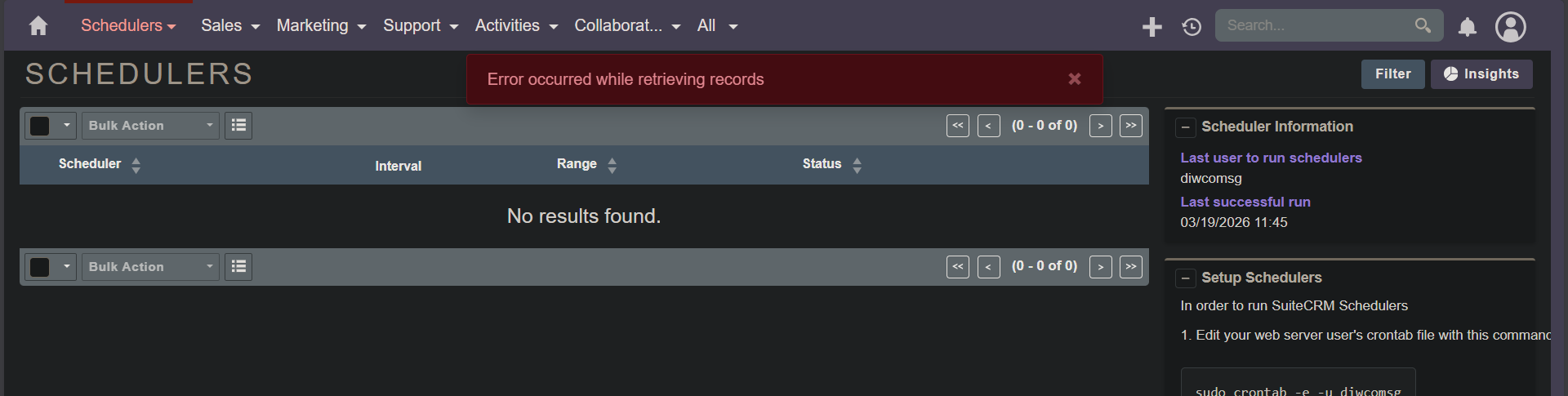
We migrated our SuiteCRM 8.9.2 from a Linux shared host (cPanel) to another Linux shared host (Plesk) recently.
We encounter this issue which we have not encountered before. When accessing the Schedulers page, no scheduler is listed. An error message is shown “Error occurred while retrieving records“.
I don’t have any systems which require 120 seconds.
If that solves it, probably fine for a quick fix.
But I suggest to investigate further, that doesn’t sound like the root cause.
For some reason, this page takes about 80s to load and list the schedulers. It seems that these error messages in the log are related to the slow loading.
[ERROR] Unable to find relationship emails_email_templates [ERROR] Unable to find relationship emails_email_templates [ERROR] Unable to find relationship projects_quotes