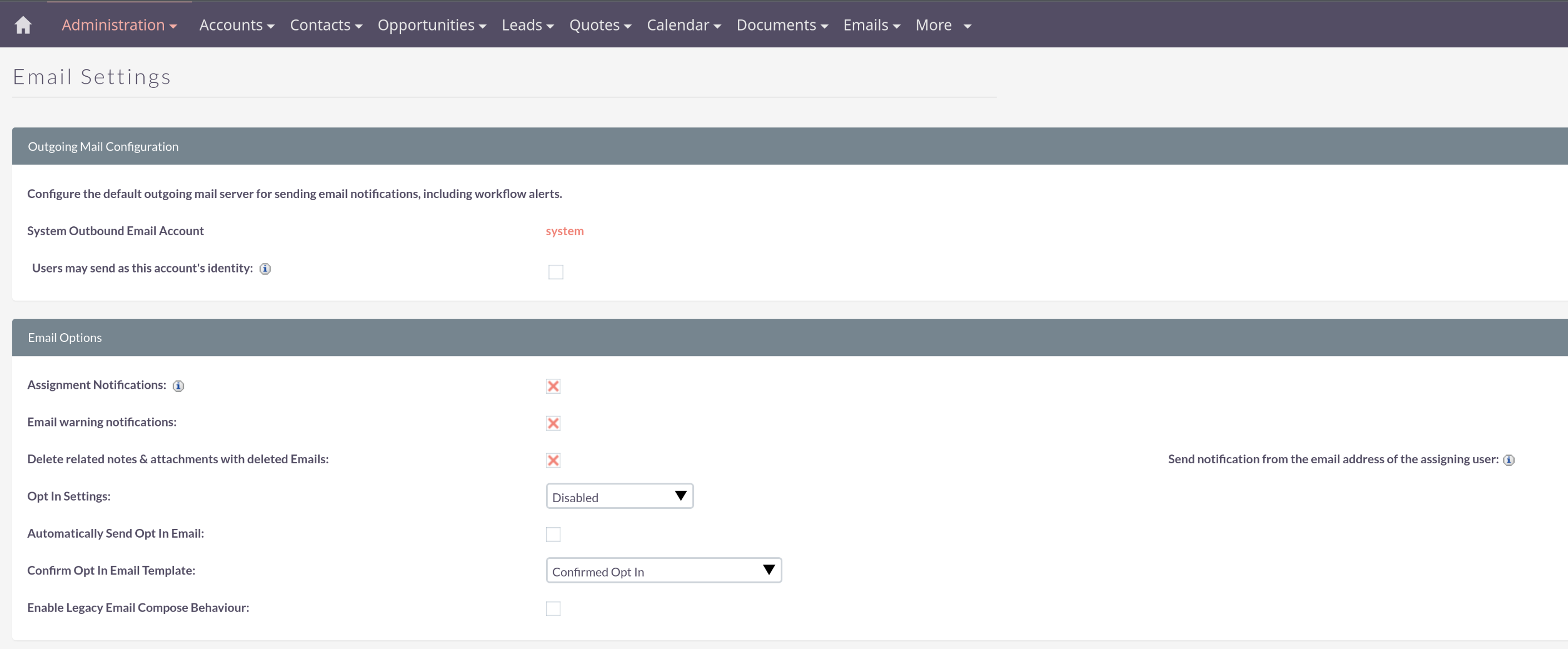
your users can use a personal account as well to send campaigns.
In that case, this account can be selected in the campaign wizard and the emails go out without any errors / system mail accounts.
We would use system email accountfor things like assignement notices, password requests etc. (in this case, the optin field wouldn’t apply)
We can use a GROUP account to send out Campaigns to prospects for examples, which may comprise of 1000 emails, so for example, email@ourdomain.com
And finally each user can have their own email account to contact customers or inviduals etc
If that is correct, I’m confused about the user OPTIN field, because would only be applicable to marketing campaigns, so why is that attached to the “system” email account?
Here, you’d handle how to manage opt-ins (system wide).
Since version 8.8.1 the system mail setup has been removed to the outbound mail area.
The rest is basically just like you wrote.
Now opt-outs are managed on a contact / lead + email base.
One contact can have multiple emails and an opt-out for one email, but not for the other.
If you are running email campaigns now, there are multiple types of suppression lists to consider opt-outs. Target Lists :: SuiteCRM Documentation
The opt-out is independent from the sent from email address.
System messages like workflows and forgot password should still go out, even though there is an active opt-out.
Marketing messages from campaigns will only be sent to contact which are not on the suppression lists.
I don’t think I’ve tested all possible combinations here - but overall, the system seems to be working.
Plus: There are the upcoming changes / improvements in the next versions for campaigns and emails. These should make things simpler as well.
I already have one test target opted out…I can see it is in the test record. I don’t know where to view a list of those opt-opts, unless
a I was supposed to create a suppression list first
b) we’re not supposed to be able to see these