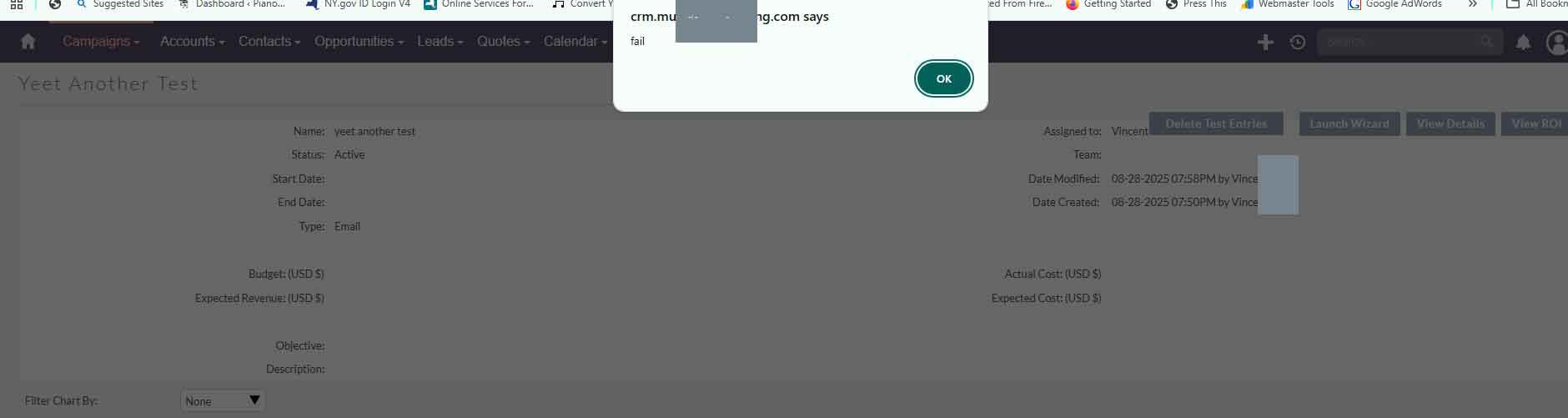
Unndefined array key \"LBL_CHANGE_PASSWORD\"

Related to sending emails, mostly campaigns I keep getting this in my prod.log

[2025-08-28 08:25:37] php.WARNING: Warning: Undefined array key “LBL_CHANGE_PASSWORD” {“exception”:“[object] (ErrorException(code: 0): Warning: Undefined array key "LBL_CHANGE_PASSWORD" at /home2/crm/public/legacy/modules/OutboundEmailAccounts/OutboundEmailAccounts.php:421)”}

And this in my suitecrm log (this has been in previous posts but nothing that could help):

Thu Aug 28 2025 at 08:20:05 [2][1][FATAL] ImapHandler trying to use a non valid resource stream.
Thu Aug 28 2025 at 08:20:05 [2][1][FATAL] An Imap error detected: “IMAP search error”

And ideas?

You could ignore the warnings and turn them off in the php.ini file.

Please make sure that notices aren’t considered on error_handling . For that you can update the error handling entry in php.ini

error_reporting = E_ALL & ~E_DEPRECATED & ~E_STRICT & ~E_NOTICE & ~E_WARNING

You need to restart the php service in thelinux.


Even we get this message in the log file, but it is not an error. Your emails will still work.

You could find the discussion about it on this forum.

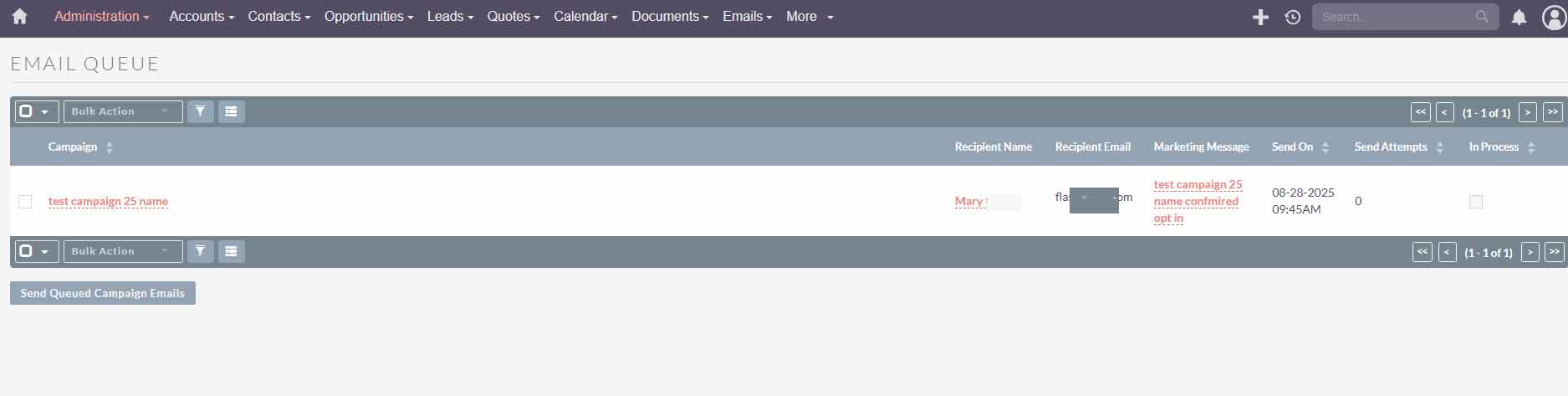
I cannot get campaigns to run. I can send emails and tests, but campaign emails arent going out and remain in the queue. Even the schedulers are running from Cron.

Make sure you have IMAP package installed and it is active in your system.

I have no problems sending emails

They just aren’t triggered when scheduling and remain in queue. This was scheduled 8 hours ago

When I click view status i get this and the same error message in the log when sending out test campaign email

Looks like something is not set correctly.

What is errors in the log files?

Nothing in the log files

I fixed the failed popoup message, was a permissions issue as cache for some reason was set at 2750, not 2755. The other issues remain

What are the other issues?

If you fixed a permissions issue with this change in permissions, it’s not a good permissions scheme, because it means you need world-permissions for your code to work. I always keep my final digits to 0 to make sure that’s not a possibility. It’s generally insecure, and on shared hostings, it’s crazy-insecure.

Instead, you should have changed the ownerships (or group memberships) so that the access is granted through another digit (owner or group).

Remember, chown and chmod are a pair, they work together. :yin_yang:

@pgr
Is it too late to do that?
Can you tell me how to do that?

@rsp
No campaign emails go out, they remain in queue

If I click send qeued emails I It just now dissapears from queue and the campaign is gone.

I can normally compose emails, I can test the connections. Outside of that no emails will be sent.

The errors I get are seen in the post which has NEVER been resolved so I don’t know where to take this

No, it’s not too late. I don’t know much about your system, but if it is Linux and you have some shell access to it, if you paste here the results of this command, I can gather some info

cd /your/suitecrm/root/directory
ls -al

The initial idea is to try and figure out which user your web server runs under (typically www-data in Ubuntu, but can vary).

that I already know,. What are the commands?

This is suitecrm reccomendations. Are you saying to change them to 2750 and it will work?

SET PERMISSIONS

find . -type d -not -perm 2755 -exec chmod 2755 {} \;

find . -type f -not -perm 0644 -exec chmod 0644 {} \;

find . ! -user www-data -exec chown www-data {} \;

find . ! -user 550 -exec chown www-data:www-data {} \;

chmod +x bin/console

If the web server, running as user www-data is accessing a file owned by user www-data, then the only digit relevant is that 7 in 2755, you could use 2700 and it would be the same.

Remember that you probably also need some sort of access for your console user.

Usually what I do is I add my user “pgr” to the “www-data” group.

About your commands

find . ! -user www-data -exec chown www-data {} ;

find . ! -user 550 -exec chown www-data:www-data {} ;

I don’t really understand that, I would just do

find . ! -user www-data -exec chown www-data:www-data {} \;

the commands are taken from the docs

Yes I replaced www-data with myusername as group and username as user
so it looks like username:username {} ;

Bottom line, you are saying that 2700 wil still work and it’s more secure, correct?

I found an old post here…I changed the system password to 123456 and then back to the SMTP password and now the emails go through

I guess 11 years later the same bug exists.

2 Likes

The only troubling digit is the last one, because it’s applies to everyone. I like to use the group digit (middle one) to give access because groups are safe (I have to explicitly add users to them) and provide flexibility.

So I never go with 2700, I use 2770 or 2750 or whatever makes sense.

About your setup using your user name for the chowns. So the web server runs under that same user name? And you also ave a group with the same name?

So if it’s so insecure, why is the reccomended setting 2755 and not 2750?

And yes, username and group is the same. I am the only one that accesses it. Is that an issue?