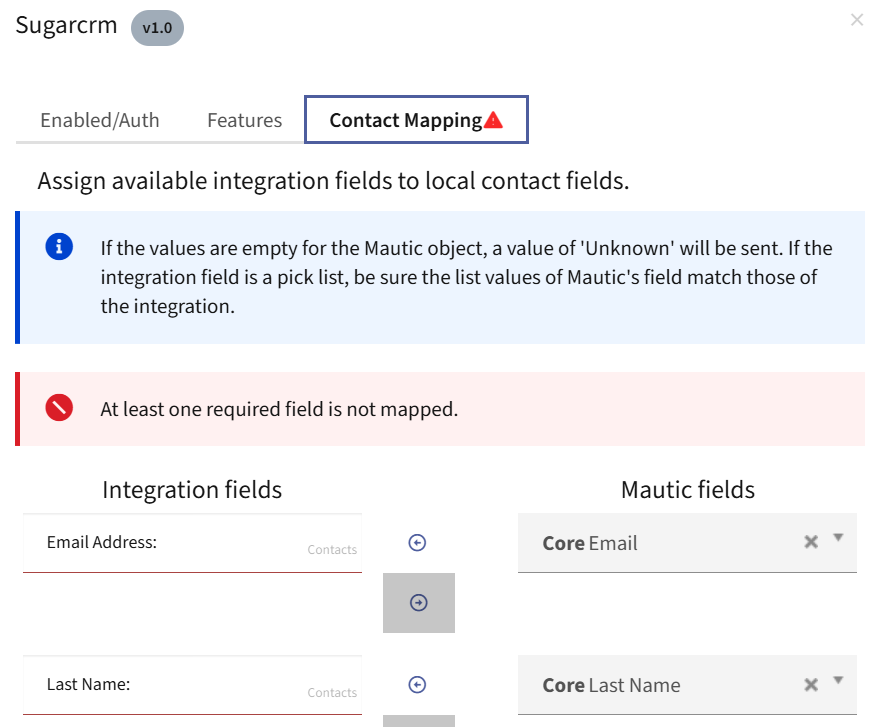
I’m wondering why the integration isn’t working for us.
Auto Active → Yes. We have mapped all the required fields as suggested in your video.
I’m wondering why the integration isn’t working for us.
Auto Active → Yes. We have mapped all the required fields as suggested in your video.
That message only shows when you haven’t mapped a required field.
Yes, I know that but we do not see any required fields left by us.
Also, in your video you could easily move to next pages to view your other fields. That’s not working for us.
I am wondering, maybe the plugin got broke in Mautic v7.1.1.
What version are you using for your Mautic and SuiteCRM? Have you used new Mautic version with SuiteCRM v7.x?
I’m on 7.7.1 and I’ve used it on suitecrm 7 and 8 no issues.
You must have fields that are required in Mautic that are not populated. That is the only reason you’ll get that message. I’ve tested and cleared a required field and I get the same message. I can only conclude you have a required field that is notmapped.
What are all your required fields in Mautic?
Wait, is that mean I need to map all the core fields from Mautic during integration?
No it means you need to map all the required fields in Matuic.
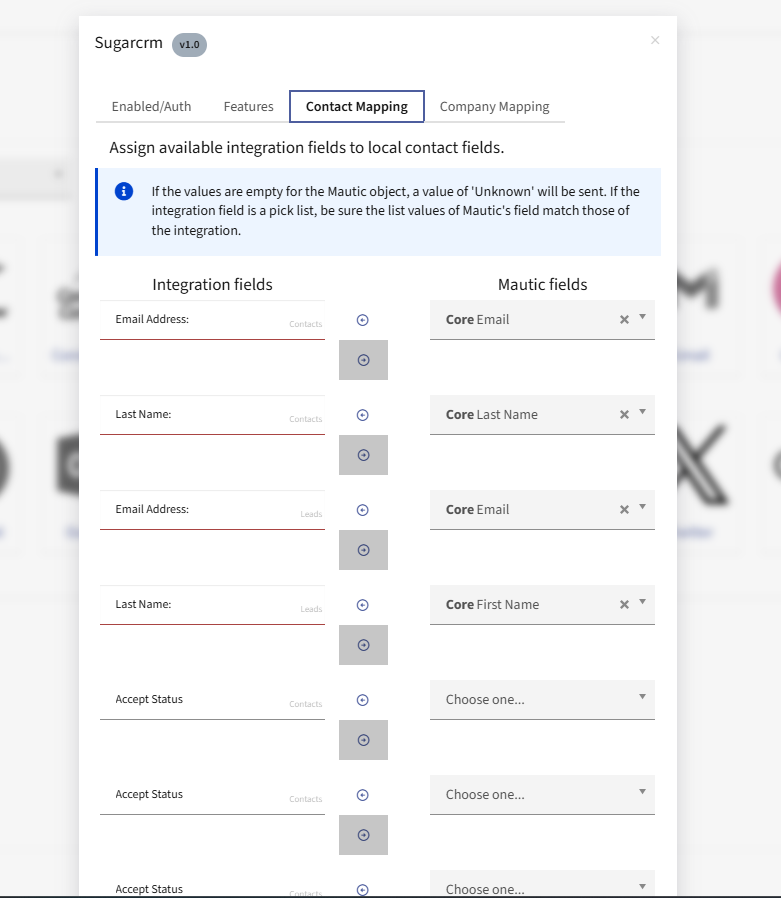
Here’s my working screen shot from the latest mautic and SuiteCRM 8
Thank you!
Are you able to view the other fields on the Contact Mapping and Company Mapping pages?
Also, do we need to create a database for Mautic, or is it created automatically during installation?
You definately need to create a database for Mautic. The fact that you can login means you have a database. Yes I can view contact and company mapping, but you need to select that in the settings or you won’t see it.
Do we need to have https for Mautic to run successfully?
Probably, I’ve never tried without it.
Okay, I think that’s why it is not working for us.
Also, we have error in the console regarding the avatar.png. Mostly, It will go away if we add https cert.
Other error is likely file permission and ownership. SuiteCRM MUST be reachable from the Mautic install. I suspect the API to SuiteCRM enforces https.
That’s a bummer  . I think we’ll need to check the integration again once we have Mautic running on HTTPS.
If we only keep 2nd option tick and click on Save, then we do not get an error. But
 Triggered action push contacts to integration
 Pull contacts and/or companies from integration
Push contacts and/or companies to this integration
php bin/console mautic:integration:synccontacts --integration=Sugarcrm --time-interval="10year"
Output
Command to fetch contacts from integration
Fetch contacts command is starting
0 contacts were updated and 0 contacts were created
Fetching companies
Fetch companies command is starting
0 companies were updated and 0 companies were created
Sugarcrm from Manage Plugin menu, the Mautic field shows not mapped.You haven’t correctly applied the patch. That’s the exact beheviour when you don’t apply the patch.
906 and 1621$this->integrationEntityModel->getRepository()->detachEntities($integrationEntities);
$this->em->clear('Mautic\PluginBundle\Entity\IntegrationEntity');
So, code line in file
$this->em->getRepository(IntegrationEntity::class)->saveEntities($integrationEntities);
$this->em->clear('Mautic\PluginBundle\Entity\IntegrationEntity');
There are more changes where that line shows up from memory. Check out the github thread there are a few more changes than that.
Do we need to update these code files too? What are other code changes?
I don’t remember off hand, but the Mautic thread on Github has all the changes. That’s what I go back to every time I do an install. There are at least 3 places to revert the code if my memory serves me correctly. They are all in the thread.
Also if you’re “save” of the fields is not sticking, you need to flush your Mautic cache and reset your permissions. Keep at it. I’ve spent days trying to get the first sync to work.
Thank you, @pstevens. Yes, we have same code on lines 906 and 1621.
Do you recall editing the below file?
AbstractIntegration.php