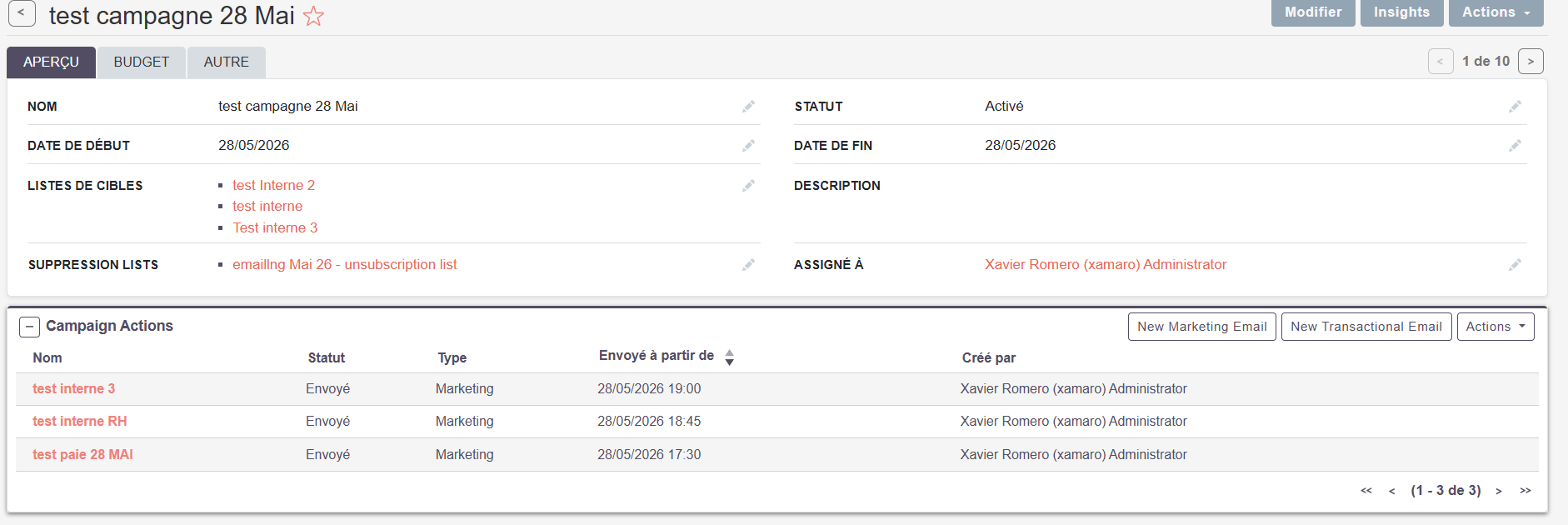
I am having an issue with the camapigns.
I created an email template, and 3 target lists and a campaign.
my goal is to schedule a campaign to send the same message (email) to the 3 different target lists at a 3 different time
after scheduling the first batch is sent correctly but the 2 others are stuck in the queue:
(the test emails in the target lists are defferent emails I own)
thanks,
this issue is happening on suite CRM 8.9.3. the video is on 7.15. the process there is slightly different.
however, I think the campaigns are properly done as the first batch is sent correctly. Only the following batches on the same campain have this issue (not finding the email template, preventing the next batches of emails to be sent) the first time the template is correctly found.
the question is more about sending multiple batches in the same campaign with the same email template
I’m not sure which version exactly it started, but the scheduled jobs chaned there are two new scheduler jobs to add to send and queue campaigns in SuiteCRM 8..
Did you have all the right jobs running? Seems odd that this would happen under normal processes. Or maybe you had campiagns scheduled in between upgrades? Maybe that could cause that. With all the right jobs running, I had no issue sending the campaign once all the steps were done.
It really is way too complicated to send an email campaign. There’s so many little nuances and if you miss one, it doesn’t send.
the 3 schedulers are ok and renning designated time. So I am wodering if there is a restriction : can you send the same template in different campaigns?
You should be able to, although I didn’t go as far as testing specific templates, just wanted to make sure I covered the basic “getting it to send, and what can go wrong covered”… I’ll do some more testing with actual templates and see what impact that does.
I split my target list in several lists (groupped by location) .
I am scheduling sent over a week (one every day)
1 email template, the same for all for all.
the result I am getting is:
the first batch is sent ok, the folowwing batches are stuck in the queue
This is usually caused by reusing the same marketing email/template for multiple scheduled sends. Try creating a separate Marketing Email entry for each scheduled send (you can duplicate the original email) and then run a Quick Repair and Rebuild. @reivax
unforetunately no joy.
emails stay stuck in queue eventhough schedulers are triggered.
same error coming again :
ven. juin 26 2026 at 16:16:02 [123566][1][FATAL] Error retrieving template for the email campaign. marketing_id = bb7be7d9-8b1a-4493-85af-0ea13f336e2d
ven. juin 26 2026 at 16:16:02 [123566][1][FATAL] Error verifying templates for the campaign, exiting
Thanks for the update. Since the issue is still persisting, it may need a deeper check on setup and logs. If needed, we can connect and help you troubleshoot this further.