I’ve helped with / steered the early development of a customer portal plugin for SuiteCRM, still available on the store nowadays.
The initial version was accessing SuiteCRM directly (no data duplication) and it worked really well for small customers with just a few records here and there.
Then we’ve built a great looking dashboard with charts / widgets / reports etc. and it took close to 3 minutes to load the home page with the dashboard on it for larger accounts.
Maybe, nowadays with GraphQL things could work faster and a headless approach might work. However, the data architecture in SuiteCRM was built ca. 2 decades ago when relational data / OLTP and OLAP have still been standard topics.
Retrieving CRM data live, headless and uncached, I’m sceptical there how fast things would be (expectations towards a customer portal are on a different level than a CRM system - performance wise).
Thank you for your response. Your points are completely valid. However, from my perspective, building a separate portal system that operates independently from SuiteCRM also offers several clear advantages.
First, an independent system allows for tighter control over the data being exposed — only the necessary information is shared with customers. In contrast, allowing customers to access SuiteCRM directly (even through a limited view) essentially makes the system more “open,” which introduces potential security risks. I believe many SuiteCRM users would not be comfortable with that.
Additionally, having a separate system helps reduce operational risk. If the portal encounters any issues, it will not directly impact the core CRM system, which is critical for business operations.
Finally, the main purpose of a portal is to provide customers with data by synchronizing (or replicating) it from the main system, not to grant direct access to the CRM itself. Therefore, building an independent portal is a safer and more appropriate approach, especially when considering enterprise security requirements.
I’ve taken a different approach. WordPress is the most used website platform in the World. It’s also open source. People using wordpress use it as their front end hub between them and their customers.
This is not just a data layer its a “place”. They showcase products, host webinars, have librararys of PDF documents and WordPress acts as the hub. Its only natural to extend this to the CRM. The UX burden here is much higher. Clients want their branding from WordPress to be present. Sending them to SuiteCRM endpoint with a SuiteCRM look will not be accetable to most end users. They want the experience to match their branding.
Wordpress handles all the access, accounts, password resets, security, menus, etc. This layer is really easy in WP, it’s built in. This is alot deeper than just custom views.
Leveraging SuiteCRM CRM, email automation, etc. Integrated with WordPress and Woocommerce give a whole host of small business the ability to bring all this together as a single business system. For example, a consulting business can use CRM to market to, engage with and quote a client, they can then use the portal for support and billing of the client. This is especially valuable for agency type customers who have to deal with things like recurring billing and annual contract renewals. WordPress gives a secure front end handling login/password and client access without having to set them up as a user in SuiteCRM.
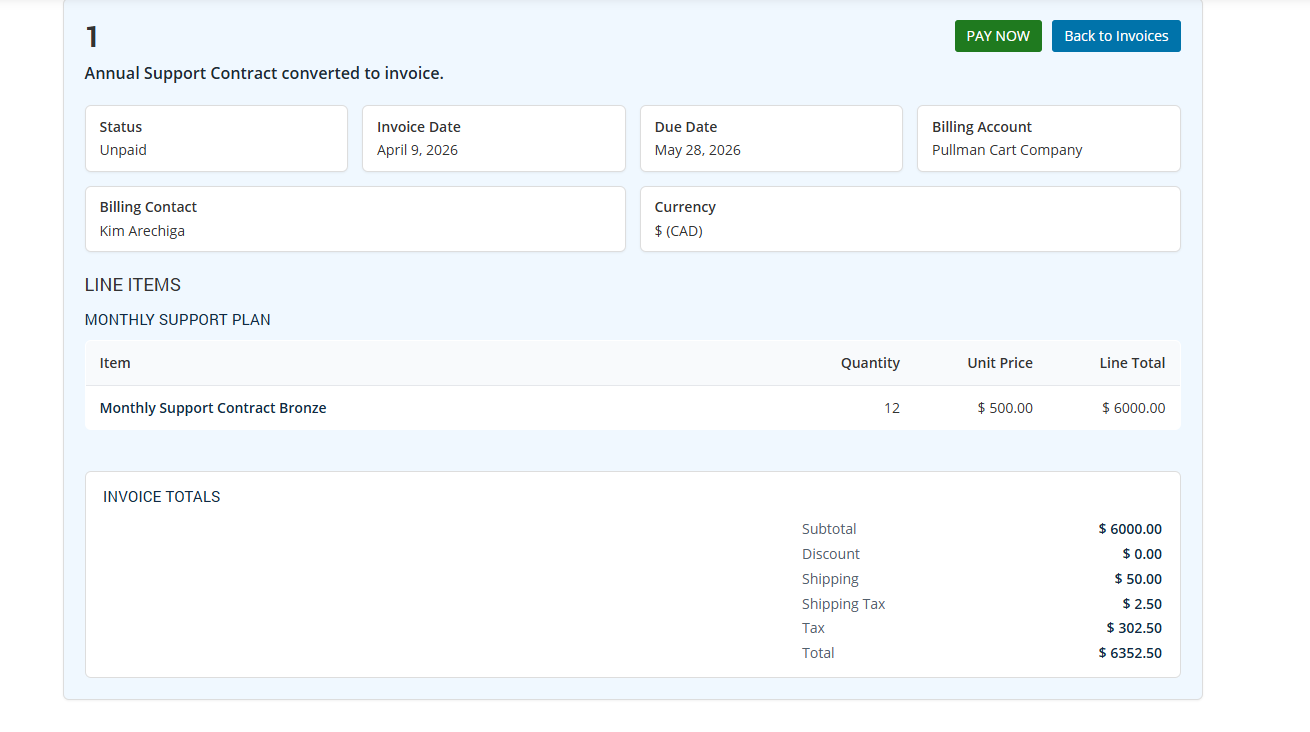
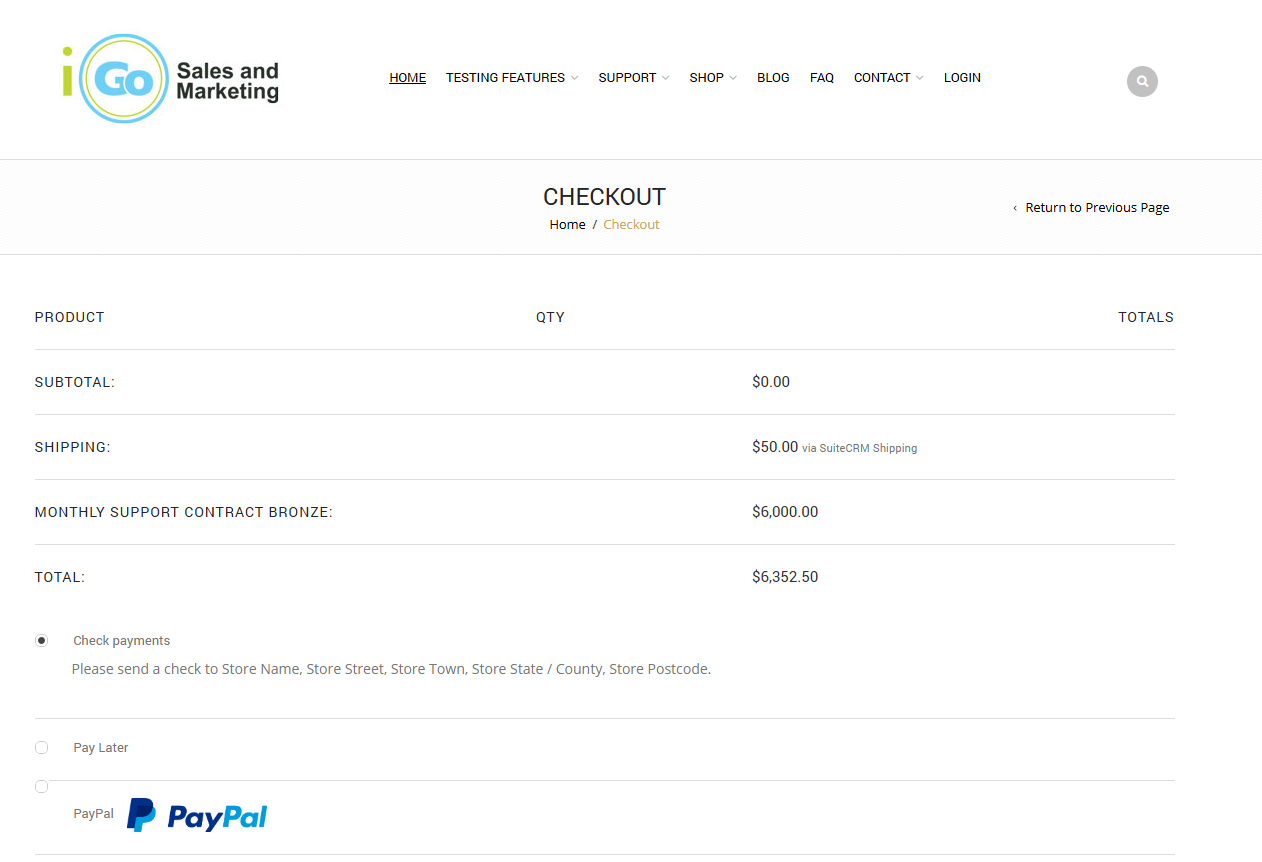
So for example, I can create an invoice in SuiteCRM, notify the client they have a new invoice via workflow. Allow them to pay it on the website
@BastianHammer I’ve taken a different approach on the data issues. Trying to pull thousands of records via API will definately be a problem. All list views are paginated and are realtively fast. Summary data accross the entire database should be handled in SuiteCRM not the Portal. The portal is primarily for end users, not the for the CRM users to have a second CRM inside WordPress. Where I use summary data, it’s limited to a time period. That’s kind of the approach I’ve taken. Speed to go and retreive records is reasonably fast and appropriate to get a list of “open cases” if its properly paginated. I guess if you have a large case set of thousands of cases in a single monthly time period, yes the list view could get slow for client, but for sure the client’s client using the portal shouldn’t have thousands of cases each monthly period.
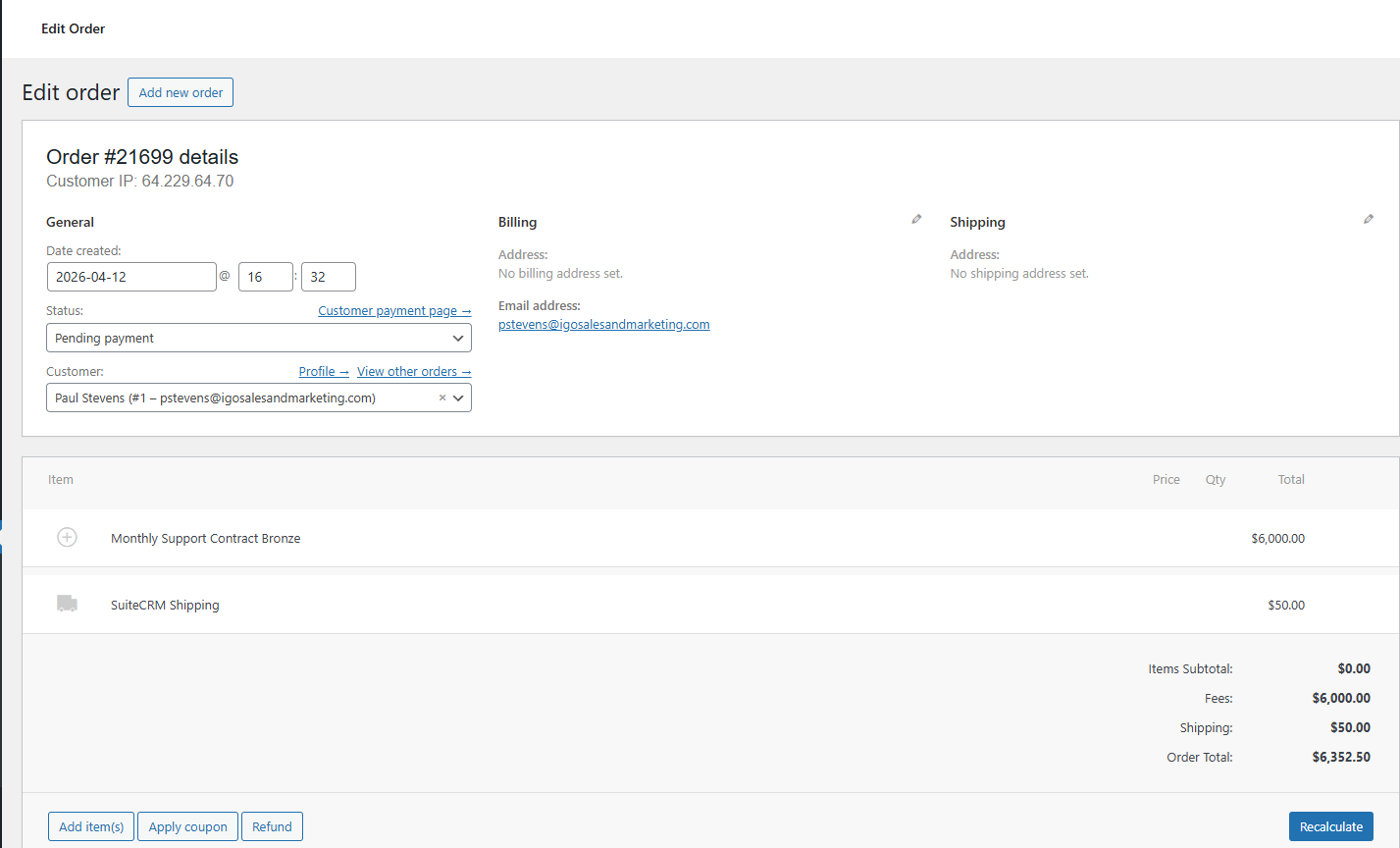
I’ve take the approach of zero CRM data in the WP Database, all data comes live from SuiteCRM as the system of record. The only kind of excption to this is the woocommerce order, this neatly solves the invoice payment issue and then just reports back to SuiteCRM to mark the invoice as paid.
Thanks everyone for your thoughts, this is a good thread.
I believe SuiteCRM security is already in place to make a SuiteCRM-based portal a reasonable architecture. Care is needed, of course, but the generic checks and users+groups+roles logic is in place and can be made pretty tight.
On the other points, sure, there are advantages to start things from some other system, or from the company’s website. But my feeling is that you end up reinventing the wheel - doing basic list-edit-delete for a module or two (and then three or four), then you want special validations based on DB content on some other record, then you want workflows, then you want different kinds of customers to get different accesses, then you want… what SuiteCRM already gives you out of the box.
The visuals would have to be quite different - I agree with that.
Thanks @pgr for your perspective. Definately a SuiteCRM native portal inside SuiteCRM does offer alot of advantages around access control.
However, the portal access scope is very narrow. Bascially, an end user either gets access to all cases for their account or only ones they are related to. This is likely robust enough for the vast majority of use cases. We can keep this very tight without giving end users wide access or relying on SuiteCRM security models.
SuiteCRM still is the system of record so any workflows or anything else happen inside SuiteCRM and would be subject to SuiteCRM security models.
The staff role is a little more complicated, and actually you gave me some more things to consider here to tighten up access for staff users and what cases they get access to.
Yes, I hope we don’t try to cram too many things into SuiteCRM the way SugarCRM did. Please let SuiteCRM remain a CRM system. Other functionalities can be handled by other specialized systems. We should avoid turning a CRM into a mini ERP.
I agree with that philosophy too! SuiteCRM has become so large and the support burden to keep it all working is enourmous. (not a complaint, Kudos to the team). In contrast, I see what a project like Mautic does. They concentrate on the core functionality of Mautic and plugin open source components as much as possible. It doesn’t try to be a CRM. It sends emails and tracks emails. It uses Symphony Mailer to send emails, it uses Grape.js as an email builder and probably a whole bunch more open source projects under the hood. It keeps the core manageable and supportable.
SuiteCRM has lots of great features, but its so gigantic to maintain and support by the team. Adding more complexity inside SuiteCRM is just going to add more support load, more bugs and issues that need to be resolved, more PR’s to push, etc. Plus, a portal, being customer facing, is not like the other CRM features. If leads don’t work properly, it’s not an emergency. Its an internal tool and it sucks, but there can be workarounds and some downtime can be reasonably tolerated. A portal is customer facing. The level of support required is in different league. Issues need to be resolved immediately.
Yeah you have to be careful which plugins you install and vet them. I use the same plugins accross all sites that I’ve vetted and have experience with. Anything outside that I custom code the functionality.
Lock down your site with more restrictive permissions, recaptcha on login, limit login attempts, keep plugins updated, install something like WordFence to monitor security.
I haven’t had a compromised site in 15 years.
Clients come to me all the time with compromised sites. This is generally the result of:
Hasn’t been updated in years
Used 30+ random plugins (not from official sources)
No limit login attempts
No security hardening
No recaptcha or 2 factor on login
On $2.00/month shared hosting.
The problem and the benefit of WordPress is that almost anyone can install and use it. There are alot of lets say graphic designers, who are great at design, but know nothing about web hosting, web security or web servers and then they start building sites for clients and disasters ensue.
That’s true—many people don’t fully understand the security considerations behind it, and they assume the price is too high. However, what they’re actually paying for is the safety of their system and the years of experience brought by the implementation team.