Dear Experts.
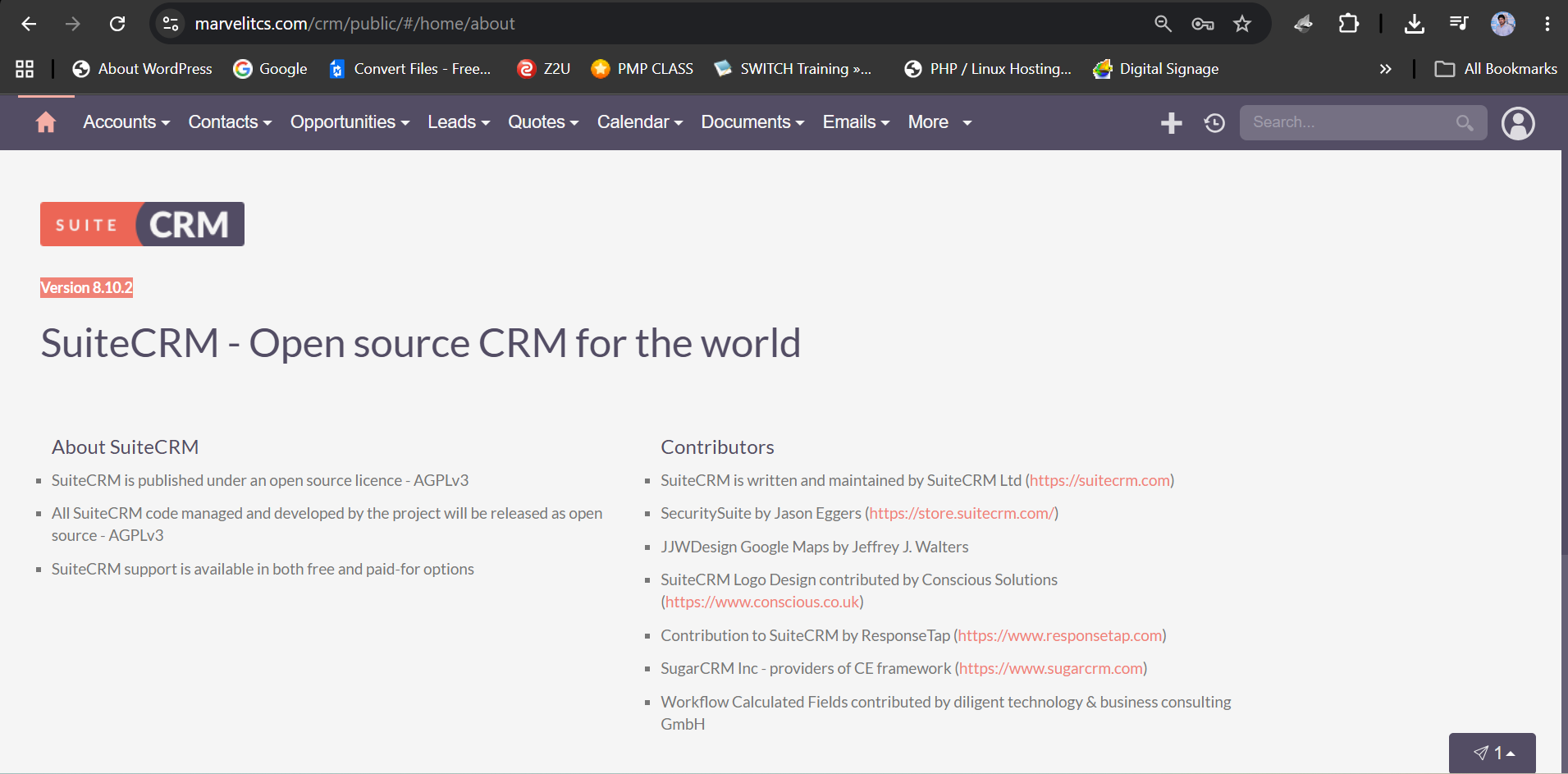
I recently installed SuiteCRM Version 8.10.2 on my web server. However, after completing the installation, the Administration tab/menu is not appearing at the top, even though the logged-in user has Administrator privileges.
Could someone please advise what might be causing this issue and how I can resolve it?
I have attached a screenshot for reference.
When you hover over the avatar in the top-right corner, do you not see the “Admin” option in the dropdown menu?
Could you also try accessing the Administration page directly using this URL and let me know what error you see?
https://marvelitcs.com/crm/public/#/administration
Hello Nasir,
yes, the admin area doesn’t have a navigation menu item - you can reach it via the profile drop-down menu.
One more hint in general:
Make sure to setup a subdomain and configure your vhost accordingly:
The goal is, to use the crm via a subdomain like:
https://crm.domain.com
and similar.
Using a sub-folder can lead to multiple issues down the road.
Hi.
thank you for your advise but what is the benefits if i host app with subdomain.
HI there,
The Administrator tab/menu appears on the top-right side (under profile icon). Once you’re inside Administrator menu, the active tab appears (in this case administrator menu) appears as the last item in the top menu list.
I hope that clears the confusion.
Thanks
Fynsis.