Unable to display the left sidebar menu

I’m using SuiteCRM 8 with WooCommerce on a WordPress platform. I also have WooCommerce Bridge installed. I noticed in the WC Bridge documentation that there is a left side menu displayed. When I tried finding this in your documentation, it showed that it’s there and can be controlled by an “arrow” icon that appears at the left of the screen. I’ve found no such icon on any of the screens in my installation of SuiteCRM.

Has this changed in SuiteCRM? Am I missing something? The side menu would be much more efficient for our use.
Hello Basil,

you’re right - the left sidebar was available in Suite 7:

In Suite 8 it got dropped. There is an insights right sidebar in some modules / records, but it’s conceptionally different.

WC Bridge still seems to be working without the sidebar, right?

Has the lack of side bar been fixed yet for SuiteCRM 8?

You say it got dropped. Is that still true? It’s the remaining obstacle to upgrading.

Or is there another way of getting around?

Thanks

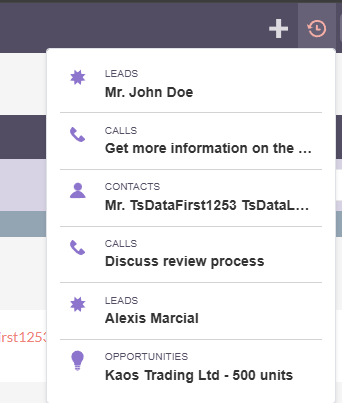
We do not have side bar like v7 but they’ve added the button on the navbar to see the recently viewed records.


Check it out here: