Hi,
I’m installing SuiteCRM 8.9 and using the cli installer - all run via a bash script. When I log into the UI for the first time, I get the “Welcome to SuiteCRM” screen. Is there anyway to disable this? Interestingly, if I install by running theh commands myself, I don’t get this screen. I can just log in as the admin user I set in the cli.
Thanks
Pete
Hi @peterj1974 ,
That welcome screen appears when the installer flag isn’t set after a CLI install.
Just make sure this line exists in public/legacy/config.php:
php
$sugar_config['installer_locked'] = true;
Then clear cache:
bash
php bin/console cache:clear
You can also add it to your bash script post-install to skip the screen automatically.
Hope this helps you get it working smoothly! 
1 Like
Thanks for the suggestions. I’ve confirmed the installer_locked is set to true, and I’ve now added in the cache clear to the end of my install script.
However the “Welcome to SuiteCRM” screen still displays - but only on first log in. If I log out and then back in again I don’t get the welcome screen. Is there another setting I need to dsiable?
Thanks
Pete
Hello Pete,
there is no parameter to deactivate the wizard.
I’d be curious what’s different about your script and the CLI commands?
To further investigate one idea:
When you create a user manually, you can select / deselect the wizard in the advance tab:
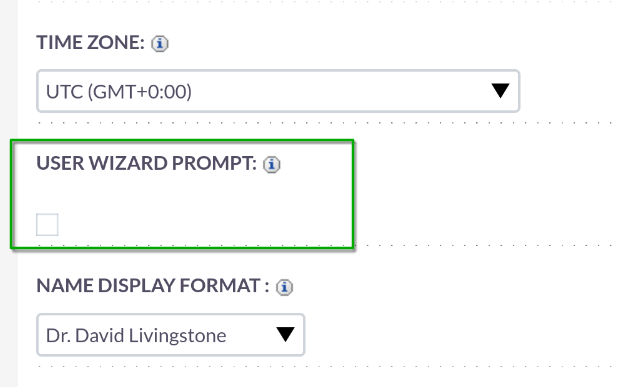
Try to create two users, one with and one without the option.
Check the DB differences.
Maybe the setting is base64 encoded.
Now your script could write a standard base64 encoded string (with the setting deactivated) for your installation, into the user record.
2 Likes