Hi SuiteCRM Community 
I’m part of the team behind SuiteBrain AI, and we’ve been working on something new for SuiteCRM that I’m excited to finally share.
SuiteBrain AI lets you connect your SuiteCRM to AI clients like ChatGPT, Claude, Gemini and Grok and actually work with your CRM through natural language.
Instead of navigating through modules, filters and forms for every task, you can simply ask for what you need.
For example:
“Show me my open opportunities.”
“Which deals need attention?”
“Create a follow-up task for this account.”
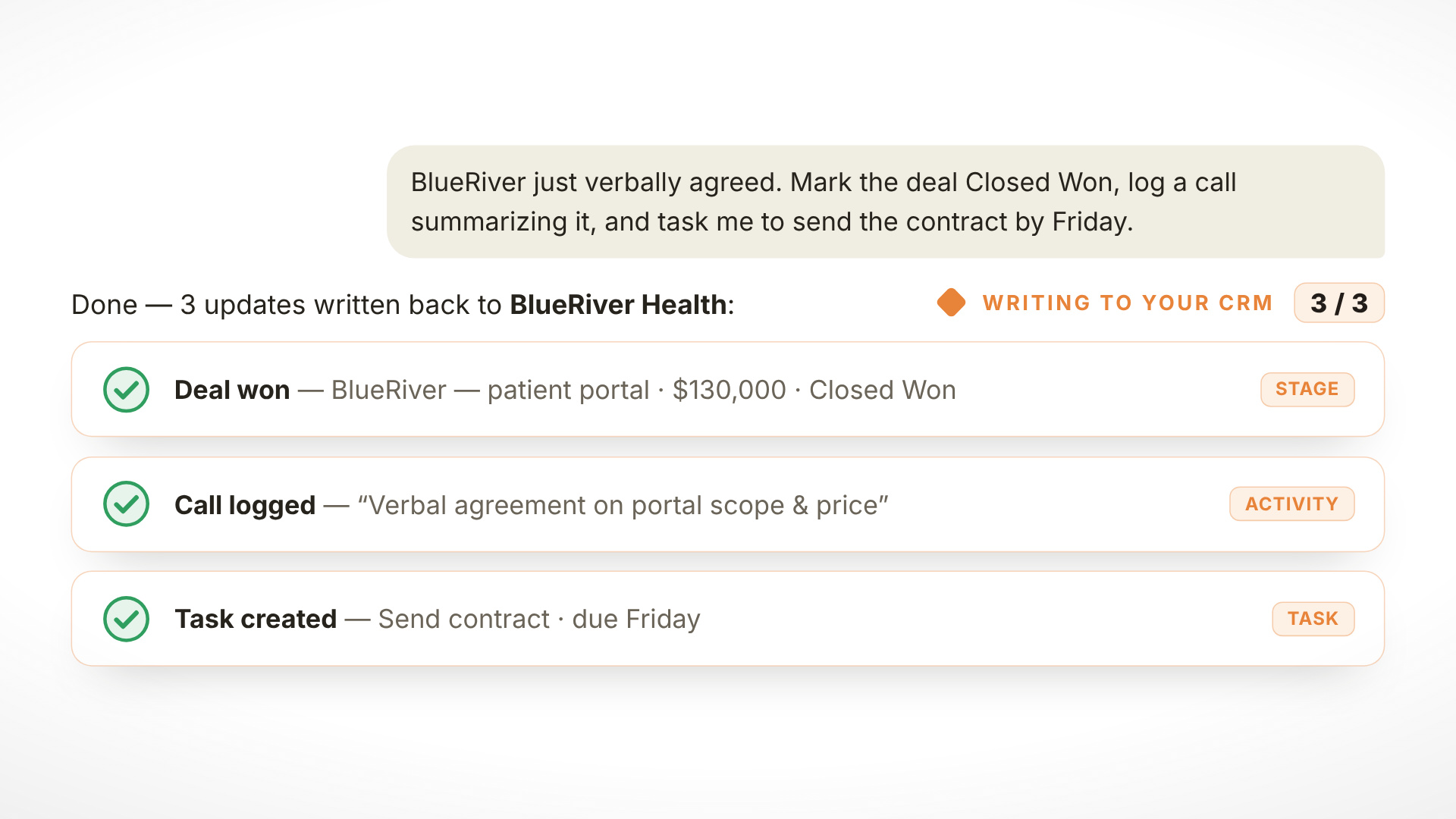
“Move this opportunity to the next stage.”
“Show me the latest activity for this customer.”
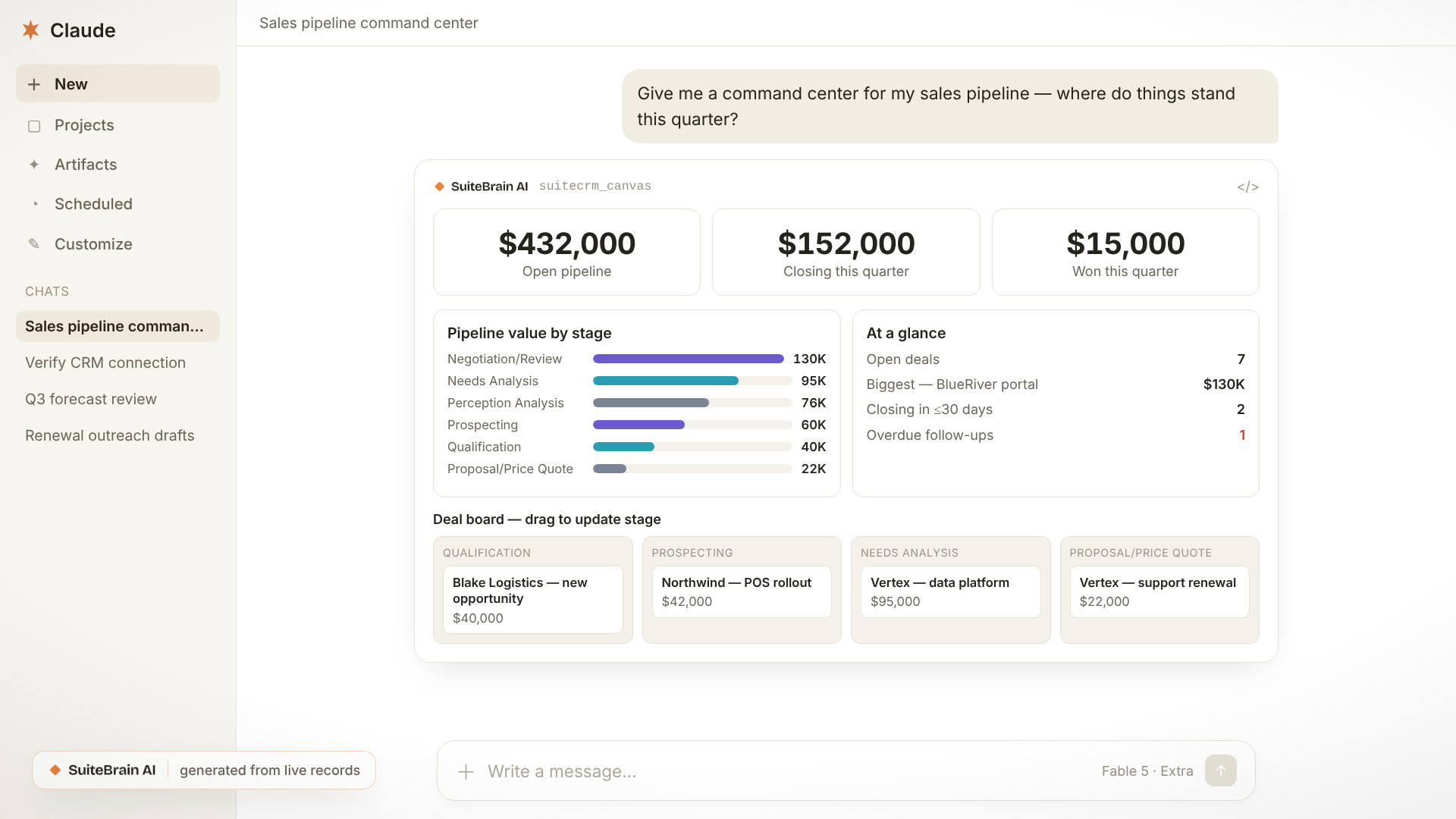
“Build me a dashboard of my current pipeline.”
And the AI can work directly with your SuiteCRM.
 See it in action

But this isn’t just a chatbot sitting on top of CRM data.
The interface can be generated around what you’re asking for.
Ask for your pipeline and you can get a visual pipeline.
Ask for reporting data and you can get charts and dashboards.
Ask for records and you can get an interface for exploring and working with those records.
Built for real SuiteCRM environments
One of the important challenges with SuiteCRM is that no two implementations are exactly the same.
Businesses create:
-
custom modules
-
custom fields
-
relationships
-
workflows
-
different roles and permissions
So we didn’t want to build an AI integration that assumes every SuiteCRM looks the same.
SuiteBrain AI discovers the customer’s CRM configuration at runtime, allowing the AI and generated interfaces to adapt to the SuiteCRM instance they’re connected to.
That means the experience can work around your CRM, rather than requiring your CRM to fit a predefined AI interface.
And it can do more than read data
SuiteCRM remains the system of record.
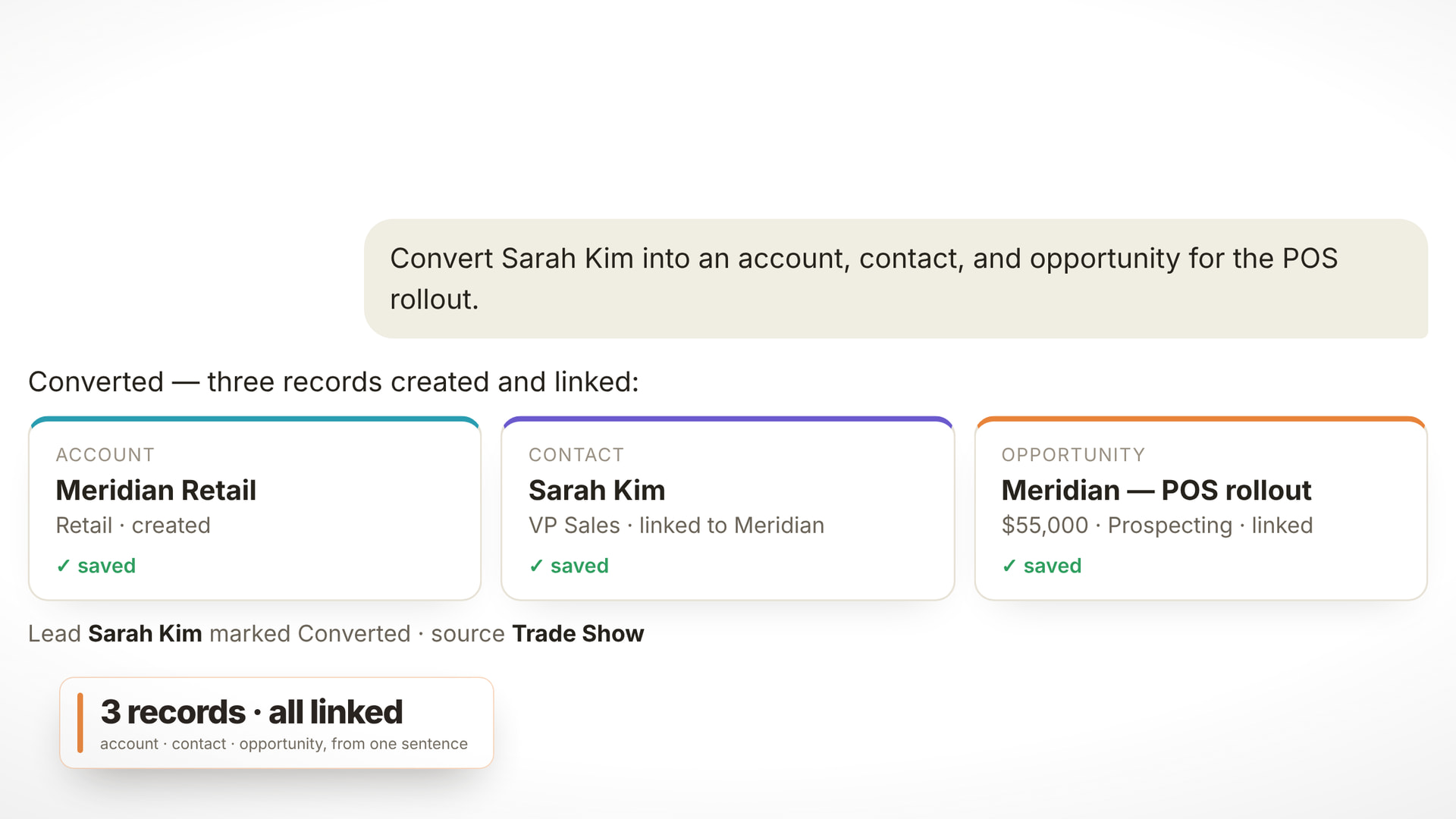
Through the integration, the AI can perform actual CRM operations such as finding and opening records, working with opportunities, managing activities and cases, and carrying out supported actions directly against SuiteCRM.
The goal is simple:
Less time navigating CRM screens and performing repetitive steps, and more time actually working with your CRM data.
Powered by MCP
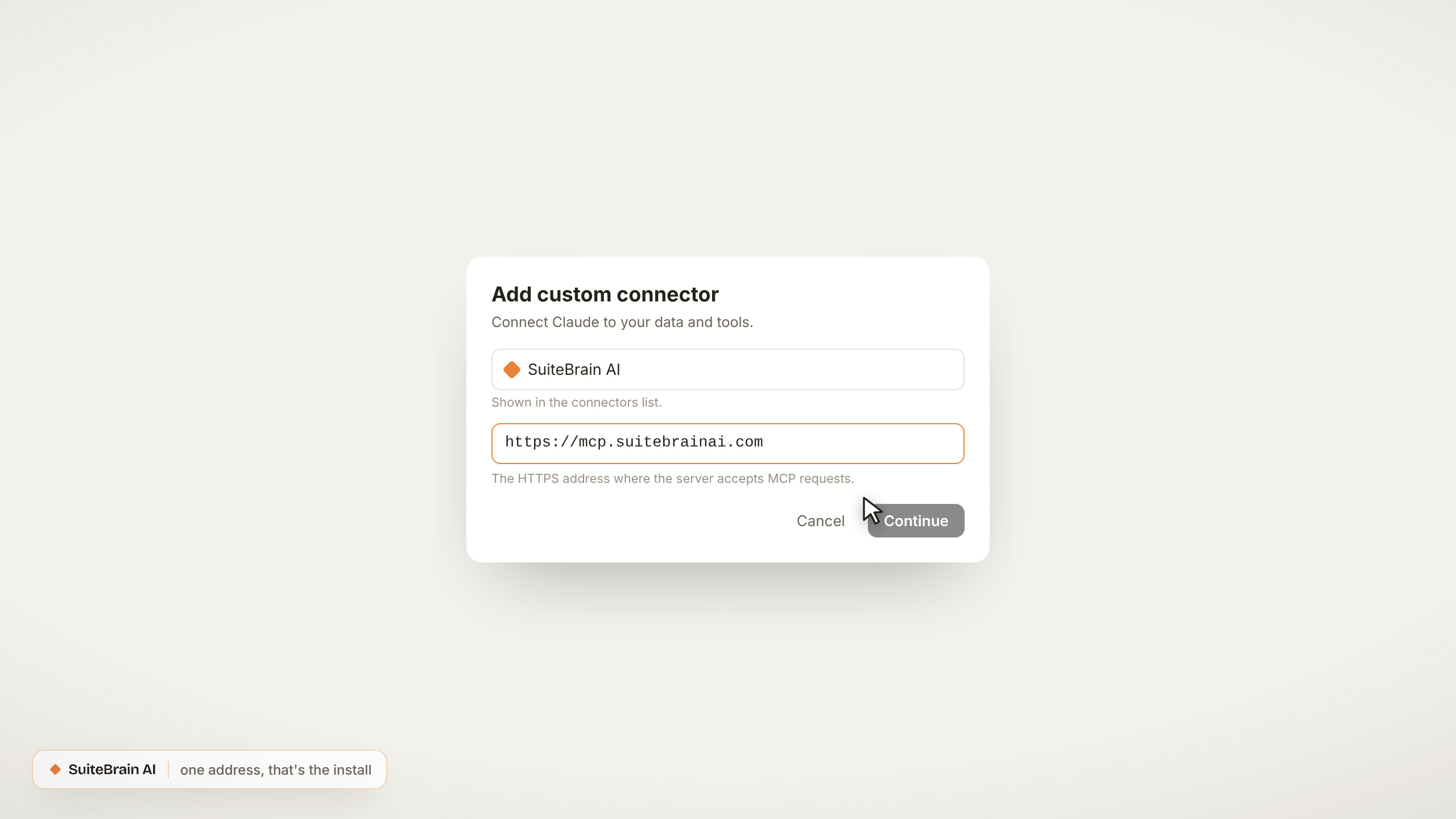
Underneath this is a Model Context Protocol (MCP) server for SuiteCRM.
That means SuiteCRM isn’t tied to one AI assistant.
The same CRM can be connected to supported AI clients such as ChatGPT, Claude, Gemini and Grok, while SuiteCRM continues to own the underlying business data and permissions.
The integration also respects the authenticated SuiteCRM user’s access, so the AI operates within the permissions available to that user rather than becoming a separate unrestricted copy of the CRM.
Want to try it with your SuiteCRM?
We’d love to get SuiteBrain AI into the hands of the SuiteCRM community and hear what you think.
Start a free 14-day trial: suitebrainai.com/signup
- The full product, free for 14 days: every tool and every view, for up to 50 users.
- No card needed.
- Connect a test or staging SuiteCRM first if you’d rather explore safely before going near production. Your SuiteCRM needs to be reachable from the internet, and you’ll need a Password Client (Admin → OAuth2 Clients). The setup screens walk you through it.
- Works with SuiteCRM 7.10 and newer, and every SuiteCRM 8 release, custom modules included.
Every request runs as the signed-in SuiteCRM user, so your existing roles and permissions decide what the AI can see and change, even during the trial.
Plans for every setup, from small teams to self-hosted and air-gapped on-premise installs with your own AI model: suitebrainai.com/plans
Questions, or want help getting connected?
Whether you’re an administrator, developer, partner, or running a heavily customized SuiteCRM, we’d especially love to hear how you’d use it.
What would you want to ask your SuiteCRM, or have AI do for you, if you could work with your whole CRM this way?
Disclaimer: SuiteBrain AI is an independent product. It is not made, endorsed or supported by SuiteCRM Ltd. SuiteCRM is a trademark of SuiteCRM Ltd. Claude is a trademark of Anthropic, PBC; ChatGPT of OpenAI; Gemini of Google; Grok of xAI.