I have had this installation working for some months, the the email quit. I have studied and run various debugs, error logs, etc. But I had an idea that might undercut all of those actions. At one point, I re-ran the file owner/group permissions on the CRM (to correct another problem).
Here’s the punch line: by accident, I launched the commands from my home directory (the default directory that opens in PuTTY) without first changing directory to the root of the CRM.
Is it possible that this error has hosed permissions farther up the tree (down the tree? towards the root?) and causing email to break?
If that is the problem, can anyone tell me the permissions I should set to put things right again? I really hope a re-install is not required. The CRM is in production at this time (although without email)
I always use this script to re-set permissions (I do it often!). Here’s a link to it on Github. Just put it in our SuiteCRM directory and run it from a web browser.
Thanks for the script, that beats running the multiple command lines.
I am wondering if by running the commands from the wrong folder, I messed up permissions in Apache, outside of the SuiteCRM installation. To be excruciatingly clear, I ran:
However, I forgot to first navigate to the SuiteCRM root for this particular install, so the commands presumably affected the entire server.
So the more specific questions are:
1 - Is is possible that I have messed up file permissions outside of the CRM, causing problems (such as email no longer connects)?
2 - if that is true, is there a method of restoring these, without doing a re-installation?
I’ve been having fun with SuiteCRM for years, but I am still a little fumbley regarding the server itself.
another question: when you log into your shell, if you type pwd it will tell you the current directory. That should be some user’s home directory, not the root of the entire server, where messing up permissions could be much harder to fix.
If you just messed things up in some user’s folder, I don’t see how it could affect SuiteCRM email. although a look at the PHP logs and the suitecrm logs should give you more specific clues.
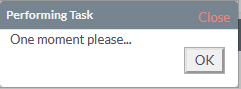
Enter email server credentials into the Outbound email settings (under Administrator page) then click “Test”
The result is a never ending “one moment please…”
Ok, so it never generates an error message? That would be interesting to see. I’ve battled many email issues and really you just have to try a bunch of things. Most cases, (in my experience) it’s not SuiteCRM that’s the problem but your server or a hosting issue. I can maybe help narrow down the things you can try by answering a couple of questions…
So here’s a couple of questions?
What is your hosting environment (and who ie: Godaddy)?
What outbound SMTP email (gmail, office 365, cpanel, etc.) are you using?
So assuming you changed permissions from the the server root and not SuiteCRM root, I think the effect would be:
sudo chown -R www-data:www-data .
This is how all the files should be anway, shouldn’t be a problem.
sudo chmod -R 755 .
This is going to change EVERYTHING to 755 this would probably be less restrictive that it should be. I forget what your PUBLICHTML folder should be, but probably more restrictive.
Neither of these would work:
sudo chmod -R 775 cache custom modules themes data upload
sudo chmod 775 config_override.php 2>/dev/null
These files and folders wouldn’t exist in your server root.
So, to fix basically you’d just have to re-run these from the SuiteCRM directory.
Did your email problems start immediately after you did this? Just trying to figure out how this ties in with your email issue?