Sorry, I had a doubt… published this post because I didn’t see the customizations in my form:
js file that calculates the hours in an interval
the controls on the various fields through entrypoints
…
but the custom module I see it independently of editing the module_routing.yaml file and clearing the cache.
So my question, the modification of the module_routing.yaml file and clearing the cache, is it just to be able to see My custom module? If so, I don’t need it.
I would like to know how to get the js and entrypoints working again.
That looks right, unfortunately I don’t have the dev environment anymore where I set this up. I did in fact get it to work. I’ll send you a PDF of my personal notes on what I did to get it to work.
I modified the original file, what path would I throw the override file into for this? I’ve done a lot with custom/modules/ * and such, but wasn’t sure where this file would fall.
Bwahah now we’re see an issue on this one (thankfully our test server) that it’s not allowing us to create new records. Logs show an error saying the primary already exists so it doesn’t allow duplicates, but when I confirm, that record isn’t in our database yet.
Have you narrowed it down, is it the legacy module causing the problem or the PDF modification that’s causing the issue. I know I for sure created a couple of records in my custom module after I made it legacy and it worked.
Still narrowing it down. Reverted changes to the routing and still seeing it, so routing may not have been it. Will be testing a couple of Logic Hooks we’ve been working on to see if that’s the issue possibly!
ha… funky timing… was working on a couple of logic hooks too… and it’s looking like we had the priorities set too close so it was causing an attempted duplicate save on the record…
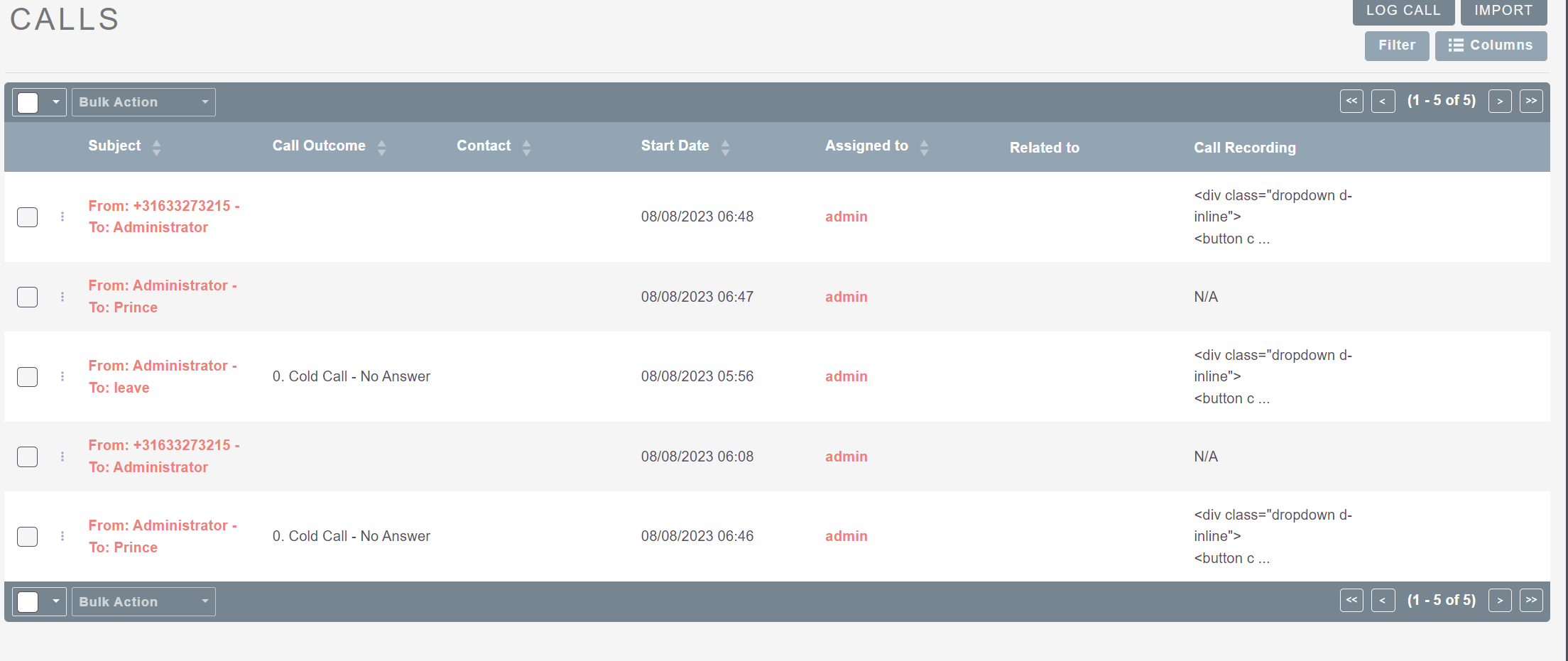
Process_record logic hook was working in Suitecrm 7 but process record logic hook is not working in Suitekarm 8,
It’s showing full HTML code like tag () in Suitecrm 8
I am sharing the image of Suitecrm 7.11.2 procees record logic hook
This method fully work if u turn on the legacy mode (put false in the module_routing.yaml). Everything work like before in V7, but I would like to make my custom code work in the new view and way of doing it, It seems that its no more in view.detail.php (function display() is never fired up).
Basically I have the same issue as the original poster, Im trying to make my suitecrm 7 custom code working into suitecrm 8… view.detail.php look like to not get fired anymore