SuiteCRM 8.9.1 corrupted?

I sucessfully upgraded suitecrm from 8.8.1 to 8.9.1 (debian 12.2, php 8.3, mariadb 10.11.14).

What happened is that my group outbound emails did not work properly and I fixed that by enabling security groups, after that I did quick repair and rebuild and some time after (likely after my browser refreshed cached files) I basically lost control of my suitecrm instance.

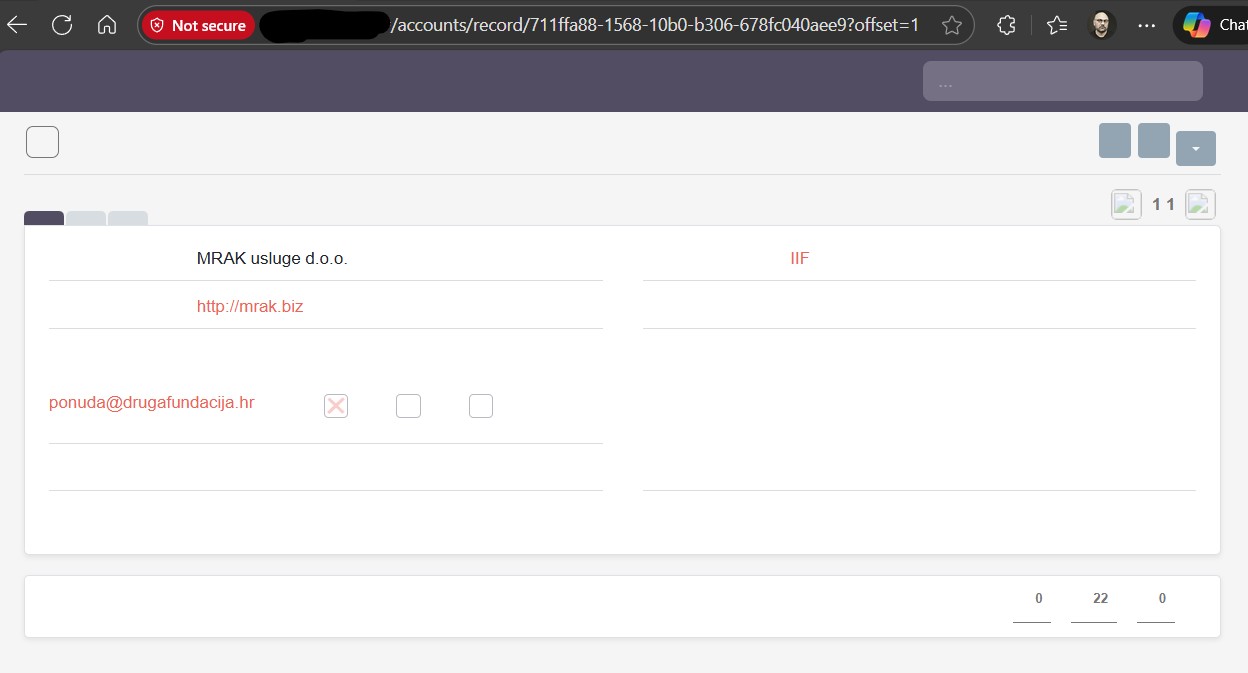
It appears to me that suitecrm still works, but, I lost all dialog labels (and I do not understand how or where), this is how one account looks like:
After some investigation I managed to get to the Admin section (all this is happening while I am logged in as admin - same thing happens with my users), notice that my URL is a bit different, expected URL should be suitecrm**/#/administration** and I reach this with suitecrm**/#/Administration**:
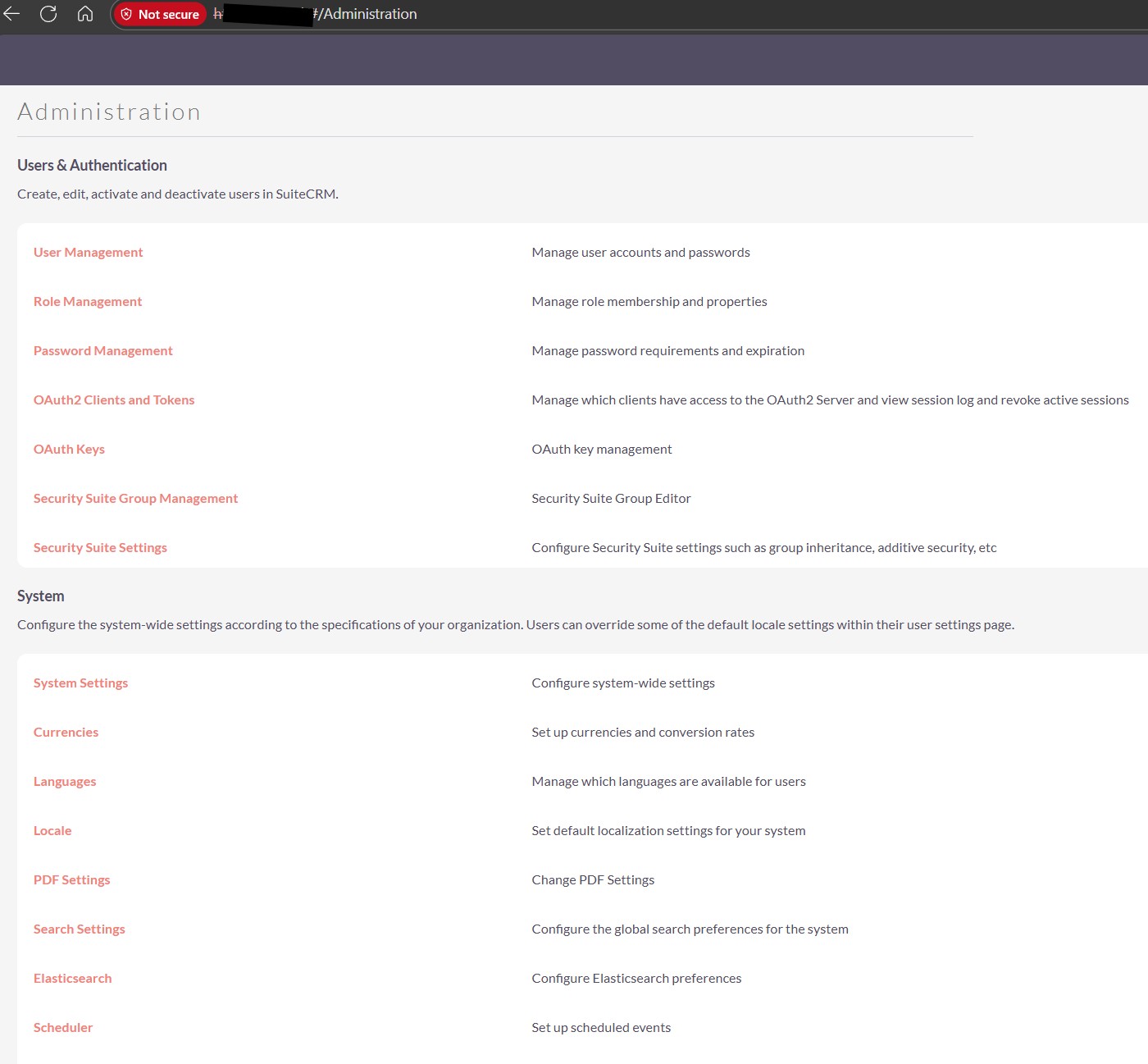
I suspect everyhing works, but because there are no lables I can not see or click on any menu items.

I can not find any (significant errors).

For example my /var/www/suitecrm/logs/legacy# tail suitecrm.log shows this:

Thu Nov 27 2025 at 13:11:03 [85104][1][FATAL] An Imap error detected: “IMAP search error”
Thu Nov 27 2025 at 13:12:01 [85109][1][FATAL] ImapHandler trying to use a non valid resource stream.
Thu Nov 27 2025 at 13:13:02 [85116][1][FATAL] ImapHandler trying to use a non valid resource stream.

(this is somehow related to my incoming inbox but I do not think this is related to my current issue).

For example my/var/www/suitecrm/logs/prod# tail prod.log shows this:

[2025-11-27 10:28:56] php.WARNING: Notice: SessionHandler::gc(): ps_files_cleanup_dir: opendir(/var/lib/php/sessions) failed: Permission denied (13) {“exception”:“[object] (ErrorException(code: 0): Notice: SessionHandler::gc(): ps_files_cleanup_dir: opendir(/var/lib/php/sessions) failed: Permission denied (13) at /var/www/suitecrm/vendor/symfony/http-foundation/Session/Storage/Handler/StrictSessionHandler.php:87)”}
[2025-11-27 13:00:28] php.WARNING: Notice: SessionHandler::gc(): ps_files_cleanup_dir: opendir(/var/lib/php/sessions) failed: Permission denied (13) {“exception”:“[object] (ErrorException(code: 0): Notice: SessionHandler::gc(): ps_files_cleanup_dir: opendir(/var/lib/php/sessions) failed: Permission denied (13) at /var/www/suitecrm/vendor/symfony/http-foundation/Session/Storage/Handler/StrictSessionHandler.php:87)”}
[2025-11-27 13:06:24] php.WARNING: Notice: SessionHandler::gc(): ps_files_cleanup_dir: opendir(/var/lib/php/sessions) failed: Permission denied (13) {“exception”:“[object] (ErrorException(code: 0): Notice: SessionHandler::gc(): ps_files_cleanup_dir: opendir(/var/lib/php/sessions) failed: Permission denied (13) at /var/www/suitecrm/vendor/symfony/http-foundation/Session/Storage/Handler/StrictSessionHandler.php:87)”}

Does anybody have any idea on where to go, what to check?

I checked and rechecked my web server (everything ok), disk space ok, I reinstalled 8.9.1, checked access rights (on file system level), deleted and warmed up symphony cache…

I thought this is something related to language files and I uploaded new languages (EN_UK) but same thing happens.

Also of interest, I will sometimes get following error:

p.s. there are no third party modules installed (there is single custom module which worked correctly)
p.p.s. the only partialy unique thing about my install is collation (I use utf8mb3_croatian_ci instead of utf8mb3_general_ci; all of my tables are correctly collated as ut8mb3_croatian_ci and suitecrm database collation is set to ut8mb3_croatian_ci)
Hi Mrak,

Did you check the file permissions on folders if they are corrects, seems like there is some problem with metadata.

1 Like

The directory you need to check is

/var/lib/php/sessions

Check permissions and ownerships, clear up any trash (check online to see what is safe to delete).

Sometimes the problem there is a huge number of files (after years of not getting cleaned up properly)

I have done permission reset as instructed here:

I have also done cache clear and warmup:

./bin/console cache:clear --no-warmup --env=prod
./bin/console cache:warmup --env=prod

I have not done any manual deletions, but I will check that in the morning based on this info.

Hello,

that sounds / looks like multiple issues.

The imap error can be ignored for now, I see these on working systems as well.

The session error: It’s sth. new since a more recent version of Suite 8 and (haven’t checked the code, but it implies) an active PHP garbage collector.
One thing you can do is, to grant write/delete permissions to www-data to your PHP session directory.
Alternatively, you can just set your session directory based on your Suite instance and the error will go away directly:

(here as well, I see these issues on multiple working SuiteCRM instances, not a big concern / priority)

As for the missing labels:
Do you have an additional language installed? Can you uninstall, repair and try? And then re-install and repair?
I’ve had some issues with additional lang packs and the navigation. But so far not the whole labels.

If you check your browser console in the network tab, are all requests loaded properly?
Does it look like this if you switch to dev in your .env file?

The URLs are concerning and might indicate something around mod_rewrite / Symlinks and similar around your Vhost config.

/#/accounts/record/5a23ff95-eaf4-…
/#/administration

These are the ones that I see on a working version.
If there is sth. wrong about redirects / routings etc. I assume your GraphQL and other things won’t work properly. The network tab should help with more details.

The error about fetching metadata would be interesting to investigate - maybe after making sure that the server is configured correctly.

The collation: You can test that by simply copying your DB and change the collation. But I’d move this further down the list of things to check as well.

Do you have a separate environment - a VirtualBox or similar to install a vanilla Ubuntu LAMP - no ufw / fail2ban etc. and set it up there?
Might be good to check in another VHost / subdomain on the same server like your “issue” instance, whether 8.9.1 passes the pre-flight check for a fresh install.

Hello,

Couple of points (based on your questions):

  • I have tried to clear browser cache (many times, I use both firefox and edge, I also used fresh edge browser from windows sandbox) - so it is not the browser
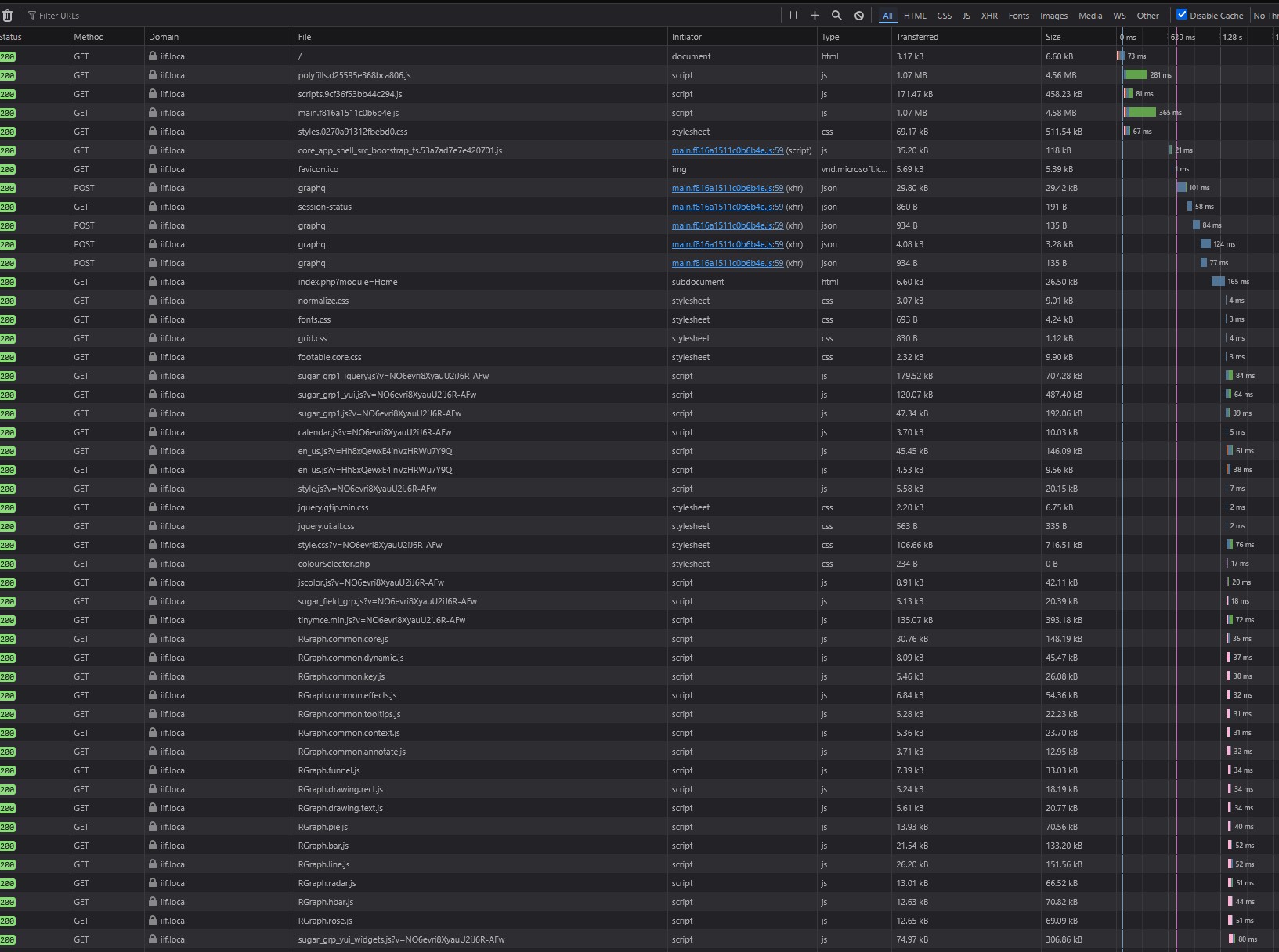
  • networking in my client shows that all of the files are loaded correctly (see screenshot below, this is just a portion of the files, but all of them load correctly)
  • I have tried to install English_UK but nothing changes
  • I have tried to re-install 8.9.1
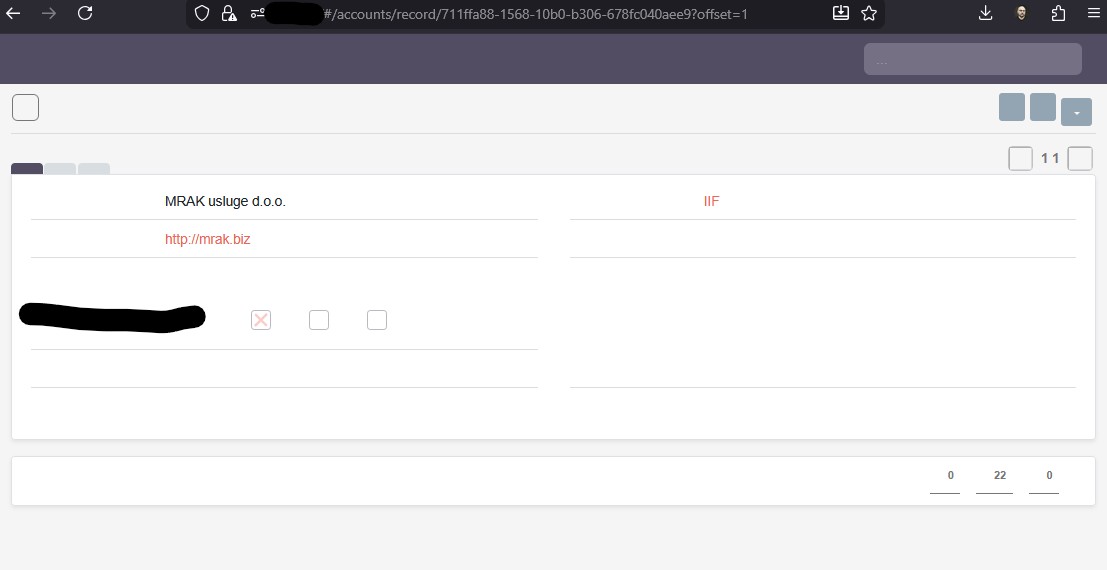
  • I am very confident that .htaccess is working correctly, if I try to navigate around while using known URLs it shows my data ok (for example if i go to https://suitecrm/#/contacts it will show me a list of contacts, if I choose any of them it will load BUT without any labels shown on the screen, meaning I do not see any of the menues and I do not see any of the field labels, see picture below)
  • I have cleared symphony cache and it turned out that this folder ended up being recreated with root privileges and I reset permissions but this did not resolve the issue
  • this is virtual machine on my own network (not accessible from outside in any scenario) and this machine worked correctly since the day it was installed (but it was regulary updated)

Now, I have also found following walk-through:

And went through that as well and almost all points were 100% ok. There are two differences I stumbled upon:

  1. .env.local file did not have four lines as shown in the article (again, suitecrm run correctly until monday, I have never touched this file; my .env.local file included database access instructions and database seed key)
  2. procedure for composer install did not work unless done with root privileges (and reset permissions afterwards)

The only meaningful error I can find is following (from prod.log file), if you look at this it mentions languages but my www-data user has access to this folders and files:

[2025-11-28 09:45:59] cache.WARNING: Failed to save key “isInitializable.a%3A3%3A%7Bi%3A0%3Bs%3A31%3A%22App%5CLanguages%5CEntity%5CAppStrings%22%3Bi%3A1%3Bs%3A2%3A%22id%22%3Bi%3A2%3Ba%3A2%3A%7Bs%3A20%3A%22normalization_groups%22%3BN%3Bs%3A22%3A%22denormalization_groups%22%3BN%3B%7D%7D” of type bool: fopen(/var/www/suitecrm/cache/prod/pools/system/50XcHd65Da/fOh3WofI): Failed to open stream: Permission denied {“key”:“isInitializable.a%3A3%3A%7Bi%3A0%3Bs%3A31%3A%22App%5CLanguages%5CEntity%5CAppStrings%22%3Bi%3A1%3Bs%3A2%3A%22id%22%3Bi%3A2%3Ba%3A2%3A%7Bs%3A20%3A%22normalization_groups%22%3BN%3Bs%3A22%3A%22denormalization_groups%22%3BN%3B%7D%7D”,“exception”:“[object] (ErrorException(code: 0): fopen(/var/www/suitecrm/cache/prod/pools/system/50XcHd65Da/fOh3WofI): Failed to open stream: Permission denied at /var/www/suitecrm/vendor/symfony/cache/Traits/FilesystemCommonTrait.php:95)”,“cache-adapter”:“Symfony\Component\Cache\Adapter\PhpFilesAdapter”}

@mrak did you check the sessions directory as I suggested?

Do you still have errors mentioning /var/lib/php/sessions?

Another random thought: check if you have SELinux activated.

I am sorry, I forgot to clarify that. Yes, I have checked the folder, there were only actual files there and file permissions were correct.

I have removed all of the content from there, but nothing changed.

1 Like

That sounds somewhat odd.
How did you do that?

sudo -u www-data /usr/bin/php8.3 bin/console cache:clear

I tend to do everything as www-data user when I’m working on the CLI and I’ve got multiple PHP versions installed, so I point out my desired one as well.

Same suspicion here. I usually install composer locally as www-data. In some environments I move the binary as a root into the global directory / PATH.

That again sounds like a permission issue.
How does the rest of the server look like? Sticky bit, Fail2ban, SELinux, mod_security etc.?
What changed on the server recently? Is it still possible to install a fresh 8.9.1 in another directory / sub-domain?

1 Like

Bastian is right to call attention to those permission degradation issues. So, things to check:

  • which user is your web server running under? Is it by any chance root?
  • which user are your cron jobs running under? Is it by any chance root?
  • which user are you logging on as? When doing maintenance tasks, make sure you don’t touch files with the wrong user.

All of these things can be solved with a blanket “reset ownerships and permissions”, but if you notice this keeps being necessary, then one of the above issues is your problem.

I always make sure my SuiteCRM installations don’t need periodic ownership and permission resets. This is contrary to the wisdom of some people on these forums, but for me it’s a clear goal. Make sure I am not breaking my system, instead of fixing it over and over and over and…

1 Like

Hi, I’m facing the same issue. I upgraded from SuiteCRM 7.14.6 to 8.9.1.
When I run Repair & Rebuild first and then delete the generated *.ext.php files in the custom directory, the UI starts showing correctly.
But if I run Repair & Rebuild again, the UI breaks again and all labels disappear.
Any fix for this?

1 Like

Hello,

I was away and could test above items only now:

  • this machine is running non stop since 2023, so the machine itself was not changed, its sole purpose is to host suitecrm
  • machine is Debian 12 (bookworm), updated to the latest patch
  • machine environment is correct (all versions of required packages are there, installed and running)
  • machine itself is (heavily) isolated from the internet and therefore fail2ban, mod_security and SELinux are not configured (or even installed, I re-checked again today)

I can agree that something happens with access rights but I am not aware of any changes to the system except for regular system updates which could have caused this.

My next step is to configure completely new machine (this time ubuntu 24.4) and migrate to the new machine. I have looked at how it is done and my conlusion is that it is a mess :slight_smile: (this is not designed with migration in mind).
Yeah, you need to run all 4 commands properly.

Set permissions

Set the required permissions

If you are using the terminal you can do this by running:

find . -type d -not -perm 2755 -exec chmod 2755 {} \;

find . -type f -not -perm 0644 -exec chmod 0644 {} \;

find . ! -user www-data -exec chown www-data:www-data {} \;

chmod +x bin/console

Please have in mind that:

  • The user and group name (in the above example www-data) needs to be replaced by the actual system user and group that your webserver runs under. This varies depending on your operating system. Common web server users are as follows:

    • www-data (Ubuntu Linux/Apache)

    • apache (Linux/Apache)

Also, check the .env.local / .env.local.php file. Clear symfony cache. Make sure you’re checking same suitecrm instance on the browser.

If it is issue with accounts module, go to studio →Accounts→ Layouts→ Edit View → reset preferences. You can reset preference in the user profile too.


Sounds like a plan. Please update us once you done it.

This is interesting development, I am looking into this and I found that en_us.lang.ext.php is missing “?>” (php end tag), this files show up in many folders within /custom

Even if I delete this files, they show up again really quickly.

I have expanded error logging in my php config and now when I do quick repair I also see following record in legacy/suitecrm.log:

[FATAL] createRelationshipMeta: Metadata for table media_objects does not exist

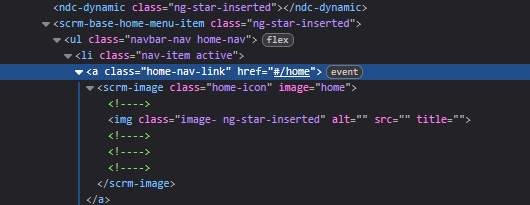
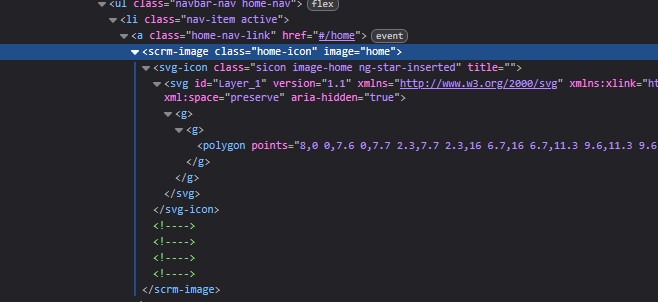
When I look at my crashed suitecrm installation, for example in top left corner I should home image (which is supposed to lead me to the root of suitecrm web app) and this small icon of a house is not showing and when I go to see underlying HTML I see this:

Notice that IMG src is missing completely, there is html placeholder but no image to load (it is actually a poligon). See how it looks on working instance:

Something is clearly off, but I still can not find where this error is happening.

I have configured new virtual machine and suitecrm works there, I will try to import database and tomorrow and see what happens :slight_smile: .

p.s. I have spent whole day trying to figure out access rights on crashed machine and literally everything is “by the book”, I can not find single anomaly in config/rights which is not confirmed by documentation

1 Like

I’ve had this before as well on one file.
The result was just a white page without anything on it, not even a login or so.
And upgrade + upgrade finalize fixed this problem for me.

I see this as well since 8.9.1 on some instances. So far, I haven’t noticed any related issues.

As to Bookworm: I’ve used Debian for many years - but it was a bit too slow with the PHP versions by then. Switching to Ubuntu reduced the delay in versions. (I know - it’s possible to install other versions, just the out of the box stuff seems to be a bit dusty for newer web technologies on Debian).

1 Like

Not using ?> at the end is actually a recommendation, not a problem.

The FATAL error is more serious cause of concern. I don’t recall a table media_objects in SuiteCRM, do other people have it (I can’t check right now)?

If not, then maybe you have some broken add-on, or the left-overs from an already uninstalled add-on (or custom code)…

Well, at that point in time Debian was taken likely because it is more lighweight and more optimized for server environments (I really don’t recall why exactly I choose it, but here we are). In the meantime my other machines ended up running on Ubuntu so this will be a move to harmonize environment (although differences are small).

My current server setup has plenty of resources (in both processor power and memory) so I never noticed any slowness of Debian (it was set as php-fpm, ubuntu will use default apache2/php setup), and besides, suitecrm does not require many resources.

I am now researching what is the very minimum of files I need to move from my old instance to the new one.

My current conclusion is that I need full copy of my database, my custom directory, uploads directory + my custom module.

We do not have media_objects table in the SuiteCRM.

We only have table related to meetings_*

This might still be helpful

1 Like

My suitecrm install does not have table with that name too. So it is unclear from where that message comes from (or what does it mean exactly).