Just installed SuiteCRM 7.15.0 on one of my Dev installs. WOW, no issues, no problems, all the new features seem to work without any problems! Setup the Google Oauth and calendar sync easily without issue! The documentation is a little sparse but I managed.
Congratulations to the dev team. This is a very smooth upgrade and all the features seem to work as expected. Plan to install it in my live envrionment tomorrow.
I installed SuiteCRM 7.15 as a new clean install. (still scared about bugs in V8). I was looking to use the inbound email and calendar features. Remote LINUX server. SQL 8.4.3-3
Lots of the features are working great. I especially like the limit on how many emails to read at a time.
Getting more ambitious I started entering Projects and tasks. I love that relationships are already there. But keep getting a database failure SQL 1109 which puts an end to the joy…
Hey Harvey, I’m successfully using projects and project tasks on 7.15 I”m using MariaDB 10.11. Do you have any other errors in the log that may help identfy the specific query causing the problem?
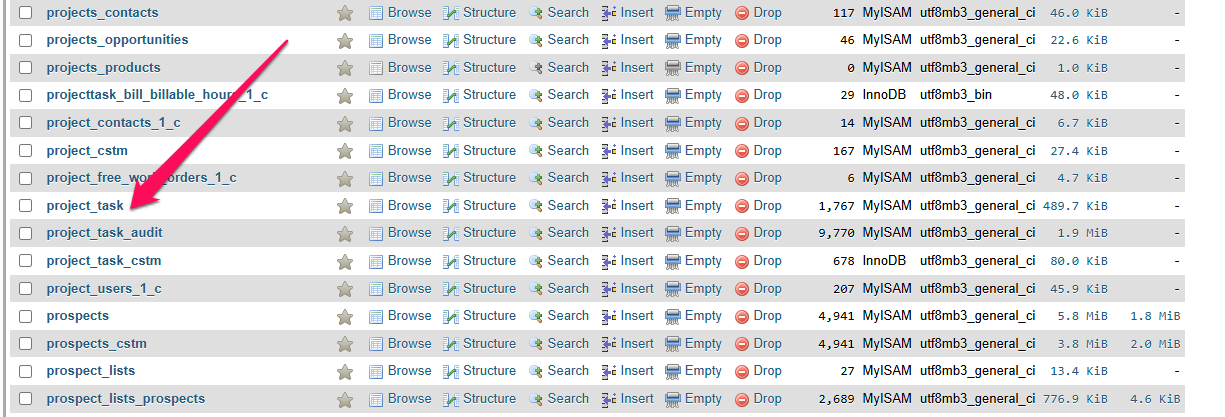
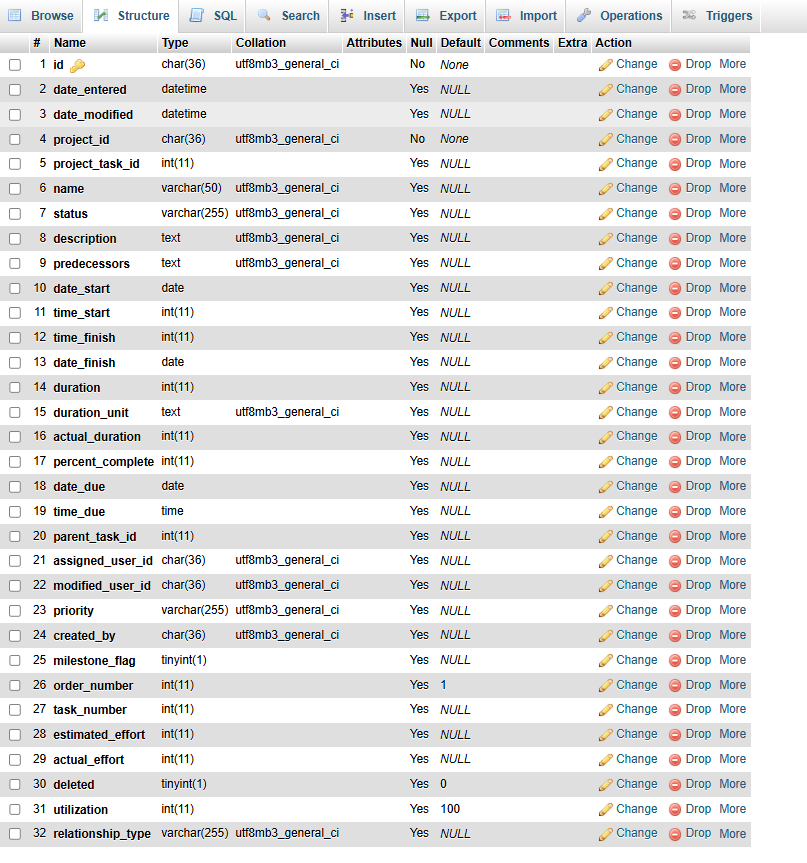
Error retrieving Project list: Query Failed: (SELECT project_task.id , project_task.name , project_task.date_start , project_task.date_finish , project_task.assigned_user_id , 'projecttask' panel_name FROM project_task INNER JOIN project projecttask_rel ON project_task.project_id=projecttask_rel.id AND projecttask_rel.deleted=0 where ( project_task.project_id='6077626b-c006-04c5-2dc5-69617e7ee788') AND project_task.deleted=0) ORDER BY project_task.project_task_id asc LIMIT 0,10: MySQL error 1109: Unknown table 'project_task' in order clause
The error is very clear. You don’t have the table project_task in your database. Either a hiccup on install during db schema setup or the installer has a bug. Just create the table an you’ll be fine.
Before you do this run a quick repair and rebuild to ensure that it doesn’t get created automatically for you
I am trying to use suite 7.15 for daily reading and writing emails.in a B2B business. (Suite v8 is hard to use and has too many failures)
I can successfully open and read personal inbound email accounts, import selected msgs into their account/contact/opportunity. The thing is my 100+ new incoming emails every day are mostly not useful. It would be nice to see the account popup sit next to the email list and selecting an account would instantly restrict to email list to matching threads. This is normal daily activity for the other tools I use to read emails Roundube hosted on my ISP or Thunderbird hosted locally or Nextcloud.
The Campaign feature is difficult, too. But that’s why I turn to Suite because after several weeks training an intern, we now have a working campaign.
Have not used that thunderbird to suite link for a while. The main problem is manual effort. There’s no smooth way to isolate the good emails from the noise.
I use and AI agent to read, prioritize and filter my inbox and respond where appropriate, create a case where appropriate or move to spam where appropriate, or leave in the inbox if it’s unsure of what to do with it.
Then I have a chief of staff agent that routes work to my sub agents like my monthly client reporting agent, or my website designer agent or my wordpress update agent or my facebook campaign creator agent, etc.
Then if any permanent client knowledge is rendered I have a librarian agent that updates permanent client knowledge in Obsidian, creates an index and links it all together.
I have almost all customers on Suite 8. It’s worlds apart in UI and has very few failures for all the common day to day tasks. Plus, it’s the way forward. Starting with 7 now, is basically like starting into a dead end. I’d look into the server setup to avoid failures.
The Suite 8 email sending looks already way better and more modern. Reading in Suite 7 and 8 still look like 1999. It’s technically working, but cannot compete with Gmail / Thunderbird etc.
If emails are your most important and one of very few requirements, I’d look into a different system. At the moment, that’s not SuiteCRMs strong suite. In Suite 8 however, improvements are very visible.
Here again: Did you see the improvements in Suite 8?
Paul is onto the right path for a more personal assistant / agent AI.
For a company with multiple users, I’ve implemented more deterministic workflows with ActivePieces / n8n to automate parts of email triage, auto import, follow up workflows etc.
I’ve done it in multiple projects and emails are shockingly complex and versatile