For starters, I am a complete noob with SuiteCRM. I’ve played with it a bit and I’m trying to make it work as a custom solution for my business.
Without going into depth of the customization i’ve already done (mostly superficial), I am wanting to create an event that will have multiple accounts attending. Call it a seminar or a conference. It would be nice to create an event, then click on the different accounts as attendees. I really don’t want to create 10 different events for 10 accounts to go to the same event.
Is there a way to do this? BTW, if this is not the correct Category, please let me know and I’ll change/rewrite it.
you can actually do this with the event module.
However, you’d usually invite contacts, leads and target (humans) to your events, not accounts (companies).
You can use target lists as well to segment your customers and then add them to the event you’re planning.
There is a feature to send out email invites with feedback and you manage the status of the contacts - whether they attended or not etc.
I’ve got a video coming up about events in SuiteCRM on my YT channel in about two weeks, if you could wait that long.
Overall, the module is quite simple - give it a try and play around with it in the meantime.
I can’t remember if I looked closely at the event module or not.
I’ll be the first to admit that my use case is HIGHLY unorthodox, but I’m trying to make it work. I can explain the entire scenario if you want, I just didn’t want to bore people on the forum.
What is your YT account so I can follow and view other videos?
You’d be surprise on how many different cases I’ve seen and implemented in CRM systems
Try to stay close to the standard - it works fairly well for almost all kinds of businesses. The closer you stick to the standards, the more standard features just work smoothly.
You can deviate from the standard a lot as well - that’s when a lot of custom development is required.
If you outline your use case, the community could already point out a direction.
I’ll post the use case/scenario. Prepare for a novel.
I own and show Arabian horses and was wanting to set up a CRM to help our trainer manage all of their clients.
A horse can have multiple owners. Owners can have multiple horses. Since the horses have different disciplines, they will be going to different shows. We’ll use my “family” as an example.
My wife and I both own a horse named Solaun. My wife owns a horse named Kirby. In my mind, I set up the two horses as different accounts with the owners as contacts. In theory, an email about Solaun would go to my wife and I. An email about Kirby would only go out to my wife.
I would like to setup a horse show as an event. The various horses (Accounts) would then be “invited” to the event and the appropriate emails to the contact would be sent. From there, the owners (Contacts) would decide if the horses (Accounts) would compete (attend). The closest business analogy that I could think of would be a seminar or a convention, where multiple accounts would be invited.
The other reason I set up the horses as Accounts was to help with invoicing. The trainer charges a fee for board and training. So I setup a service called Board-5 and Board-8. Board-5 is $500/month and Board-8 is $800/month. When the beginning of the month arrives, the trainer can send an invoice to Solaun (which goes to myself and my wife) for Board-5. The invoice for Kirby (which only goes to my wife) gets an invoice for Board-8.
I hope this isn’t too confusing. I realize that I may be trying to do more than SuiteCRM is designed for, but I found SuiteCRM to be extremely configurable and had to give it a try. I’m also trying to keep this a simple on the front-end for the trainer. He is brilliant with horses, but not so much with technology.
this is a very nice (and simple) use case for SuiteCRM.
Architecturally, the horses need to be a custom module.
If you have any B2B clients, then you would use the Accounts module and enter the company data there.
The rest would just be your B2C clients as contacts (as you’re using it already now).
On the invoice, does it need to show the name of the horse as well?
If so, there might be a bit of customization required - a relationship and you’d need to select the horse, when creating an invoice.
If not, then board 5 & 8 will just be products on an invoice that can be selected.
And you’d create the invoice for a contact.
There are a few B2B features around invoices (copy address from account to invoice) which you can re-build using workflows.
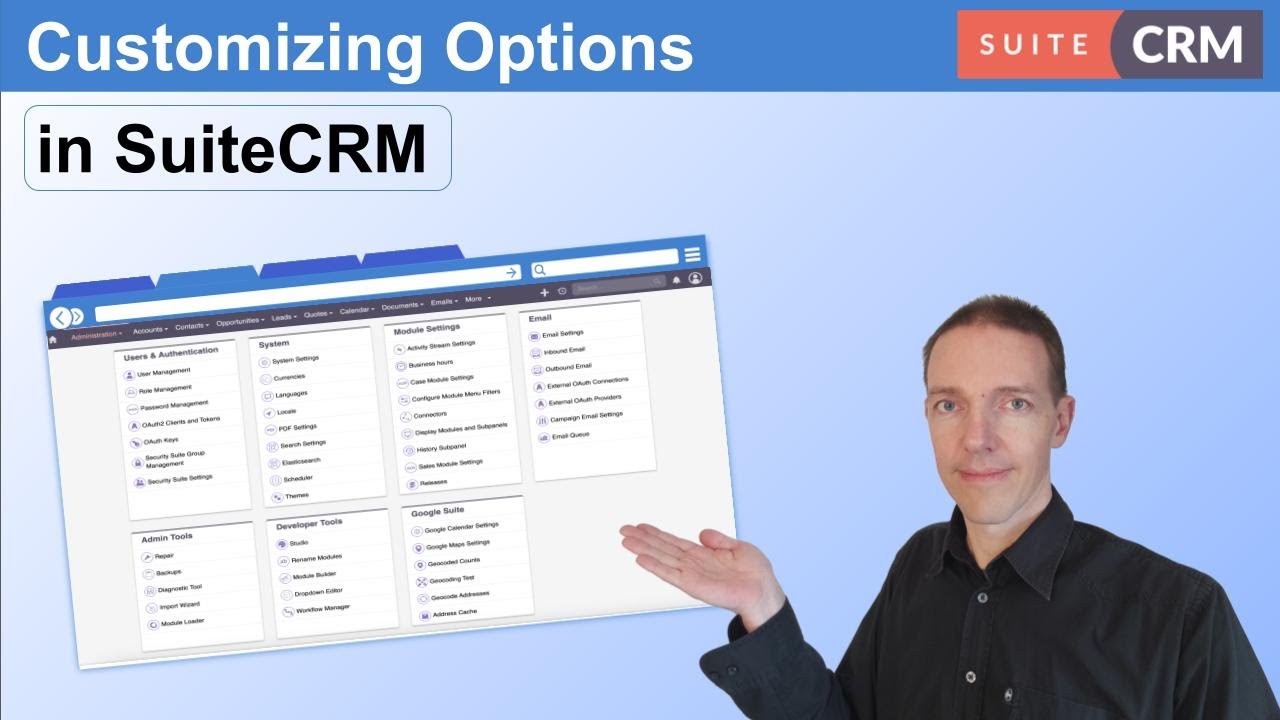
Additionally, there are several things that you can do to make the CRM easier to use.
Remove fields from the layouts, hide modules, automate processes based on fields / triggers etc.
Check out some videos to help here from my channel:
Hi @txfirepiper you’re in the right place: SuiteCRM is so flexible and powerful that it can be definetely customized to fit perfectly your needs.
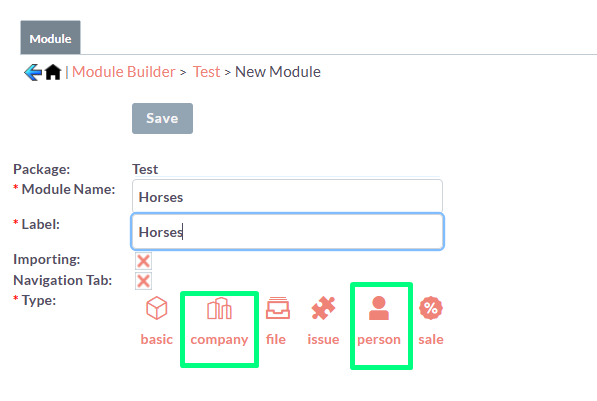
I agree with @BastianHammer: horses should be a custom module (you can build one using Module Builder); if you don’t want to add an email field by code, please use Company or Person type: .
Then you can relate Contacts with Horses, with a many-to many relationship.
Anyway for ease of customization (you can add fields to a many-to-many relationship only via code) i’d transform the many-to-many relatiionship in 2 one-to-many relationships in this way:
Owners 1:N Ownerships
Ownerships 1:N Horses
What do you think of it?
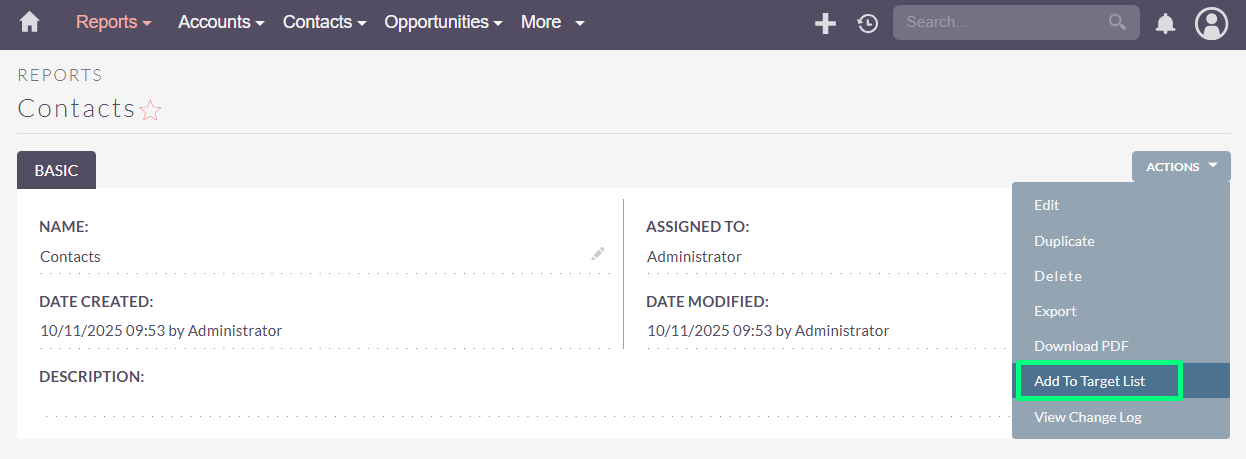
About Attendees: you can filter a list of Contacts based on the involved Horses thanks to the Reports module. You can add them to a Target List:
Thank you all SO much for the incredibly valuable information!
@BastianHammer Thank you for the advice and the videos. I have a LOT of learning to do!
@LionSolution Thanks for taking the time to capture screenshots and for the direction!
sa garjaydeep Thank you for breaking it out for me in steps that a network guy like me can understand! I’m sorry I couldn’t mention you properly in the reply. For security reason, new users can only mention 2 users in one reply.


 .
.