Quote Line Items and line_items.js

Hi Guys,

Wondering if anyone me…

I am doing some modification to the Quotes Line Item Area, removing the Fields which we do not need i.e. Discount/Tax Amount.

I have managed to remove the fields on the Details View but the Edit View has got me.

From what I can see the Edit View is driven by line_items.js but no matter what I do, the changes I put in the the line_items file is ignored.

I have even deleted the line_items.js file but the edit screen still sits there laughing at me…

I have done a quick repair and rebuild and disabled caching, and still no joy.

Please can someone tell me how to modify the Line Items Area on the Quote Edit Screen or where I am going wrong.

Regards,

Matt

Hi Matt Hart,

Do you have developer mode on in the admin section?

Thanks,

Will.

Hi Will,

Yes, I do.

Matt

Hi Matt,

What exactly are you editing in line_items.js. Are your permissions set as required?

Thanks,

Will.

Basically I’m trying to get rid of Discount and Tax Amount (service items) and put an Part Number field in

I have tried removing and adding Items to the insertServiceHeader function but it doesn’t seem to make any difference.

All files on the server have 777 so permissions are not the issue.

Hi Matt,

You will not only need to edit the insertServiceHeader but insertServiceLine and many other areas of line_items.js to get your desired result.

Thanks,

Will.

I have the same issue: I have tried to change how the total is calculated, but my changes do not seem to have any effect. I have even tried to set some of the values to a constant just so that I could actually see a change - but nothing happens.

I have mentioned before I deleted the line_items.js and it still worked somehow.

Anymore idea Will?

Regards,

Matt

Hi Will,

Can you just check my thinking/Do is correct.

So i am trying to remove the discount field in the edit view of quotes (line Item - Services)

So in line_items.js located in /htdocs/modules/AOS_Products_Quotes

function insertServiceHeader

Remove

var c=x.insertCell(2);
    c.style.color="rgb(68,68,68)";
    c.innerHTML=SUGAR.language.get(module_sugar_grp1, 'LBL_SERVICE_DISCOUNT');

function insertServiceLine

Remove

var a2 = x.insertCell(2);
    a2.innerHTML = "<input type='text' style='text-align: right; width:90px;' name='service_product_discount[" + servln + "]' id='service_product_discount" + servln + "' size='12' maxlength='50' value='' title='' tabindex='116' onfocus='calculateLine(" + servln + ",\"service_\");' onblur='calculateLine(" + servln + ",\"service_\");'><input type='hidden' name='service_product_discount_amount[" + servln + "]' id='service_product_discount_amount" + servln + "' value=''  />"
        + "<select tabindex='116' name='service_discount[" + servln + "]' id='service_discount" + servln + "' onchange='calculateLine(" + servln + ",\"service_\");'>" + discount_hidden + "</select>";

With these lines removed from this file it should have stopped the discount field from appearing?

I’m i missing something really obvious?

Sorry to be a pain.

Regards,

Matt

Hi Matt,

This is a caching issue. Have you cleared the browser cache? Do you have a configuration on your server which could be cause caching issues, or are you working locally?

Thanks,

Will.

1 Like

Hi Will,

You are correct again.

I have just manually delete the cache from SuiteCRM and I can now see my changes :slight_smile:

Thanks for your help.

Regards

Matt

Will, you are a legend!

Many Thanks!

hi guys,

i am also did same thing,

i remove the discount fields in line items(line_items.js),

but calculation not working in line items it will affected Tax Amount Fields,

if enter list amount 150.00 total,subtotal,Grandtotal all are same amount.

how to remove discount fields without affected any Calculation.

pls help

by
sam

Hi, I am new at using CRM and I want to add new field at (product line) and I don’t know how to do it using java script … Could you please help me with the code and where to put it … thanks a lot

Hi,

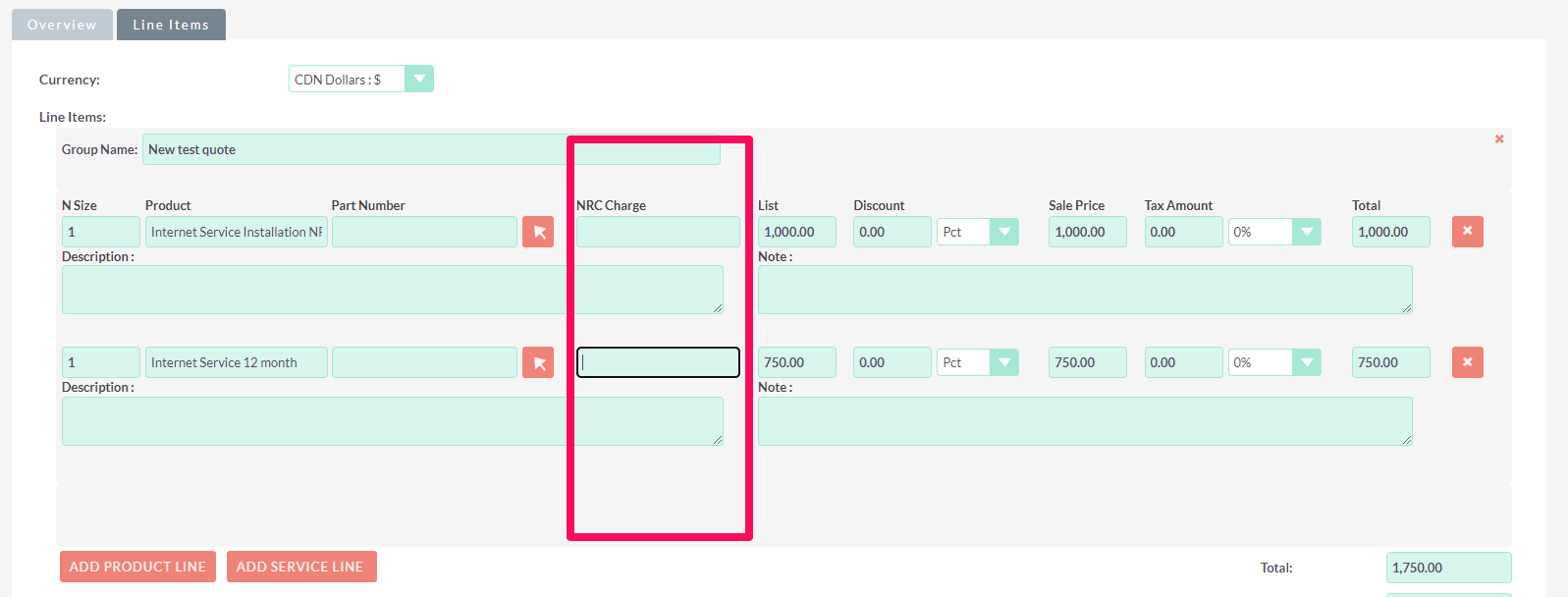
I am trying to change the fields seen under the Line Items section in the Quotes Module. However, I am struggling to find the layouts for this section. I have my own fields from the Products Module to populate fields in the Line Items to create quotes with. However, I have not found the layouts for this.

For example:

  • Replace Part Number field with Product Code
  • Replace all Price fields with my own Non-Recurring Charge (NRC), Monthly Recurring Charge (MRC) fields which also come from the Products Module

I’ve done this for clients in the internet services in the past. It’s quite an extensive modification with lots of moving parts. Its not something you can do just in studio alone.

The basic process is:

  1. Add the field in studio
  2. Add to line_items.js
    1. Add to insertProductsLine
    2. Add to insertProductHeader (title)

There’s also implications for the totals calculations, etc. that all have to work out.

Don’t forget to repair and rebuild and also if you are using NGNIX you have to flush the PHP cache.

You can reach out if you need help. I do this for a living!

1 Like

Thanks for the response @pstevens,
Just to make sure I understand this correctly, I need to add my custom fields in the line_items.js file under the insertProductsLine & insertProductHeader functions?

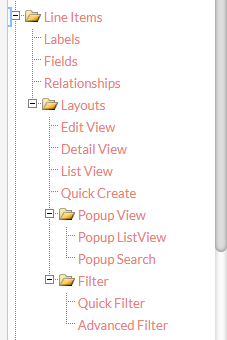
How does the Line Items field work in Studio? Here I can see it in the module tree:

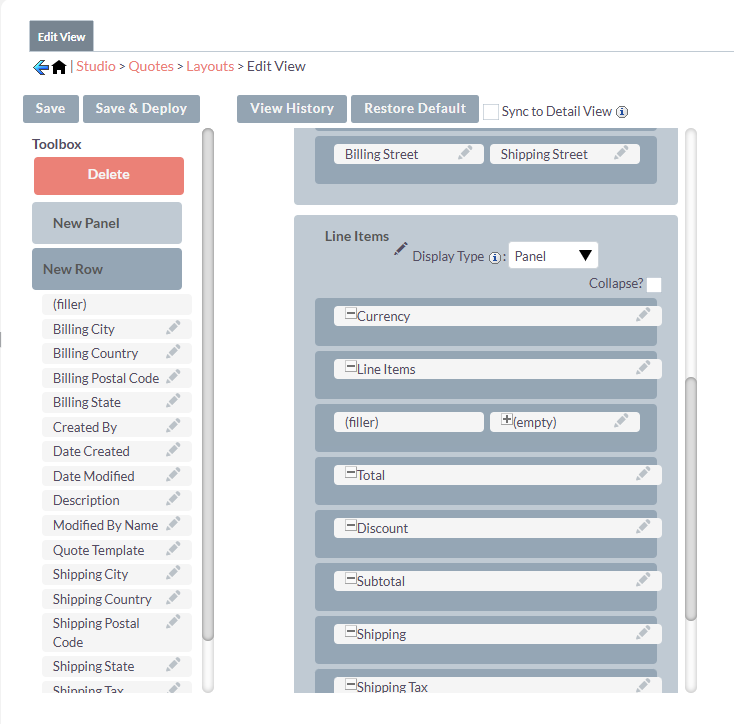
And also here in the Edit View layout in the Quotes module. However, I don’t see that Line Items field in the Fields section for the Quotes module.

I assume the UI is built on the client side through the line_items.js file instead of through a Layout on the server side?

Thanks.

Yes, you have to build it through line_items.js via code you can’t build it in studio.

1 Like

Understood, thank you.

I currently don’t have access to the files on the machine. I only have access to the frontend. So, this route is not within my grasp unfortunately.

Your assistance is appreciated regardless.

Yeah, if you can’t change the code directly you’re not going to be able to achieve this customization.

1 Like