One of my UI pet peaves is either planning or scheduling a call. Normally, I tell clients to create records form the record they want it related to (this saves some time and complexity).
So let’s consider this scenario. I have to follow up with account “ABC”, lets say you have lots of accounts and you want to schedule calls going through your list of accounts. (This is how many reps do it, not from contacts). So when they go to an Account and schedule a call:
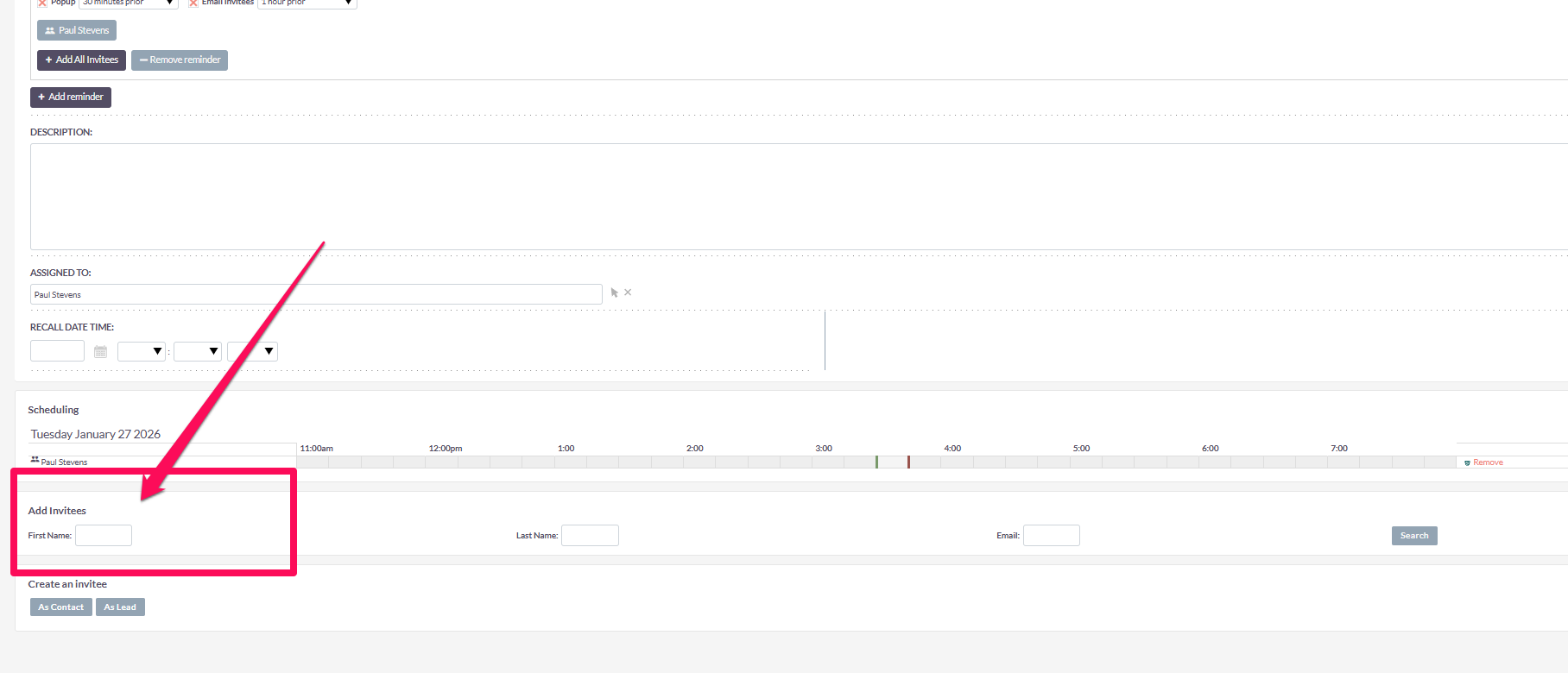
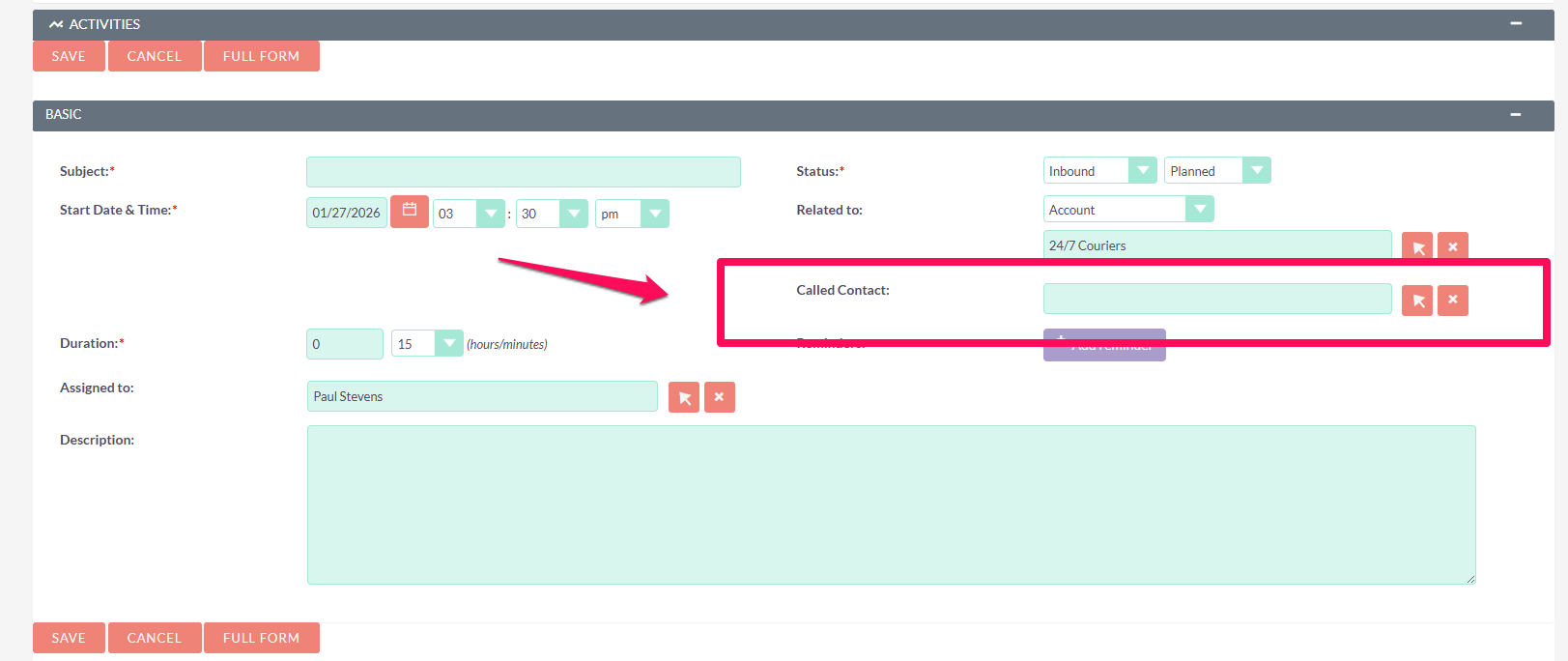
They get this (SuiteCRM 7 and 8 are similar in this problem)
I doesn’t then actually relate the call to the person in the standard way (I know I could do an on save hook or something here).
This seems like a UI frustration that everyone would have. Just looking for ideas here if anyone has done any really cool development here or has a better idea how to deal with this fairly typical kind of workflow.
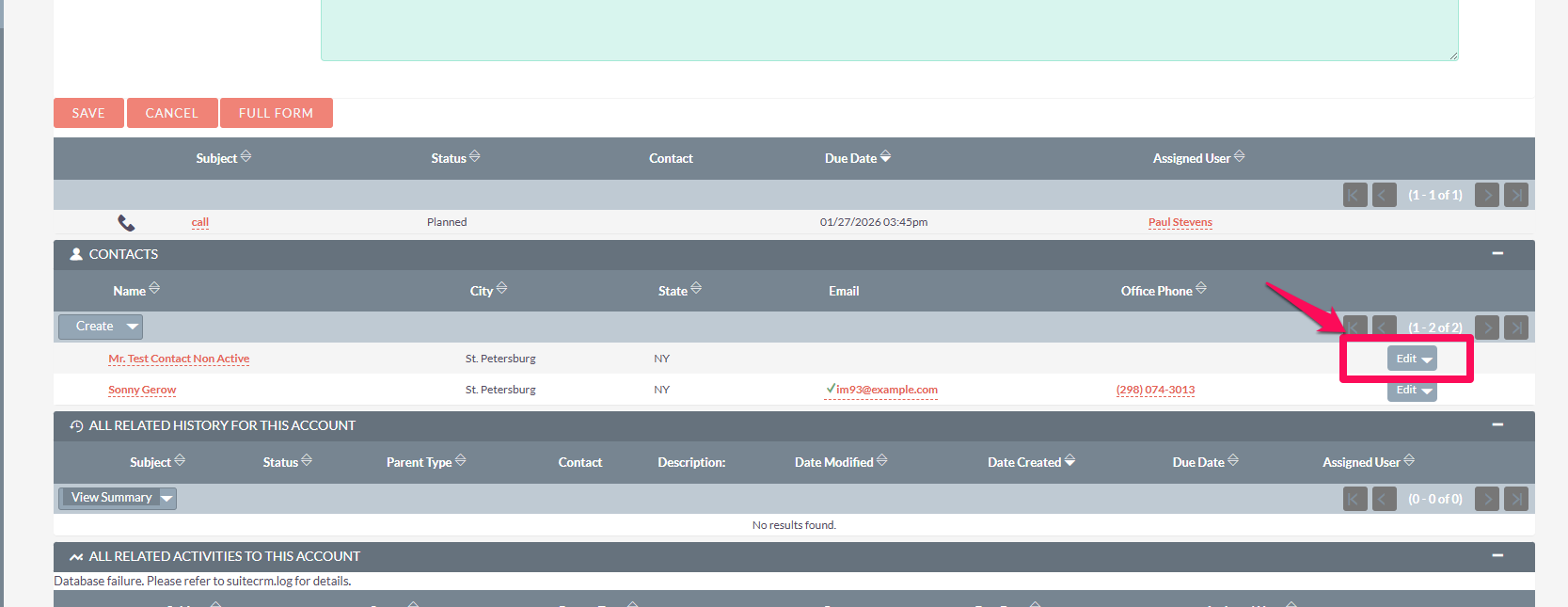
What I’m leaning towards after some more thought on the subject is a custom action in the Contact subpanel. Just create the call right from there and you already have both the contact and account relationship you can pass to the call popup. Then literally, just add a subject and a date and save, no lookups at all.
I put together a quick video showing a small SuiteCRM 7 customization that makes a big difference for sales reps who schedule and log lots of calls.
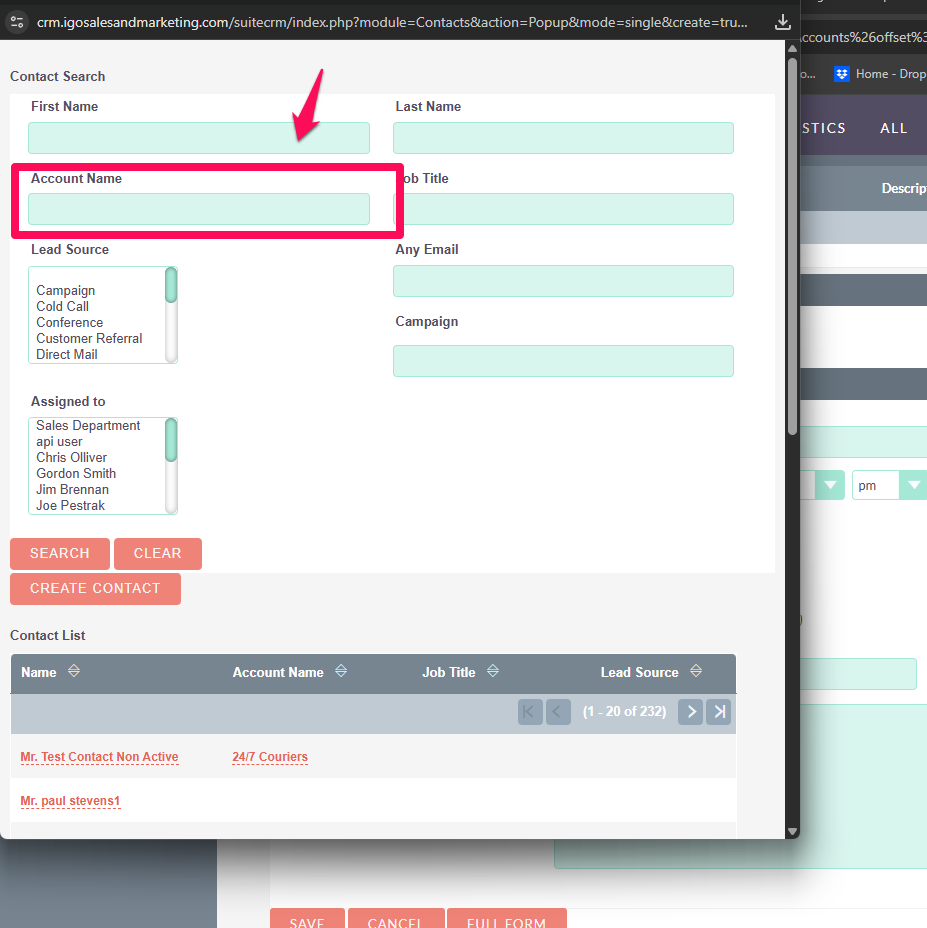
When creating a Call from an Account, the “Called Contact” popup is automatically filtered to only show contacts related to that account — no more jumping back and forth just to figure out who to call.
It’s a lightweight, upgrade-safe change using metadata/Smarty only (no core hacks), but it saves a surprising amount of time in day-to-day sales workflows.
Hi @pstevens, I definitely appreciate your solution. That said, I’m curious why your users don’t like creating Calls from the Activities subpanel on the Contact record.
Using that action automatically creates both relationships (with the Contact and the related Account), which seems quite convenient.
Is the issue that, at the time of creating the Call, they don’t yet know who they’re going to speak with?
For the most part (in B2B Sales) Salespeople don’t call contacts. They call accounts. So they are driven by the account record, not the contact record.
So their mind works like “I’ve got to call ABC Company”, they open up ABC Company scroll down to the “contacts” section and see who to call, then call.
I get they can open up the Contact, and then make the Call record from the contact, but B2B thinks that’s just extra clicks. They call accounts, not people (I know that sounds crazy, but that is the mindset). They want everything in on one place on the Account view. They almost never drill down to the contact.