Hi
After Upgrading to 7.14.3 I have an issue with PDF Print. I use Serbian Latin characters for product names, client names and so on. When I print PDF all the data that is generated by PHP is displaying fine and all the characters are OK, but the text that I manually type in footer and header part of the PDF template is not shoving correctly. For example character “č” will show as character “?”. Even more strangely the manual text in body part of template is also rendering normally. In the version 7.13.x I didn’t have that problem. Any ideas?
Yes, I do use TCPDF, and the problem is not the same, as in this GitHub issue.
I still use English Language pack for the interface.
I also use only standard fonts, like Arial.
it’s likely a problem with the font being used in the header and footer, not sure why this would have changed between 7.13 and 7.14 but it’s likely we just need to have the default font set directly on the header/footer
If you update the configurePDF function in lib/PDF/TCPDF/TCPDFEngine.php to include
Thank you Matt for suggestion. Unfortunately didn’t work. It is so strange that body is rendered correctly and just header and footer are with wrong encoding?!
I’ve just tested it on 8.9.1 and everything works smoothly there.
Try to upgrade - there are plenty of improvements as well as bug fixes. And there have been a few security issues since 8.5.1
I actually started this project with 8.9.1 but decided to downgrade to 8.5.1. More happy with this slightly older version. Don’t need the latest and greatest, but I will most definitely take a look at the security issues, thank you for the heads up
The reason why I decided to go with 8.51 instead of 8.9.1 will probably make no sense to most people because the issue was quite trivial.
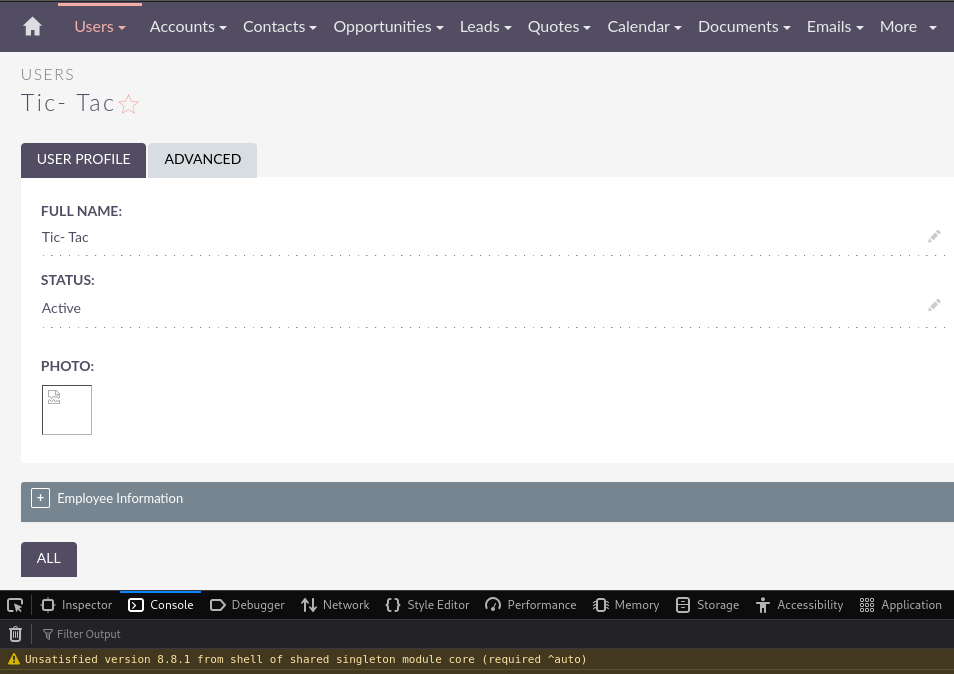
I set up 8.9.1 on a Debian VPS, during the installation I had no problems whatsover, all the pre-installation checks were passed successfully. The CRM worked well, no issues at all, and then I tried to add an avatar for a user. The image got uploaded but it did not load in the user interface, it looked like this (the screen is from 8.8.1 but it was the same on 8.9.1, same error in dev tools, just different version number):
Opening the image in a new tab would give an error: “Invalid File Reference”.
And I was like “Maaan, if we got issues like these in the very beginning, what’s gonna happen when we move further down the road?”
I am not a programmer, and I did not even try to investigate the problem. Most likely the fix is real simple, but I just really like smooth beginnings so I decided to settle with a version that can offer me that, and it was 8.5.1. I even tried v.7.x but the UI just felt too outdated
You are right about security issues. Apparently my instance was vulnerable to CVE-2024-36412, which has a score of 10.0 and it’s 93% likely of being exploited.
This affects SuiteCRM prior to 7.14.4 and 8.6.1
As I understood it could get very very bad if exploited, and exploiting it is really easy.