Scenario: show me the customers who are below this year’s minimum revenue target and haven’t had any recent interactions with us
Hi everyone, I’m pleased to announce that at Lion Solution we have developed Always Contact, an add-on designed to give SuiteCRM users an immediate and practical view of their customer and prospect relationships — and a clear list of the Accounts, Contacts, and Leads that may require urgent attention.
The idea is simple:
open SuiteCRM and immediately understand which Accounts, Contacts and Leads are active, overdue or require attention.
Always Contact does this by automatically determining the Last Interaction for each Account, Contact and Lead, based on the activities already stored in SuiteCRM.
It can analyse interactions such as Calls, Meetings, completed Tasks, Cases, Case Updates, Emails, Notes, Opportunities and Quotes.
But calculating the Last Interaction is only part of what Always Contact does.
Three different ways to understand relationship status
Always Contact makes this information immediately available through three complementary tools.
Dashboard
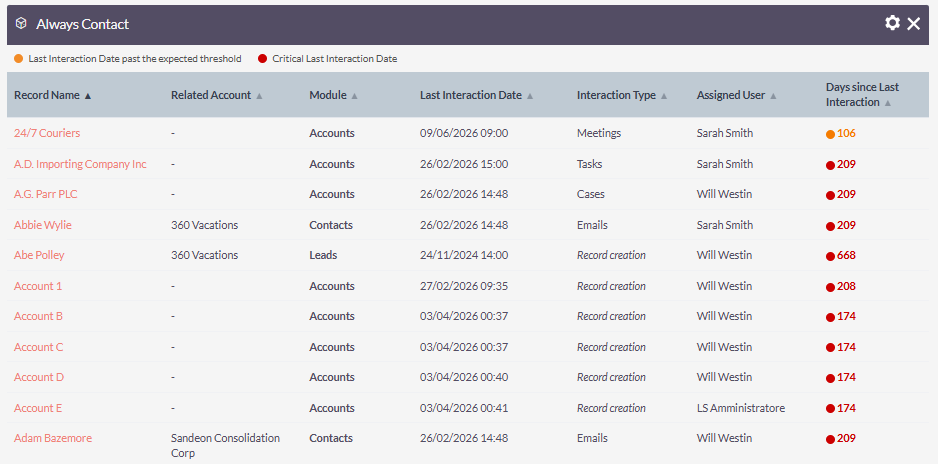
A dedicated Dashlet gives users a clear overview of the Accounts, Contacts and Leads whose Last Interaction has exceeded the expected inactivity threshold.
Instead of searching through CRM records individually, users can immediately see which relationships may require attention.
Daily Email Summary
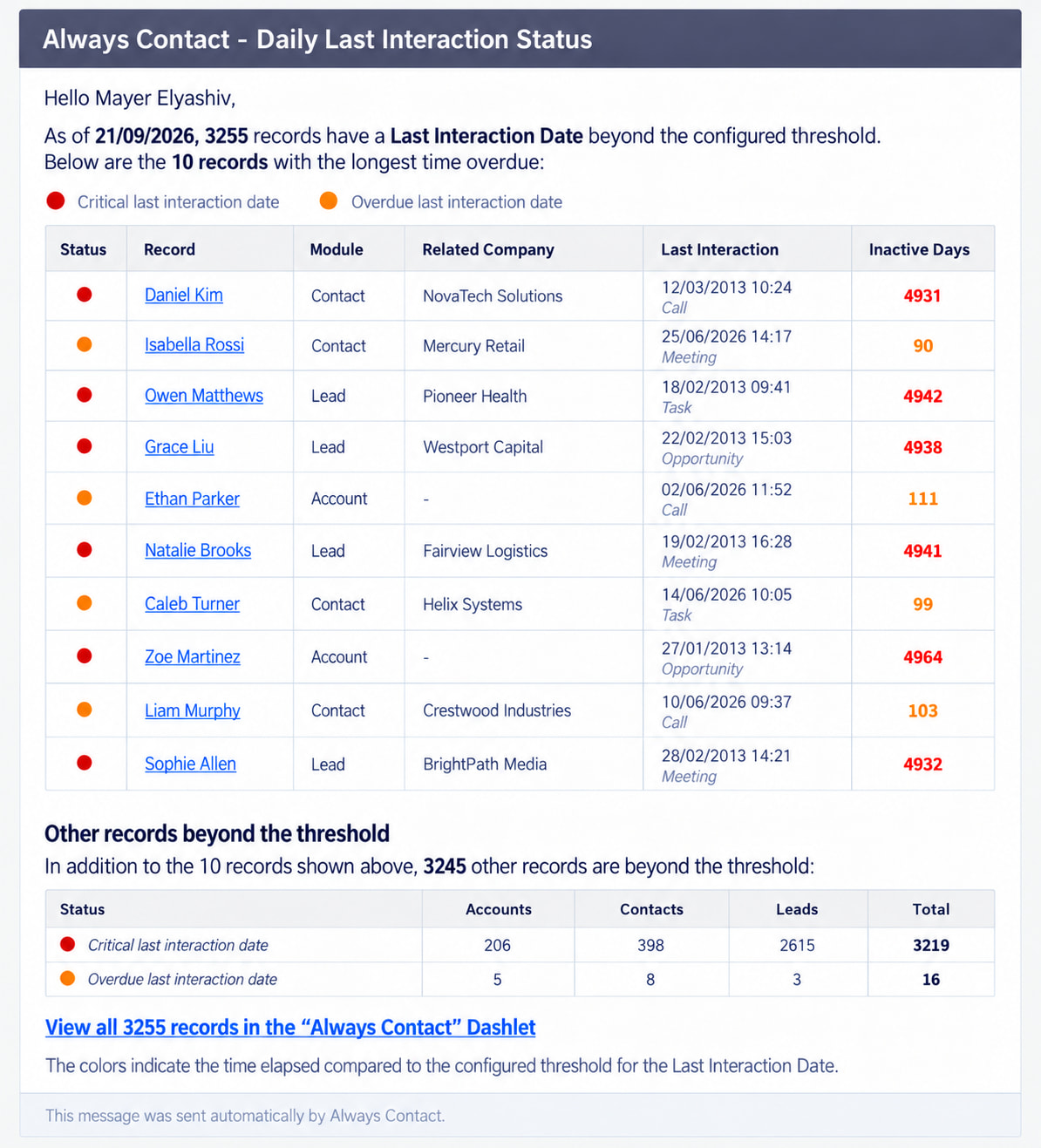
Always Contact can automatically send each user a summary of the relevant overdue Accounts, Contacts and Leads assigned to them.
This means that users can receive a daily overview of relationship status without even having to search for this information inside SuiteCRM.
Record Banners
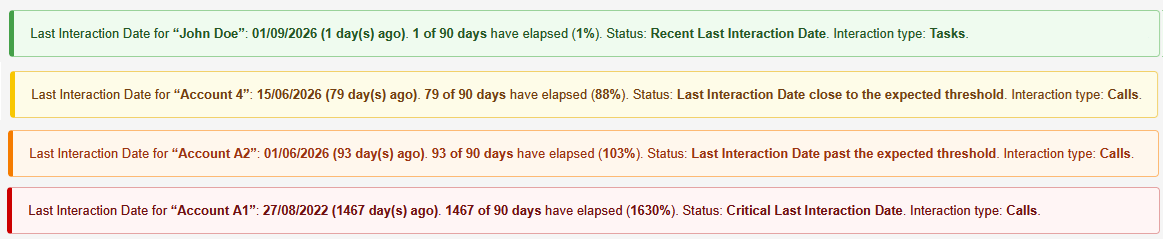
When opening an Account, Contact or Lead, Always Contact immediately displays the status of that specific record.
The user can therefore open a customer or prospect and instantly understand the situation based on its Last Interaction, without having to manually review Activities, Emails, Meetings or Calls.
You decide which records should actually be monitored
One of the most important features introduced in the latest versions of Always Contact is that you are not forced to monitor every Account, Contact or Lead in your CRM .
Always Contact - gold edition uses native SuiteCRM AOR Reports to define the monitoring perimeter.
This means you can create a completely standard SuiteCRM Report and use its filters to decide exactly which records should appear in the Always Contact Dashboard and Daily Summary.
For example, you could monitor:
- only active customers;
- only prospects assigned to a specific sales team;
- only Accounts belonging to a certain market or territory;
- only Leads with a particular status;
- only Contacts belonging to selected customer segments;
- or any other population you can define using SuiteCRM Reports.
And because these are
Native SuiteCRM Reports
, they remain fully customizable using the standard SuiteCRM reporting tools.
You simply define your business perimeter using SuiteCRM itself.
The Last Interaction continues to be calculated for supported records, while the Reports determine which records you actually want Always Contact to bring to the user’s attention.
Works with SuiteCRM 7 and SuiteCRM 8
A different approach for the SuiteCRM Community
For the SuiteCRM community, I would like to experiment with a different distribution model.
Always Contact is still in pre-release, but it’s already robust, stable, and effective.
If you’d like to use Always Contact for an entire year, you can support the development work carried out by Lion Solution by making any contribution you consider appropriate via PayPal until the 30th of September 2026.
There is no predefined minimum amount for this Gold edition yearly licence.
You decide what the software is worth to you.
Contact me via direct message and we’ll provide the appropriate Always Contact package for your SuiteCRM installation.