Many teams using SuiteCRM spend their day switching between their email inbox and the CRM.
This constant switching often causes several problems:
-
Email conversations are not properly logged into CRM
-
Sales context is lost between inbox and CRM
-
Too much manual copy & paste
-
The default email interface feels outdated for modern workflows
To address these challenges, we built MTS Mail Pro — a modern Gmail-style email experience directly inside SuiteCRM.
Modern 3-Panel Inbox Interface
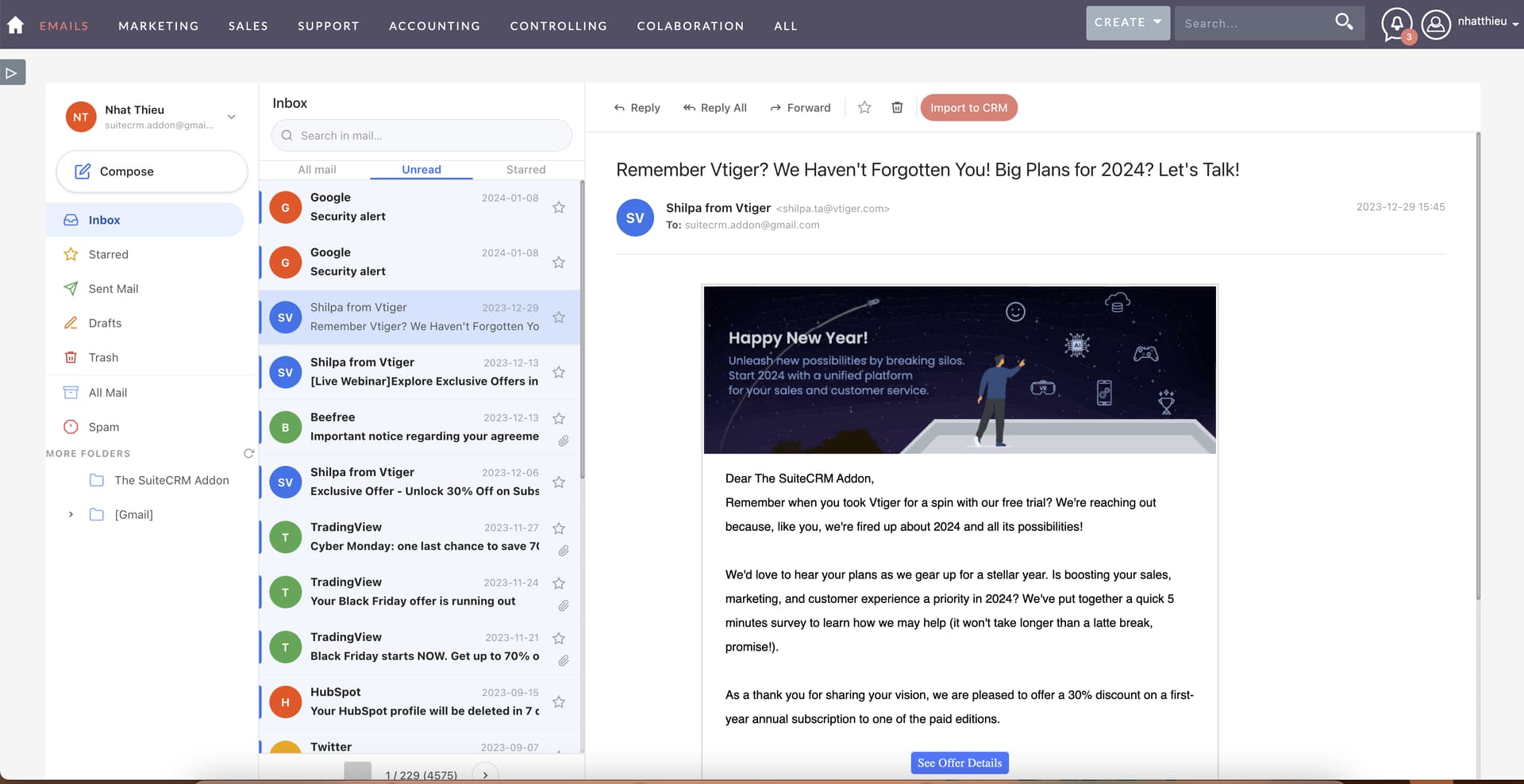
MTS Mail Pro introduces a clean and familiar email interface with a 3-panel layout:
-
Folder tree on the left
-
Email list in the center
-
Full reading pane on the right
This allows users to browse emails quickly without constantly reloading pages.
Import Emails to CRM in One Click
Incoming emails can be imported into CRM records instantly.
Users can link emails directly to:
-
Accounts
-
Contacts
-
Leads
-
Opportunities
This ensures all customer communication is properly stored and tracked inside SuiteCRM.

Powerful Email Compose Window
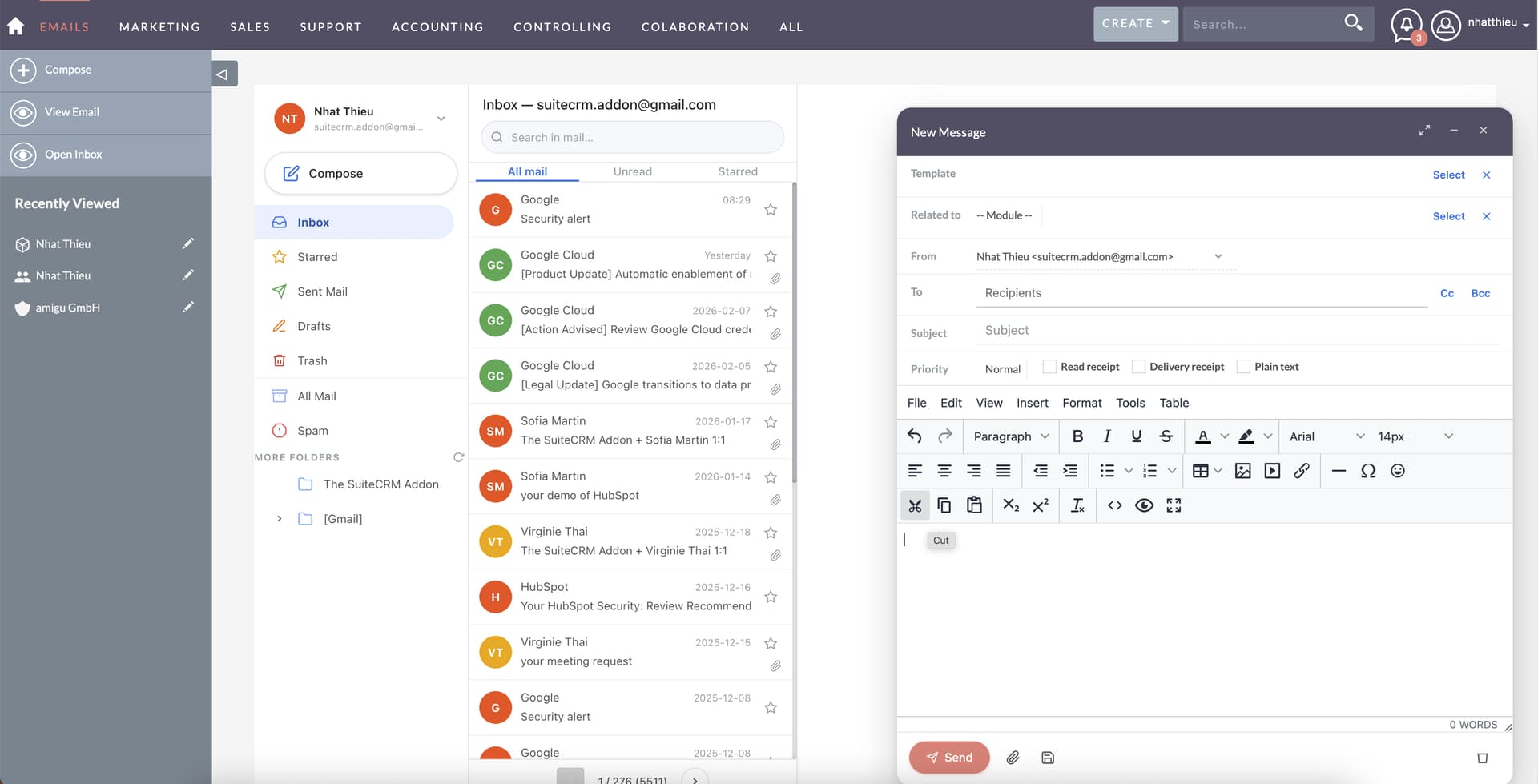
MTS Mail Pro provides a modern compose window powered by a rich text editor, making email creation much easier.
Features include:
-
Rich text formatting
-
Inline images
-
Attachments
-
Email templates
-
CC / BCC support
-
Draft saving
Users can also compose emails directly from CRM record pages, where the recipient and related record are automatically filled.
Designed for Real CRM Workflows
Instead of switching between Gmail/Outlook and SuiteCRM, users can manage emails directly inside the CRM.
This helps teams:
-
maintain full communication history
-
save time switching between tools
-
keep deals and conversations connected to CRM records
Availability
The plugin is currently waiting for approval on the SuiteCRM Store and should be available within the next few days.
 SuiteCRM Store | SuiteCRM Module, Themes, and Integrations
 Feedback from the community is very welcome!