Hello everyone,
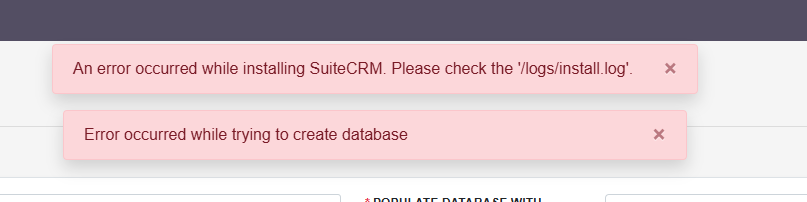
I am trying to install suiteCRM 8.9.2 all the pre-tests are ok but I am facing an issue as the installer tries to create the database which is not permitted on the environement I use.
I can only create database from the CPanel (OVH).
Is there any way to avoid database creation? (I have all permissions on tables but not on databases except through OVH CPanel)
You can setup the database in CPanel, and set credidentials in installation.
SuiteCRM will then:
Create tables
Create indexes
Populate schema
It only needs permission to create tables inside the database — not to create the database itself.
If needed, the database settings can be set manually in public/legacy/config.php
Make sure the user and password are set correctly in installation
Hi Tapio,
thanks for the answer, however I alreday tried it but no joy.
when I checked the install logs, installer tries to drop the DB and reate new one.
not sure what happen there.
I always install the database, add permissions to specific user for that particular database only and then start the installer. I have done this for many instansses with similar workflow.
Your workflow should work just fine, the way you make the database does not matter, SuiteCRM needs exactly one database with all permissions for that database.
Don’t worry about the cache etc.
I do have those log entries as well on my installations which are working.
The real issue is likely coming from:
[2026-02-54 12:52:20] install.FATAL: Query Failed: DROP DATABASE IF EXISTS amcrm: MySQL error 1010: Error dropping database (can’t rmdir ‘./amcrm/’, errno: 17 - File exists)
Can you delete all tables from your DB via the CPanel (in case there are any)?
What permissions does your DB user have?
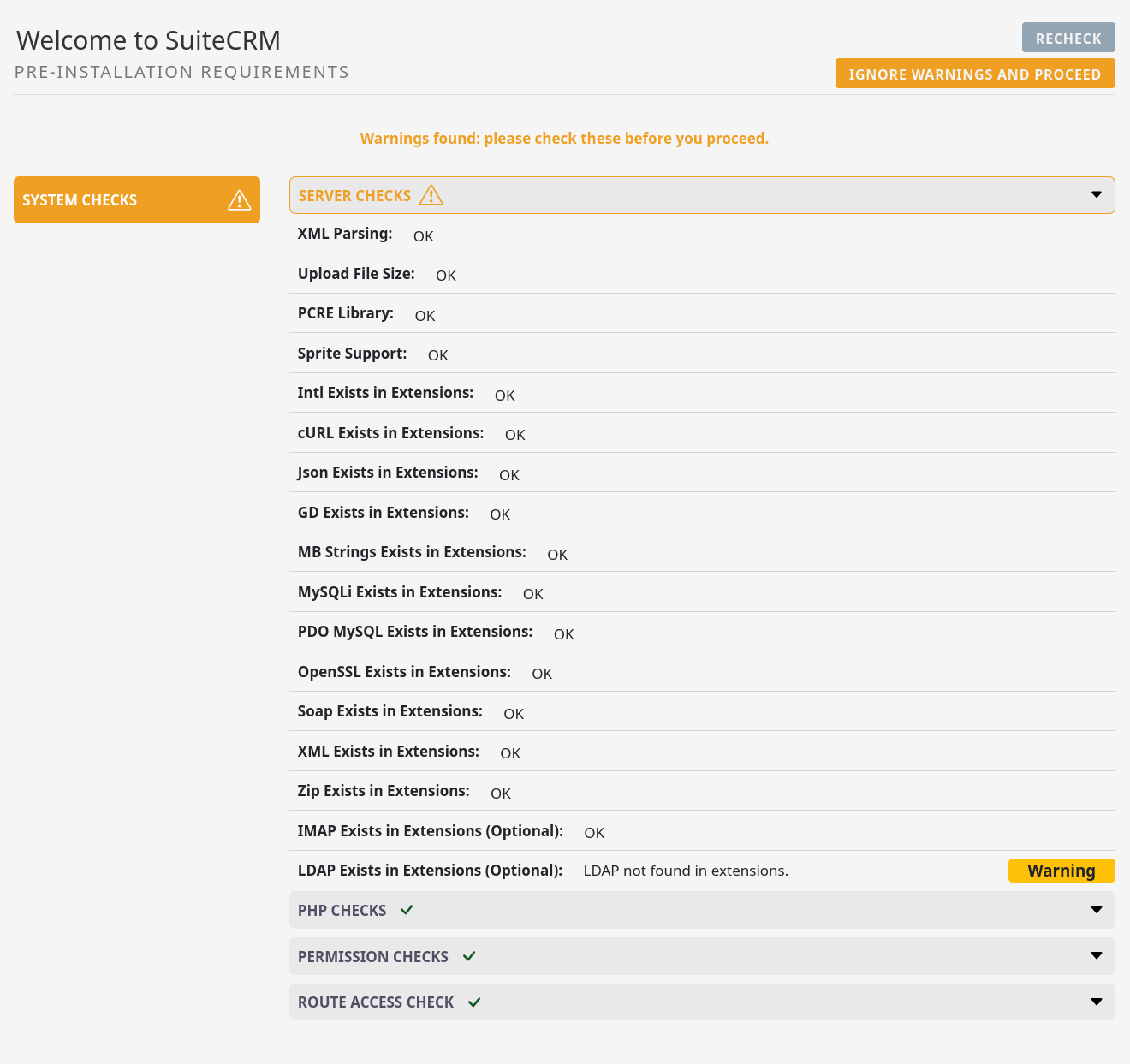
Pre-Checks are all fine? (I’m ignoring only LDAP here):
If you create a PHP script (place it into the public folder and call it index_tmp.php or similar) that creates a table in the DB via that user (use AI), that’s working from the browser?
How are you installing the CRM? Via the UI?
The drop db is only called one time in the code:
There was once a similar issue, but it didn’t see any replies:
Can you delete all tables from your DB via the CPanel (in case there are any)? => yes DB is empty
What permissions does your DB user have? => ALL PRIVILEGES
Pre-Checks are all fine? (I’m ignoring only LDAP here): => all are ok
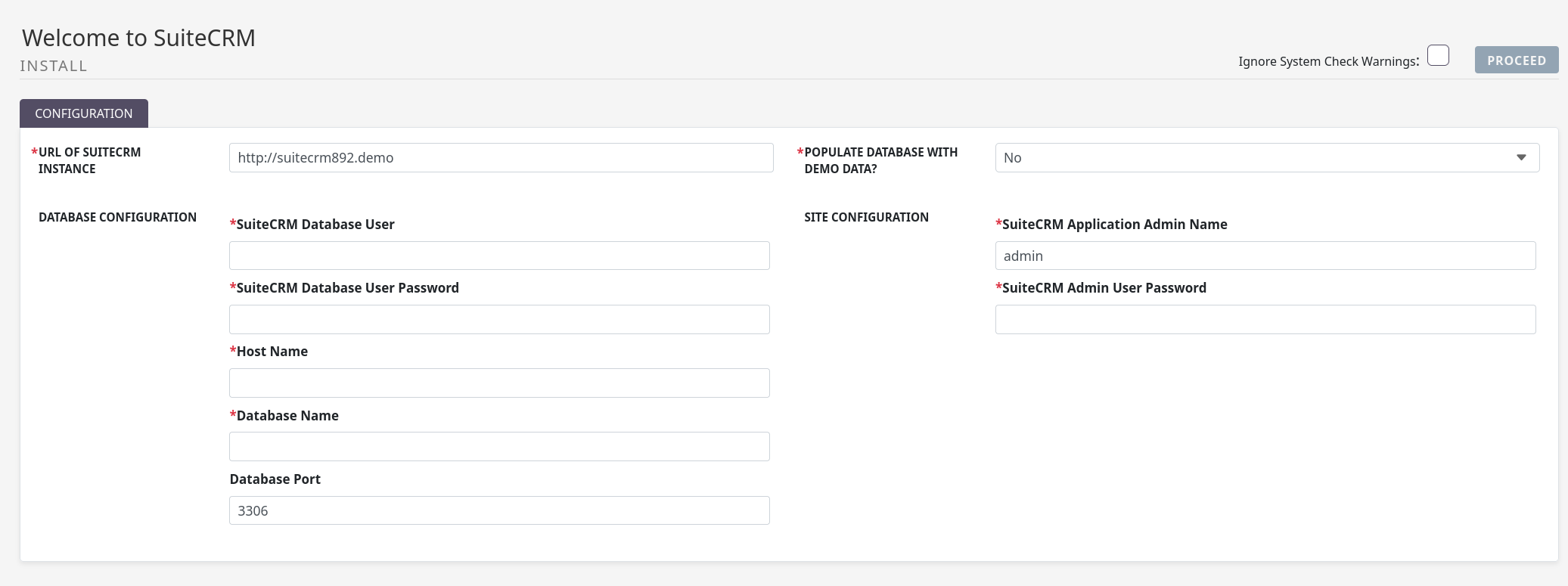
Here, you’re entering the correct data? => yes checked twice
If you create a PHP script (place it into the public folder and call it index_tmp.php or similar) that creates a table in the DB via that user (use AI), that’s working from the browser? => yes working fine from browser
How are you installing the CRM? Via the UI? => I am using the UI (not loading demo data)
It’s a complete fresh installation?
Under a subdomain?
Did you use SSH to download and extract the installation package from the website?
It sounds really odd, but I’d continue looking into the webspace, CPanel etc.
This is where most of the installation issues with SuiteCRM are coming from.
Shared Hosting isn’t a great environment for Suite as well. Usually, if you want to have a simple and smooth installation experience, you’d go for a VPS with a vanilla LAMP system.
I’ve tried it on several different hosters and mostly it’s more difficult / time consuming all the way to impossible.
Another idea:
Install it locally on a VM. If it’s running smoothly there, try to migrate it to OVH.
It might just be an OVH issue.
Try to dig deeper with their tech support.
And I’d still try installing in another environment and then migrate and see whether things are working then.
If the start is so rocky, it’s bad sign.
Eventually, you’re building up your companies brain for the next 5 - 10 years. Make sure that works properly without workarounds.