Hi guys!
I am trying to set up email on my SuiteCRM 7.13.4, and I got an error as below.
An email error occurred: SMTP Error: Could not authenticate.
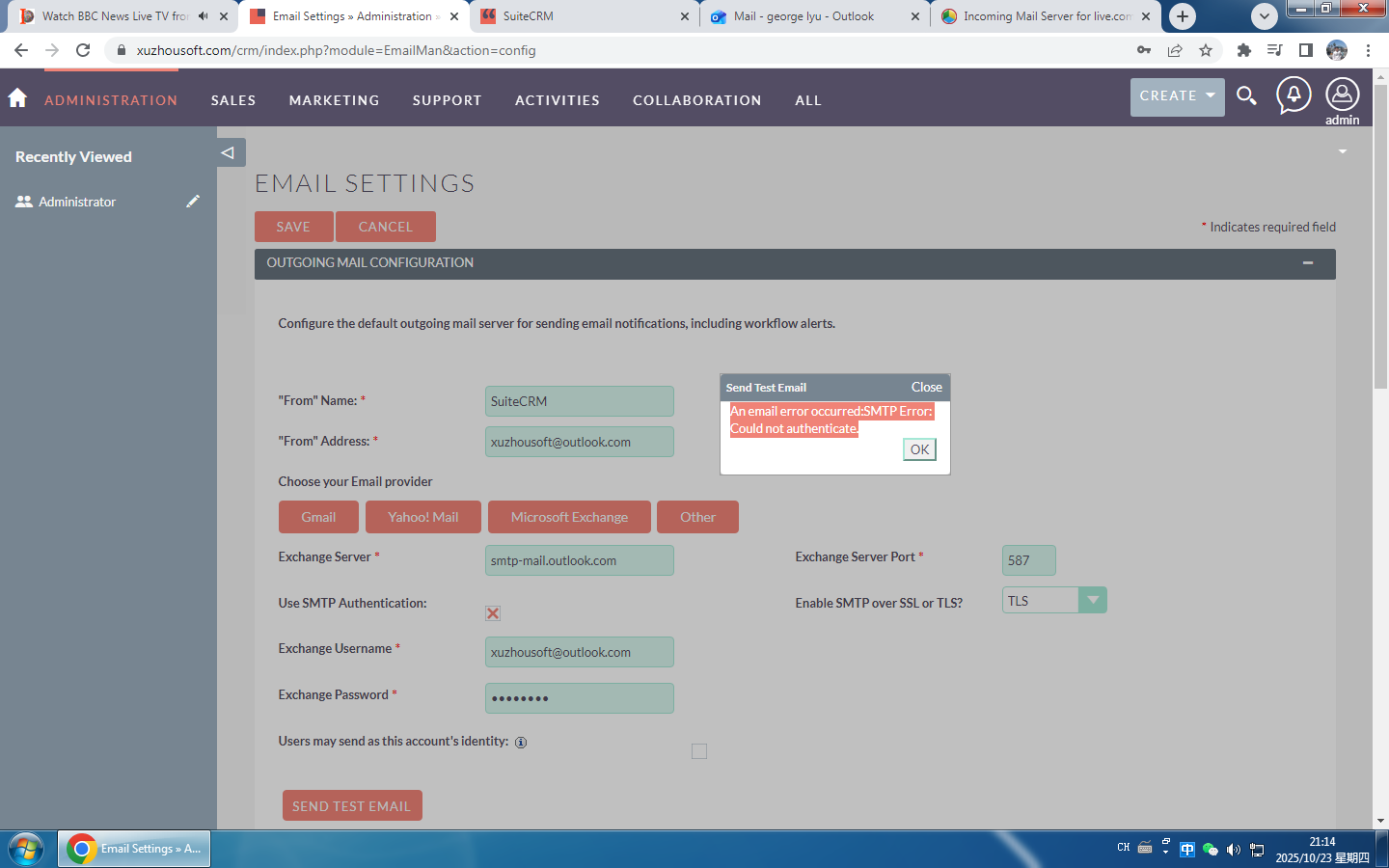
How to resolve it?
Hi guys!
I am trying to set up email on my SuiteCRM 7.13.4, and I got an error as below.
An email error occurred: SMTP Error: Could not authenticate.
How to resolve it?
Check if you’re password is correct or not.
You may need to set up the App Password for it.
Hi @GeorgeLyu ,
You need to make sure you’re using the correct “app password” (not your regular email password) and have selected the right “email provider” in SuiteCRM settings. Once you update these, the SMTP authentication error should be resolved.
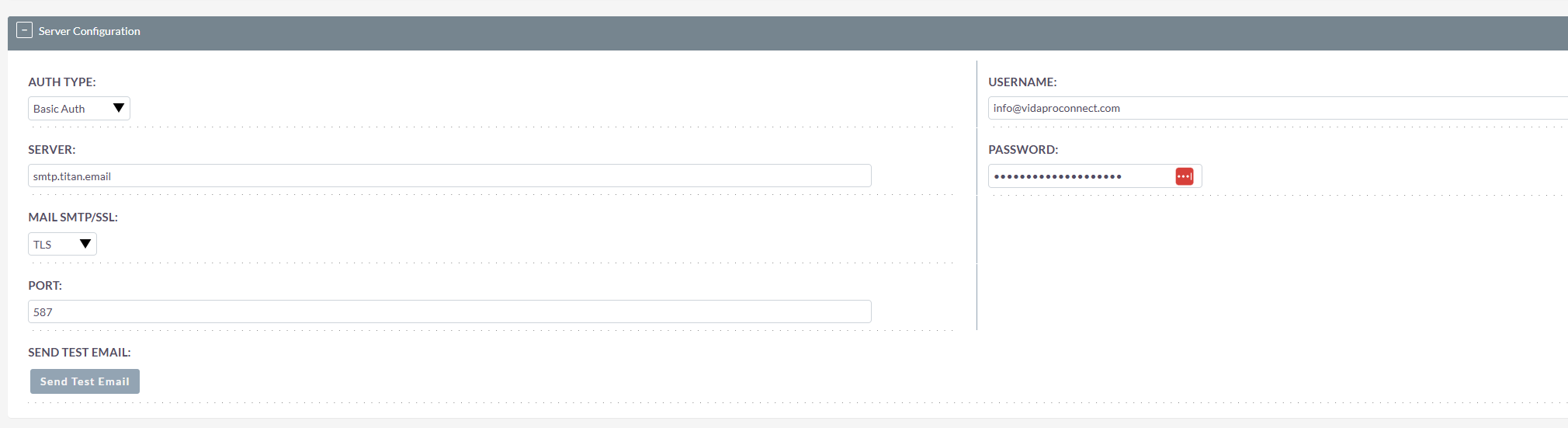
Any chance there is a specific solution for connecting to titan email (Hostinger)? You are saying here that the username/pw is for the app, not the email ?? I have the from address the same as the username. Can’t make progress on this “An email error occurred:SMTP Error: Could not authenticate.”
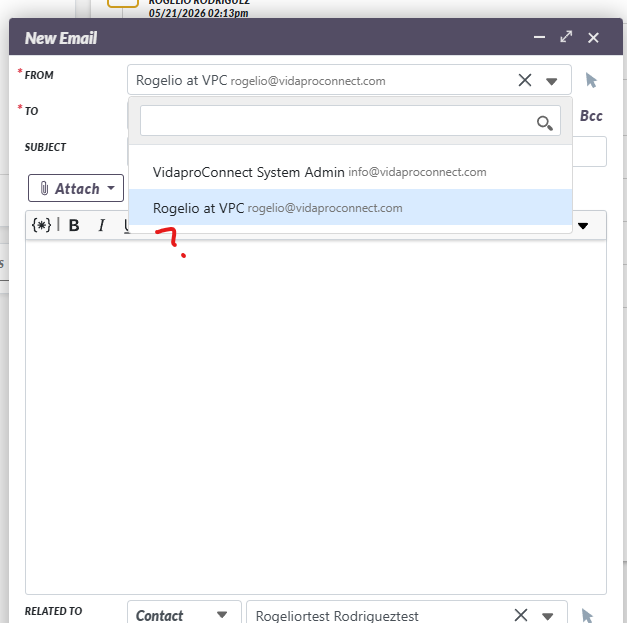
Thanks. I was able to setup 1 sytem and 2 personal email accounts and was able to test them. I had to use smpt2go on my Titan email accounts BTW. My issue now is that that one of the personal accounts does not show in the dropdown menu in the contact email window as sender option. I setup the inbound email for this as well. Any ideas to add to dropdown? ( I can only upload 1 image so providing accounts in text)
Name,Username,Type,Is Personal, Default, SMTP Server Name
Rogelio Vida Properties eXp Realty,rogelio@vidabroker.com,Personal,Yes,No, smtp.office365.com(?)
system,suitecrm_vpc, System, No,No,smpt2go
VidaPro Connect,suitecrm_vpc, Personal,Yes,Yes,smtp2go
What is your SuiteCRM version?
You may find topics related to it on this forum or github.
This is Version 8.10.1. I’ll check out Github.
Topic solved. Email setup did propogate ..it was just a matter of time. TY.
What was the solution  ?
?
It looks like I set up the outbound profile correclty from the beginnng and either 1. It just needed time to connect properly or more likely 2. the email i was missing to send from was associated to an account that I needed to be logged into to be able to use it. I do not see the email option as an admin but I do as that account user.