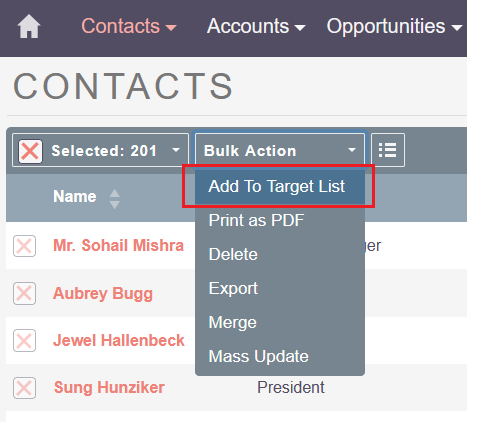
I think selecting all to link/unlink is purposely not there may be due to performance. But we can set add contacts, targets etc using this way from list view page. Just select the current page records and add them to a list as shown below. No customization required for this. Hope this helps.
I ran into the same issue. While waiting for an official fix, here’s a workaround you can use in the meantime (tested on 8.10.2).
The filter is hidden on purpose via the vardef ('showFilter' => false). You can turn it on with a custom extension, no core changes and no Angular build needed:
<?php
// Target Lists field name in core is 'propects_lists' (sic)
$dictionary['Campaign']['fields']['propects_lists']['showFilter'] = true;
Run Admin → Repair → Quick Repair and Rebuild, then reload the browser.
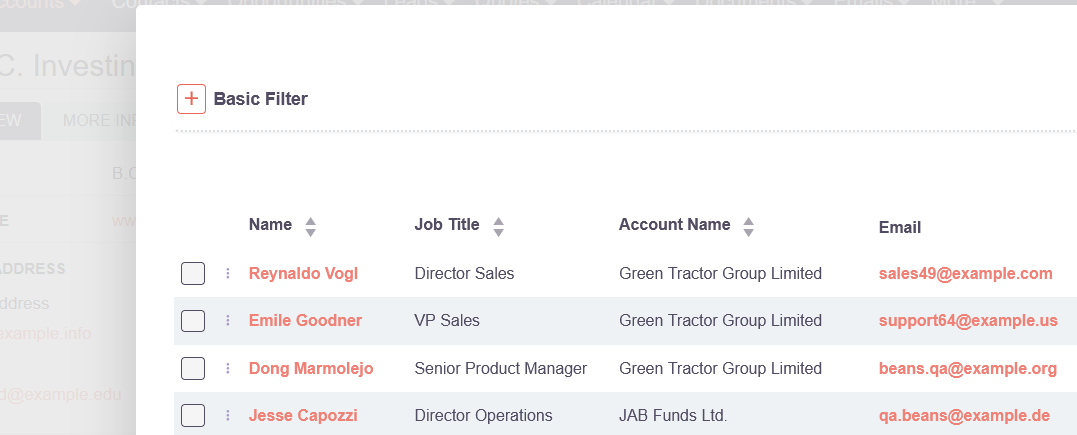
The Target Lists popup will then show a Basic Filter (Target List name / Type / My Items). Every condition, and combinations of them, worked in my tests.
Caveat: the Target Lists popup is normally restricted to list_type IN (seed, default). That restriction is dropped as soon as you click Search (the Type field starts empty and overwrites it). So if you search without choosing a Type, suppression lists show up in the results and can be added as Target Lists by mistake. When searching, always select Type = Default / Seed.
Once the proper fix lands, just delete that file and run Quick Repair again.
Root cause (for whoever picks up the fix)
The list filter in the record-list modal does not keep the field’s static filter criteria on Search/Clear. It needs to merge the base/preset criteria back in, and Clear needs to reset to it.
“Select all” is missing because the modal table has no bulkActions; the select-all menu only renders when selection && bulkActions.
 Caveat: the Target Lists popup is normally restricted to list_type IN (seed, default). That restriction is dropped as soon as you click Search (the Type field starts empty and overwrites it). So if you search without choosing a Type, suppression lists show up in the results and can be added as Target Lists by mistake.
 When searching, always select Type = Default / Seed.