Set up the gmail account with SuiteCRM 7.13 and it sent test email successfully. When I try to send it from Email module, it did not work.
In log file:
Email Error: Not authorized to use Outbound Account "something"

[SECURITY] User SOMEONE attempted to send an email using incorrect email account settings in which they do not have access to.
Also, the email stopped working after few hours. What is an issue? How to resolve it?
Hi @rsp , since you were able to send a test email, I suppose you correctly set up the Gmail account on your SuiteCRM instance (App password, OAuth authentication,…)
That error —
“Not authorized to use Outbound Account ‘something’” — appears when a user tries to send an email using an Outbound Email Account (SMTP) they are not permitted to access.
You can:
a) Assign the Outbound Account to the User
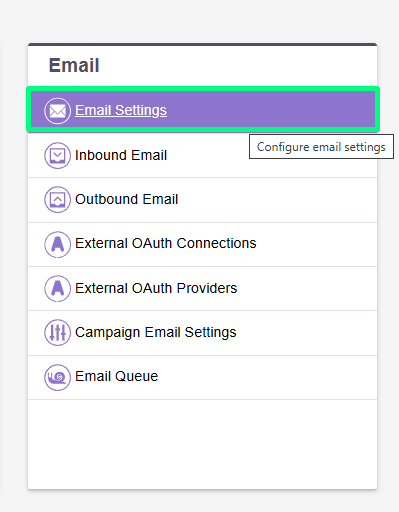
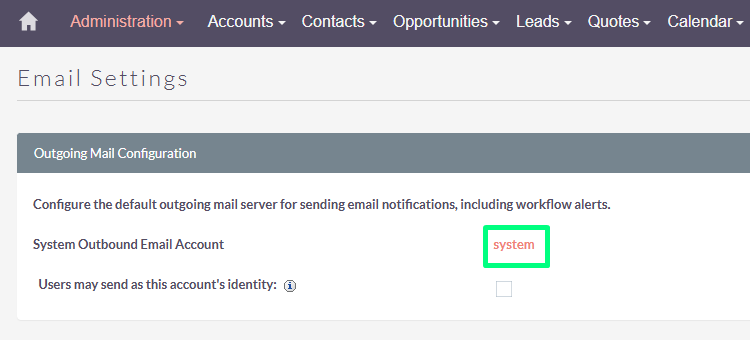
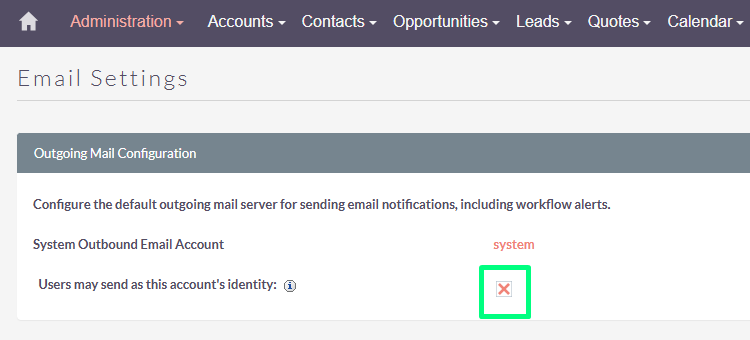
b) Make It a “System” Account (for all users) and allow users to send emails using this account
When this option selected, all users will be able to send emails using the same outgoing mail account used to send system notifications and alerts.
If the option is not selected, users can still use the outgoing mail server after providing their own account information.
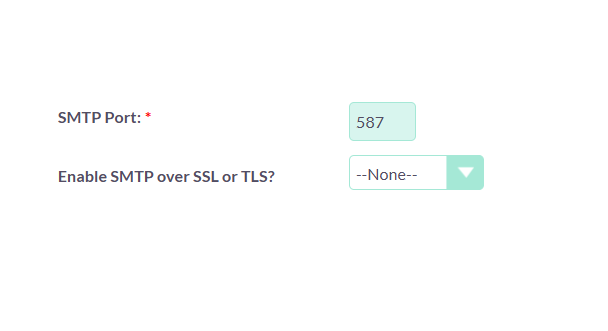
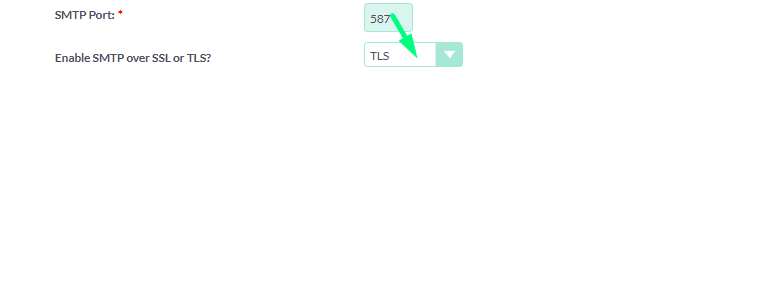
Yes, it is weird issue. I went to Email Settings. Set port and then select TLS. Then SAVE.
Again went back to email settings, now I do not see the TLS selected in the dropdown. It is back to none. (I tried to send TEST EMAIL, it got failed with error - SugarPHPMailer encountered an error: SMTP Error: Could not authenticate.)

 Important: Gmail now requires App Passwords (for accounts with 2-step verification). You cannot use your normal Gmail password.