Just wanted to thank everyone here for helping me upgrade SugarCRM 6.5.25 all the way to SuiteCRM 8.9.1 with minimal issues! It was a big undertaking that spanned 3 servers and 6 versions, but the upgrade is now complete.
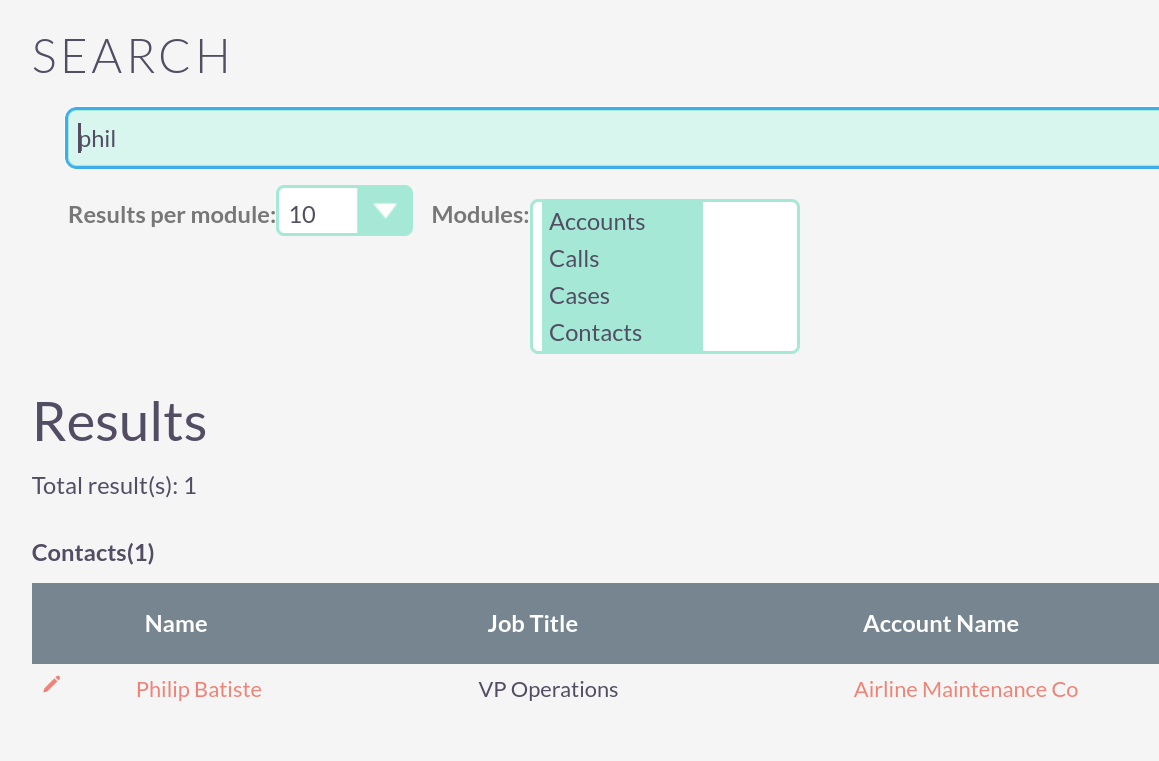
I have come across one issue that I can’t seem to find a workaround for. When using global search, two issues remain:
Edit links next to the returned records point to non-HTTPS links. this causes chrome to block clicking the link
When searching the Targets module, the returned record’s Name is not linked, meaning the record cannot be clicked on.
Please let me know where I should look to resolve these two issues. Thanks!
On the subject of global search. I just noticed that “contacts” is not in the dropdown of modules that are displayed in the global search in the latest version 7.15. Is there a config somewhere I have to add that or is it a bug?
this is still more like a bug than a feature.
Targets are not as popular and deactivated by default. However, I’ve got a few projects where teams are using it and that should be working out of the box (like the other modules).
I went ahead and reported the issue:
Yes mine was an upgrade. Anything is possible, but I’m pretty sure I didn’t deactivate contacts. I’ve been using this install for over 10 years way back to sugar CE. I’ve used the global search often and never had an issue finding contacts. I don’t remember this drop down being here. I think this must be something fairly recent.