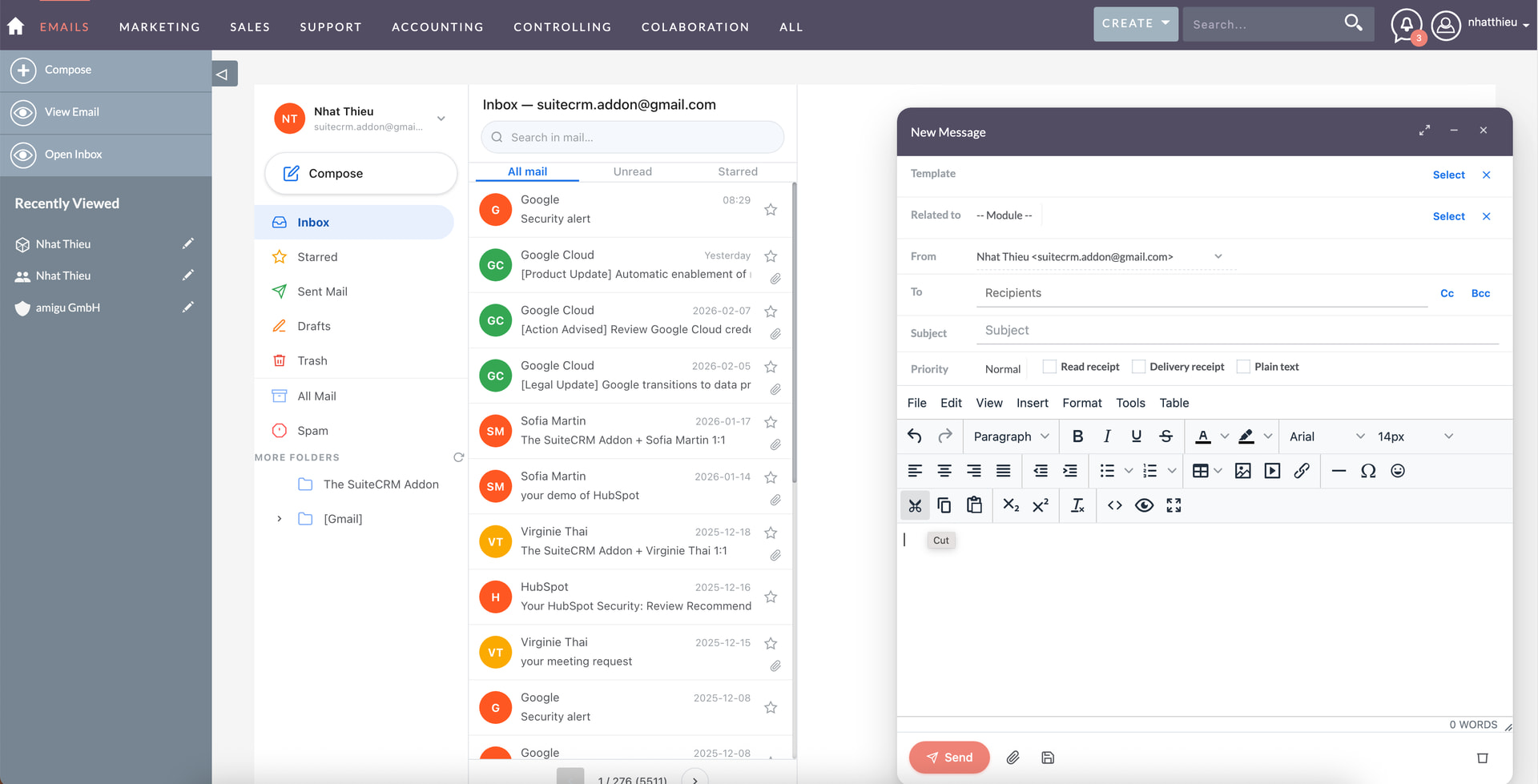
But these are just technical details. How do you use email in SuiteCRM?
Not at all (via my standard eMail software)
With the Outlook Plugin
Only for sending individual mails
Sending individual + campaigns
Receiving / reading / importing
Auto-import for one / multiple group accounts
0voters
I’ve implemented many different setups in projects.
Several even with external integration via n8n / ActivePieces since the requriements couldn’t be met using the UI just a few examples:
project numbers + auto assignment to these
multiple receivers + correct relationships
AI triaging + subfolder logic to import and trigger workflows
Compared to my Zoho implementations, where eMails adopt naturally into the CRM flow / daily processes, for SuiteCRM, there is still a way to go. I’ve observed the updates in the last few versions and I’m happy to see those for writing emails. I hope, we’ll see some more improvement around IMAP / reading emails and the workflow / features at large, as well as the underlying technical issues.
Curious:
What are your email / Suite setups? How do you use eMails? What are your experiences here?
Email is one of the biggest complaints I get from clients (other than colors LOL). I have some on gmail and the Yahitt plugin is completely usable (at least it was, I haven’t used it in a while). For MS clients they typically use the o365 pluigin and push emails etc from Outlook to SuiteCRM. Virtually no one uses the email client in SuiteCRM. Except for outbound, if they are sending a template or something.
I think the real answer here is not to further develop the email client in SuiteCRM, it will never be as good as Gmail or Outlook, and even if it is, users live in Gmail and Outlook, not the CRM. Some even use Gmail and Outlook as a CRM with elaborate folder and color coding systems. It’s difficult to fight against that (I’ve tried!). I think the real answer is make Outlook and Gmail integration better. At least for enterprise clients I think this is the answer rather than trying to build a better mouse trap inside of SuiteCRM.
That’s a very technical approach to a non technical issue
It looks great. How about the integration? Templates, Campaigns, Attachments, importing / archiving mails, auto importing + cases, etc.?
Still, this should just be an out of the box feature or a much smoother integration into existing applications.
E-Mail, especially in B2B, is one of the standard means of communication.
That just needs to be on a different level per default. The sending / writing is close to good now with the new UI.
That’s really different for me in quite a few projects.
As mentioned, Gmail is almost never used here in business setups.
And I’ve got quite a few projects with some email requirements.
event invitations
email archiving
small ad hoc campaigns
quotations / proposals
process updates / transactional mails
mails from workflows & integrations
I’ve got a few projects with Mailcow, Thunderbird, Nextcloud - that’s tricky again, if only the two big mail clients (OL, GMail) get better support, the software group where SuiteCRM shines as well, will need to be left behind (open source / data sovereignty).
It’s mostly UX.
When prospects first ask about emails, I usually tell them, that it technically works.
Sending / composing is definitely on another level now, compared to two versions back.
Reading - compared to Thunderbird / GMail / Outlook / Nextcloud - is just clumsy / outdated. It technically works, but the UX is closer to Win 3.11 or something than AngularJS.
It doesn’t match day to day business processes and user expectations anymore.
 .
. ).
).