While creating an invoice, I just noticed that PHP/SuiteCRM might have a rounding issue when adding multiple values.
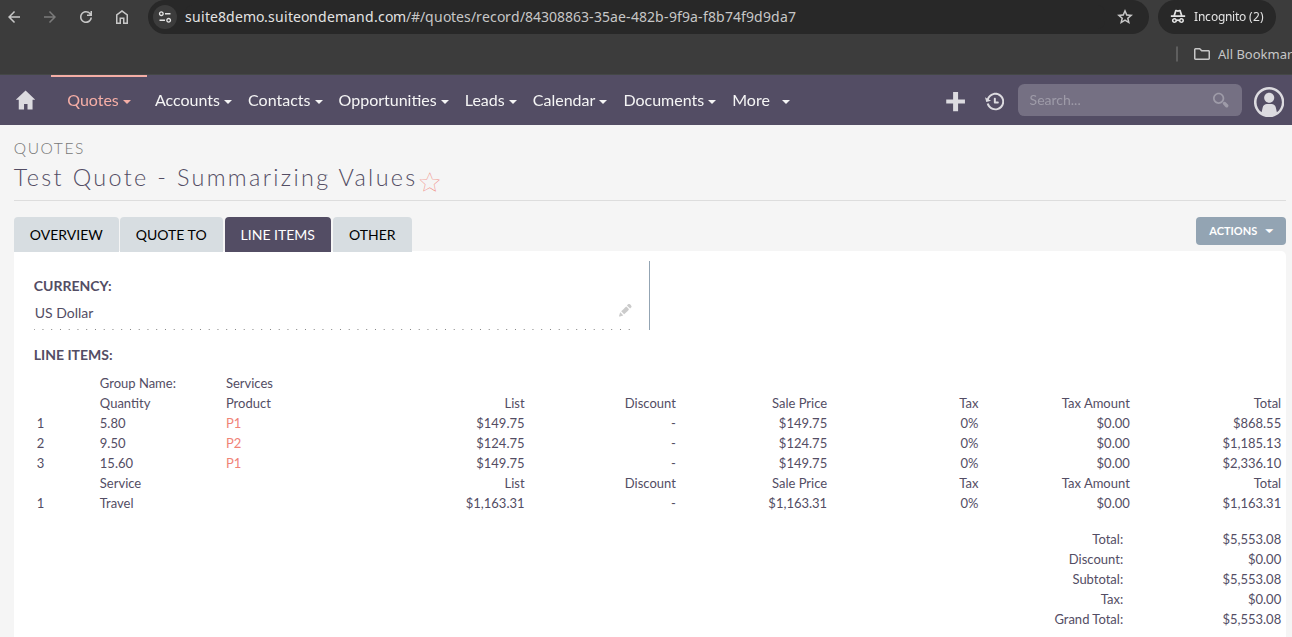
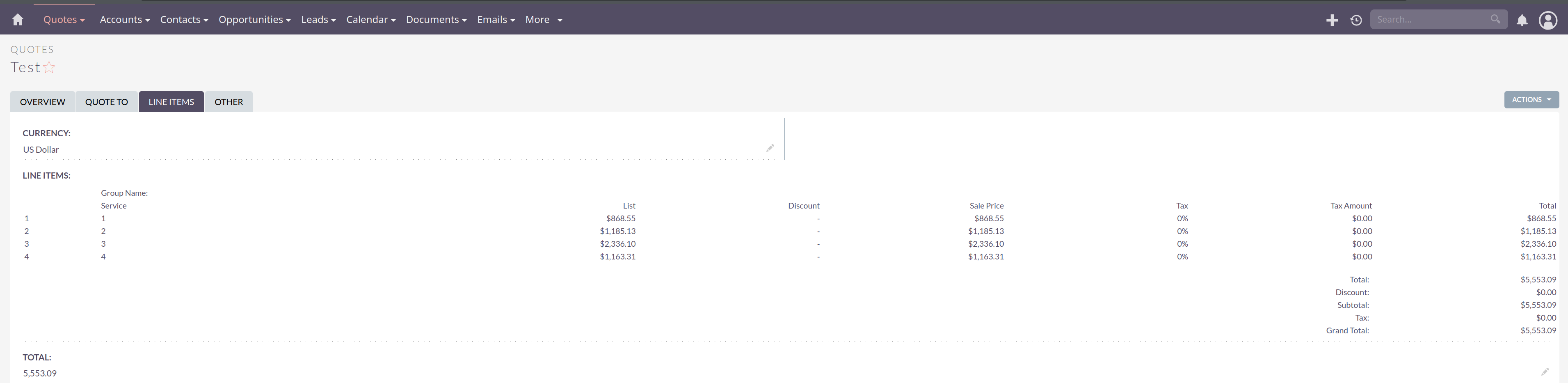
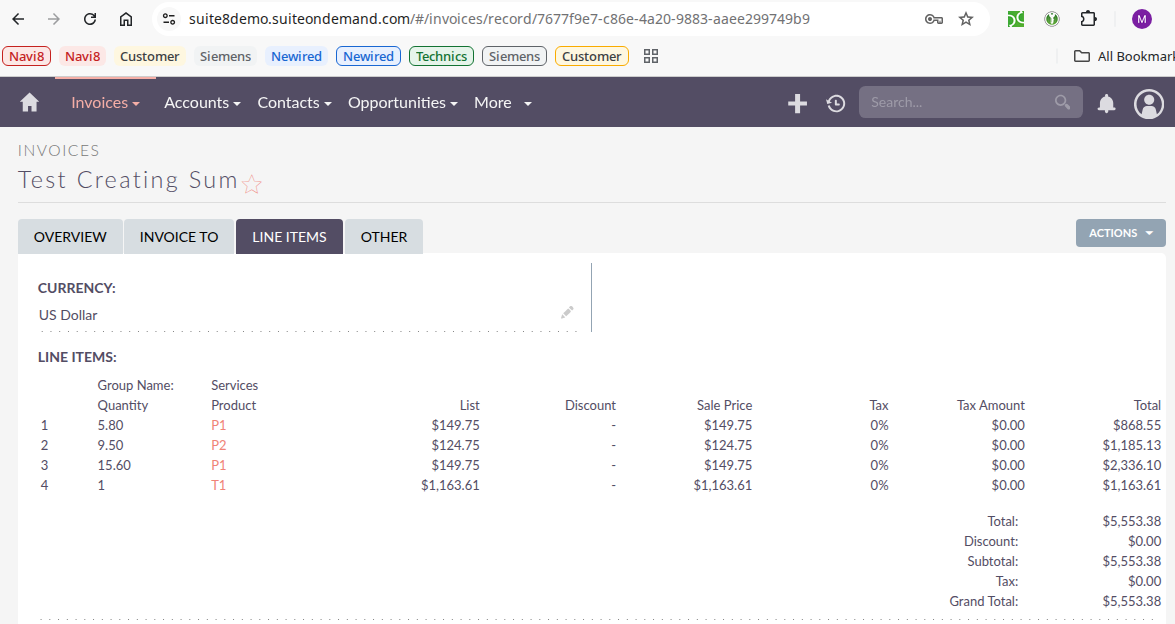
I had the following values added in the invoice module (see my screenshot for reference).
868.55 + 1185.13 + 2336.10 + 1163.61
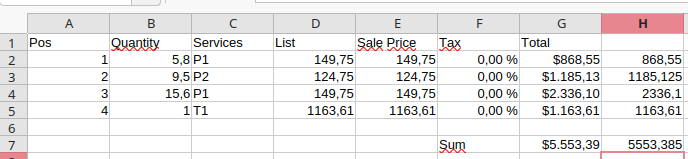
According to SuiteCRM, the sum of the values is 5,553.38. However, when I calculate it on my calculator, in Excel, or even in my head, I end up with 9 cents, not 8 cents like SuiteCRM shows.
Could you create Travel as a product and try it that way?
At least as a temporary workaround until things are fixed.
Usually I recommend avoiding services anyway since reporting isn’t easy with those.
At least, if you create service products, you can still do reporting on those later on.
Okay, I understand that there’s currently an issue with the total calculation when more than one cost group is used. Sure, I could try following the workaround and breaking down the travel expenses. But I’d really rather not break them down, because the travel expenses consist of about 10 items and look different for every customer and every invoice.
In the case suggested here—adding this as a single product—I found that I cannot create a product without a price. For now, I’ve temporarily set it to $1.
Unfortunately, this attempt also confirms that SuiteCRM has a rounding issue here and isn’t calculating correctly, because it’s not due to the last amount.
Hi Mark, thank you very much for your feedback. I have to reproduce the issue from scratch every time, and yes, in this case, it’s possible that I might make mistakes in the process. Reproducing the issue is necessary because I’m using the SuiteCRM demo server, which shouldn’t have any configuration errors and reflects the current state of SuiteCRM, but the behavior of suiteCRM should be the same