Hi everyone,
I wanted to ask if there is any way in SuiteCRM to calculate or track the number of times a particular date field has been updated.
For example, if a custom date field is modified multiple times by users, I would like to know how many updates were made to that field over time.
Is there any approach, or best practice to achieve this?
Any suggestions or examples would be appreciated.
Thanks!
Hi @rsp , the only way to achieve that result is to audit that field and to direct query the audit table about it.
Currently this isn’t possible with AOR_Reports but I think it’ll be included in the 8.12 release…
Is it urgent for you?
1 Like
Hello @rsp
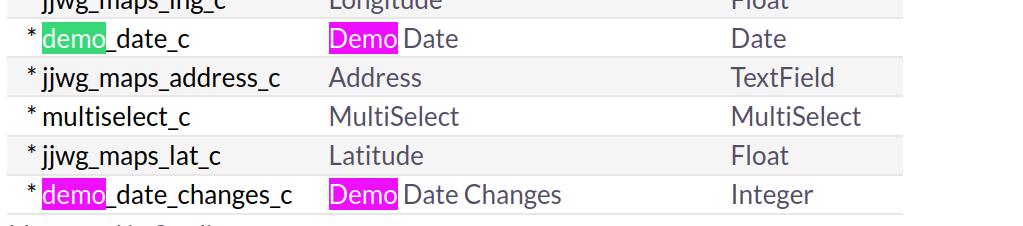
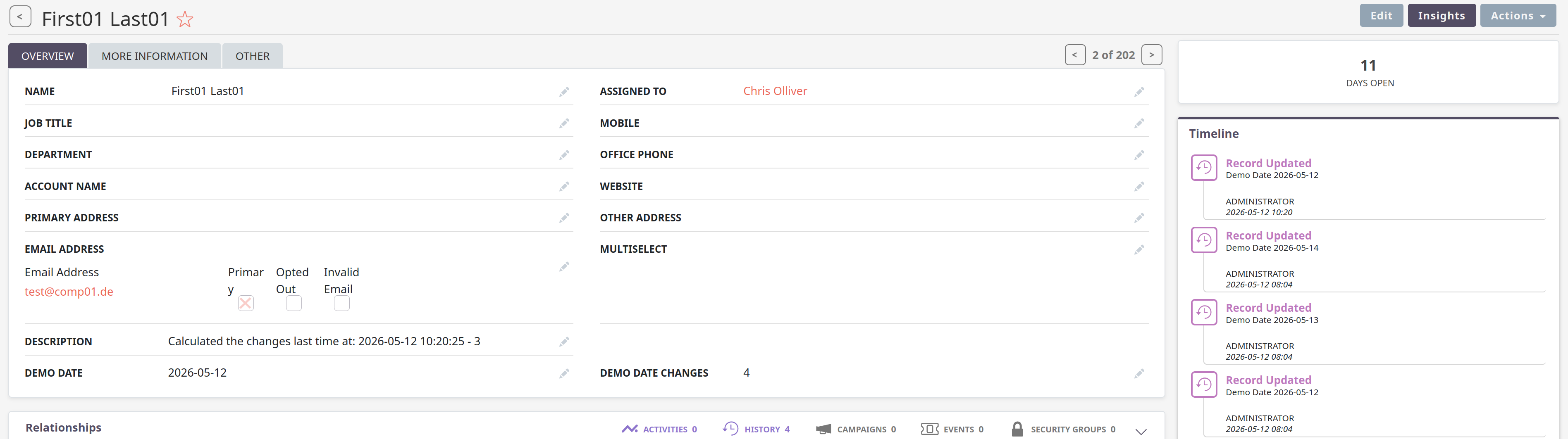
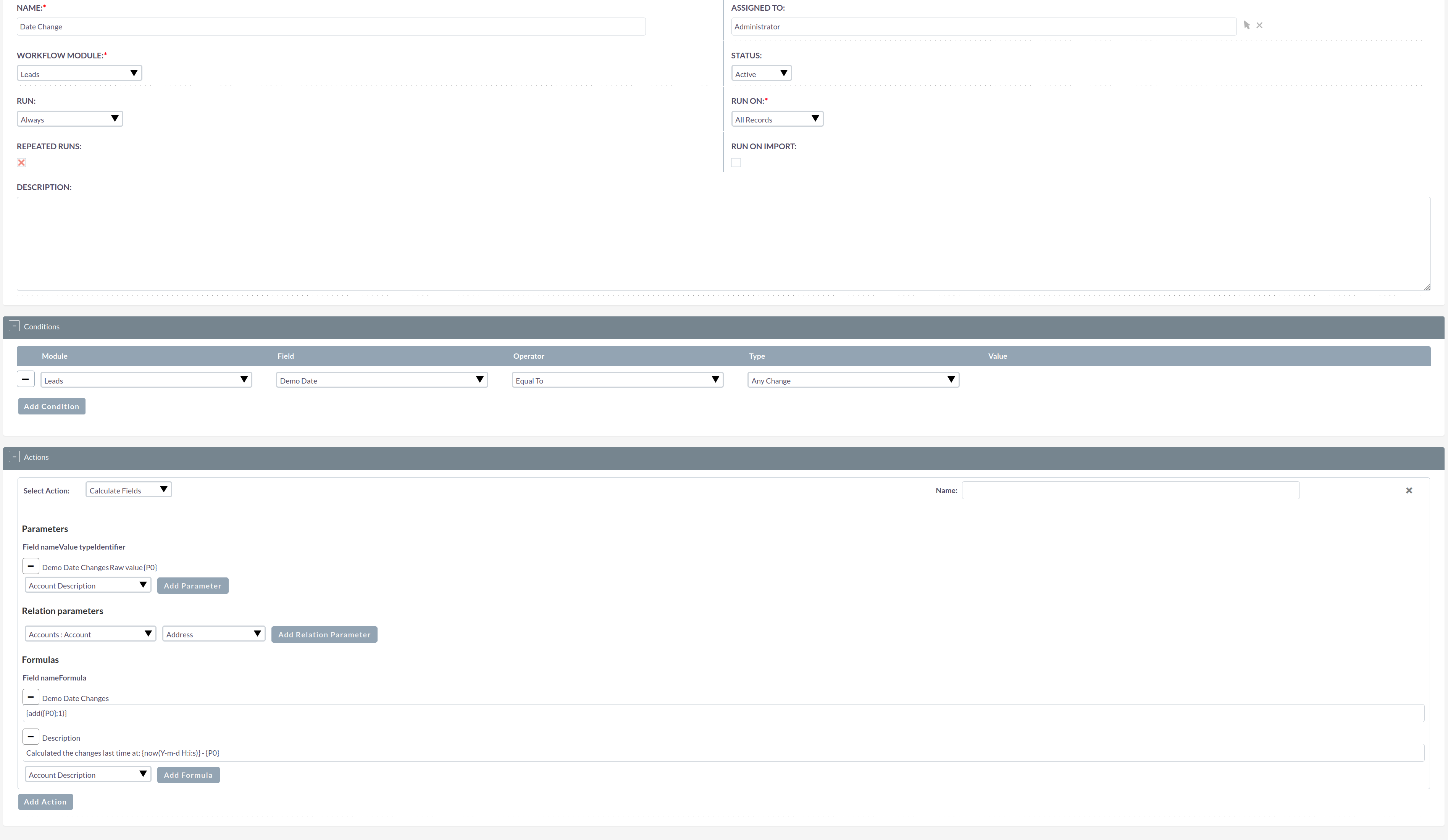
yes, you can do that by simply calculating it into the current record.
You can exclude fields like this from the detail view / for standard users and only report them with restricted reports, in case you’d like to keep this hidden from users.
The audit table would be an approach without using a workflow and custom code but doesn’t work currently in Suite.
If you don’t want to calculate into CRM records, I’d use MetaBase or sth. similar to build reports accordingly.
2 Likes
Have you set default value as 0, min value to 0?
I think we could use ‘readonly’ => true, so users can not update this value.
Yes, exactly.
But you don’t have to initialize the field for existing records with 0.
In the calculated fields, there is this logic:
empty field + 1 = 1
You can also set it to readonly so the Users can’t update it via the UI, but the workflows would still be able to update it.
Mark
Oh yes, you’re correct. We can set that in editviewdefs file.
‘readonly’ => true,
You can set it, via studio, editviewdefs OR the fields vardefs file.
Mark
How could we set readonly via studio?  I know we could disable the inline edit in Studio.
My apologies, I could have sworn there was a readonly option in studio, there obviously isn’t (I don’t actually use the studio editor that much, I mainly work in code). I think I must have mixed it up with an editor I wrote a while back..
Mark
If someone wants to update the count in the DB  using the SQL query.
Example, for Close Date field.
UPDATE opportunities o
INNER JOIN (
    SELECT
        parent_id,
        COUNT(*) AS actual_changes
    FROM opportunities_audit
    WHERE field_name = 'date_closed'
      AND IFNULL(before_value_string, '') <> IFNULL(after_value_string, '')
    GROUP BY parent_id
) oa ON oa.parent_id = o.id
SET o.date_closed_count = oa.actual_changes;
2 Likes