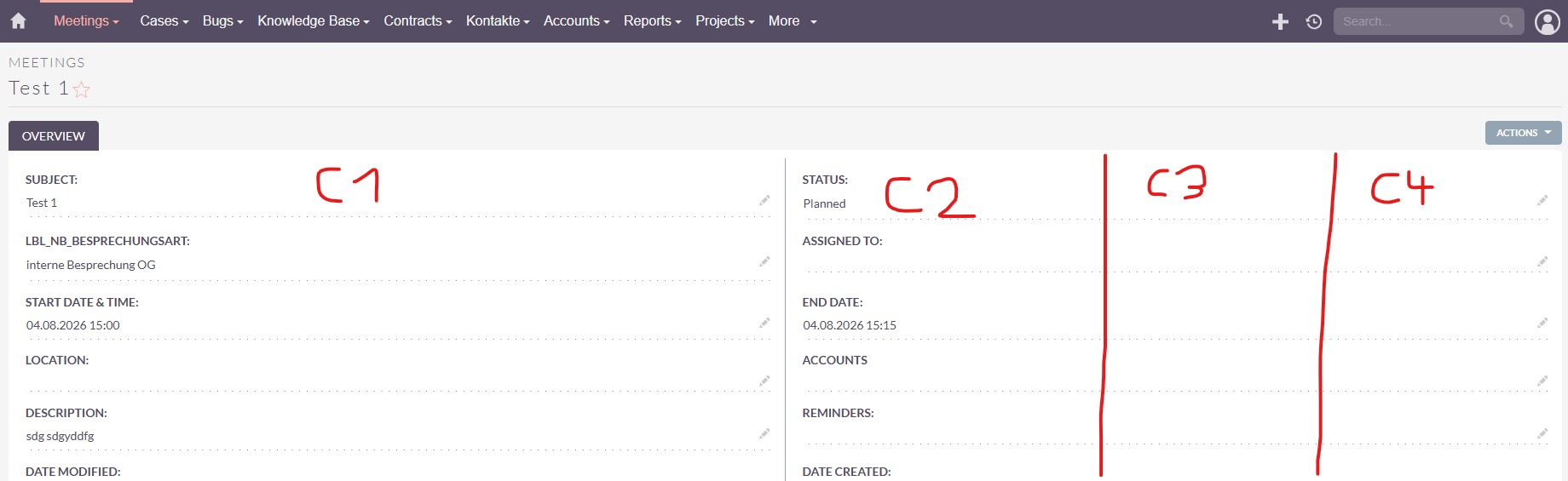
is there a way to add additional columns for the detailview? I’d like to make better use of the available screenspace, so give the users more information without scrolling.
Studio is limited to two columns. I also tried changing the maxColumns value in detailviewdefs.php (followed by a quick repair), but that also didn’t work. I’ve read of some solutions, but they only seem to work for SuiteCRM 7.
I think that instead of trying to squeeze too many columns into the layout and making extensive changes to the UI structure, it would be better to use tabs to split fields into smaller, logical groups. This approach can effectively replace panels, especially when they force users to scroll excessively.
I’ve just tested this a few days ago but wasn’t very happy with the 4 column layout - so I’ve reversed it again.
You can start from the layout and place all the fields you’d like to see on the layout.
Then you’ve got the file: public/legacy/custom/modules/Accounts/metadata/ detailviewdefs.php
Sure - it’s just the generated file from the studio.
For trying it out / demo sth. it’s fine.
However, studio changes will overwrite the custom code changes. (it’s two different ways of editing the detailviews - via the studio and via a code editor).