I do have it working now, and i have has AI document the process. (AI is great for documenting your days work!)
Adding Custom Subpanel Line Actions in SuiteCRM 8
This guide explains how to add a custom button (line action) to a subpanel in SuiteCRM 8. In this example, we add a “Copy Quote” button to the AOS_Quotes subpanel on the Opportunities record view.
Overview
Adding a subpanel line action requires:
- Backend Process Handler - PHP class to handle the button click
- Configuration - Register the action in the Symfony container
- Legacy Subpanel Definition - Add the button to the subpanel metadata
- Core Handler Mapping - Map the button to your action (requires core modification)
Step 1: Create the Backend Process Handler
Create a PHP class that implements ProcessHandlerInterface. This handles what happens when the button is clicked.
File: extensions/defaultExt/modules/AOS_Quotes/Process/Service/Subpanel/CopyQuoteAction.php
<?php

namespace App\Extension\defaultExt\modules\AOS_Quotes\Process\Service\Subpanel;

use App\Engine\LegacyHandler\LegacyHandler;
use App\Process\Entity\Process;
use App\Process\Service\ProcessHandlerInterface;

class CopyQuoteAction extends LegacyHandler implements ProcessHandlerInterface
{
    // IMPORTANT: The process type MUST match the pattern 'record-{action-key}'
    // where {action-key} is the 'key' value from your config (e.g., 'copy-quote')
    protected const PROCESS_TYPE = 'record-copy-quote';

    public function getProcessType(): string
    {
        return self::PROCESS_TYPE;
    }

    public function getHandlerKey(): string
    {
        return $this->getProcessType();
    }

    public function requiredAuthRole(): string
    {
        return 'ROLE_USER';
    }

    public function getRequiredACLs(Process $process): array
    {
        $options = $process->getOptions();
        $module = $options['module'] ?? 'AOS_Quotes';

        return [
            $module => [
                [
                    'action' => 'view',
                    'record' => $options['id'] ?? ''
                ]
            ]
        ];
    }

    public function configure(Process $process): void
    {
        $process->setId(self::PROCESS_TYPE);
        $process->setAsync(false);
    }

    public function validate(Process $process): void
    {
    }

    public function run(Process $process)
    {
        $options = $process->getOptions();
        $id = $options['id'];

        // Example: Redirect to a custom page
        $responseData = [
            'handler' => 'redirect',
            'params' => [
                'route' => 'Opportunities/createquote',
                'queryParams' => [
                    'id' => $id,
                    'copy' => 'true'
                ]
            ]
        ];

        $process->setStatus('success');
        $process->setMessages([]);
        $process->setData($responseData);
    }
}
Step 2: Register the Action Configuration
Create a configuration file to register your action with the Symfony container.
File: extensions/defaultExt/config/modules/AOS_Quotes/subpanel/line_actions.php
<?php

namespace Symfony\Component\DependencyInjection\Loader\Configurator;

use Symfony\Component\DependencyInjection\ContainerBuilder;

return static function (ContainerBuilder $container): void {

    $lineActionsConfig = $container->getParameter('module.subpanel.line_actions') ?? [];
    $defaultActions = $lineActionsConfig['default']['actions'] ?? [];

    // Define the new action
    $copyAction = [
        'key' => 'copy-quote',           // Used to generate process type: record-{key}
        'labelKey' => 'LBL_COPY_QUOTE',  // Language label key
        'icon' => 'clipboard',           // Must be a valid icon from dist/themes/suite8/images/
        'asyncProcess' => true,
        'process' => 'record-copy-quote', // Must match your handler's PROCESS_TYPE
        'params' => [],
        'modes' => ['list'],
        'acl' => ['edit'],
    ];

    // Add to default actions
    $lineActionsConfig['default']['actions']['copy-quote'] = $copyAction;

    // Save back to container
    $container->setParameter('module.subpanel.line_actions', $lineActionsConfig);
};
Available Icons
Icons must exist in /public/dist/themes/suite8/images/. Common icons include:
edit, unlink, clipboard, download, eye, pencil, plus, cross, tick, refresh, search, filter, settings, star, calendar, email, phone, user, folder, alert, info-circle
Step 3: Add Button to Legacy Subpanel Definition
Create a custom subpanel definition that includes your button.
File: public/legacy/custom/modules/AOS_Quotes/metadata/subpanels/default.php
<?php
$module_name = 'AOS_Quotes';
$subpanel_layout = array(
    'top_buttons' => array(
        0 => array('widget_class' => 'SubPanelTopCreateButton'),
        1 => array('widget_class' => 'SubPanelTopSelectButton', 'popup_module' => 'AOS_Quotes'),
    ),
    'where' => '',
    'list_fields' => array(
        // ... your existing fields ...

        // Add your custom button - the key must end with '_button'
        'copy_button' => array(
            'widget_class' => 'SubPanelEditButton',
            'module' => 'AOS_Quotes',
            'width' => '4%',
            'default' => true,
        ),

        // Keep existing buttons
        'edit_button' => array(
            'widget_class' => 'SubPanelEditButton',
            'module' => 'AOS_Quotes',
            'width' => '4%',
            'default' => true,
        ),
        'remove_button' => array(
            'widget_class' => 'SubPanelRemoveButton',
            'module' => 'AOS_Quotes',
            'width' => '5%',
            'default' => true,
        ),
    ),
);
Step 4: Map Button to Action (Core Modification Required)
This is the critical step that is not well documented.
SuiteCRM 8 uses a hardcoded mapping in SubPanelDefinitionHandler.php to connect legacy button names to frontend actions. You must add your button to this mapping.
File: core/backend/ViewDefinitions/LegacyHandler/SubPanelDefinitionHandler.php
Find the getSubpanelLineActions method (around line 561) and add your button mapping:
public function getSubpanelLineActions(aSubPanel $subpanelDef, string $subpanelModule): array
{
    $lineActions = [];
    // Add your mapping here: 'button_name' => 'action-key'
    $subpanelLineActions = [
        'edit_button' => 'edit',
        'close_button' => 'close',
        'remove_button' => 'unlink',
        'copy_button' => 'copy-quote'  // <-- Add this line
    ];
    // ... rest of method
}
Note: This modifies a core file. Document this change and re-apply after SuiteCRM updates.
Step 5: Add Language Label
File: public/legacy/custom/Extension/modules/AOS_Quotes/Ext/Language/en_us.copy_quote.php
<?php
$mod_strings['LBL_COPY_QUOTE'] = 'Copy Quote';
Step 6: Clear Cache
php bin/console cache:clear
Key Points
-
Process Type Naming: The frontend generates the action name as record-{action.key}. Your handler’s PROCESS_TYPE must match this exactly.
-
Icon Names: Use only icons that exist in the theme. Check /public/dist/themes/suite8/images/ for available SVG files.
-
Button Mapping: The legacy subpanel button name (e.g., copy_button) must be mapped to your action key (e.g., copy-quote) in SubPanelDefinitionHandler.php.
-
Response Handlers: Available handlers include:
redirect - Navigate to a routeexport - Download a filenoop - Do nothing (just show messages)changelog - Show changelog modal
Troubleshooting
- Button not appearing: Check that your button is in the legacy subpanel definition AND mapped in
SubPanelDefinitionHandler.php
- Icon not found error: Use an icon that exists in the theme’s images folder
- Process not found: Ensure your handler’s
PROCESS_TYPE matches record-{action.key}
- Null error in console: Usually means the process handler threw an error or wasn’t found
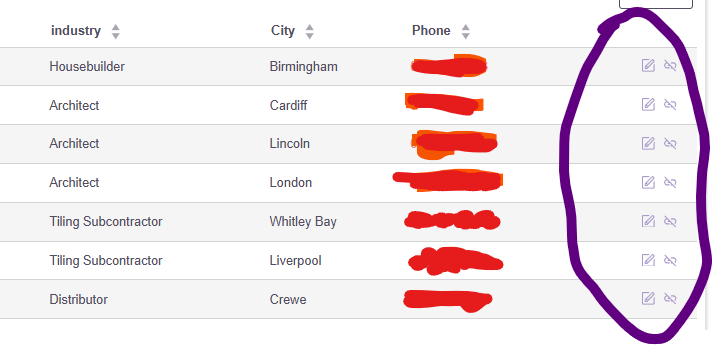

 but working on that