Hello,
Its 2026 and we still dont have working IFRAMES in default suitecrm8?
Hello,
Its 2026 and we still dont have working IFRAMES in default suitecrm8?
Hi, What do you mean? I dont know you are talking about?
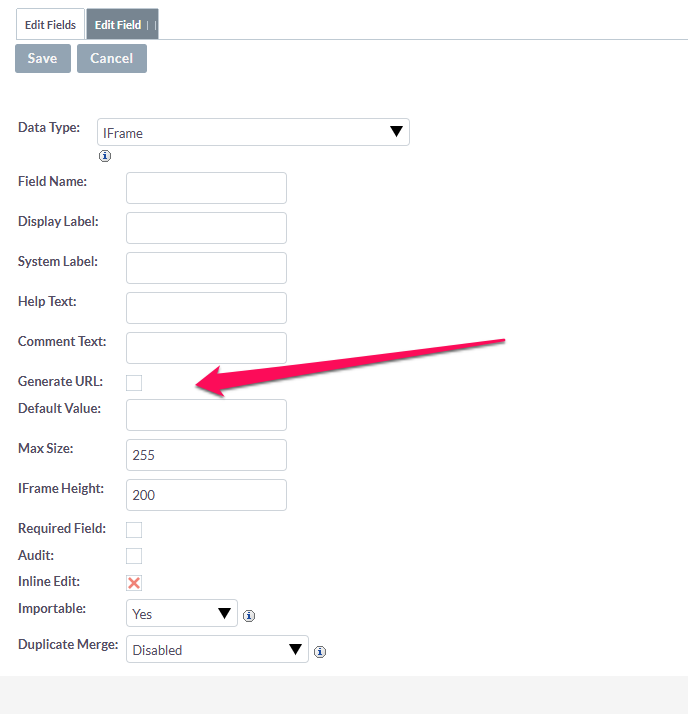
I’m pretty sure the iframe field in studio works. HOWEVER, the “generate url” part does not. Making it kind of useless.
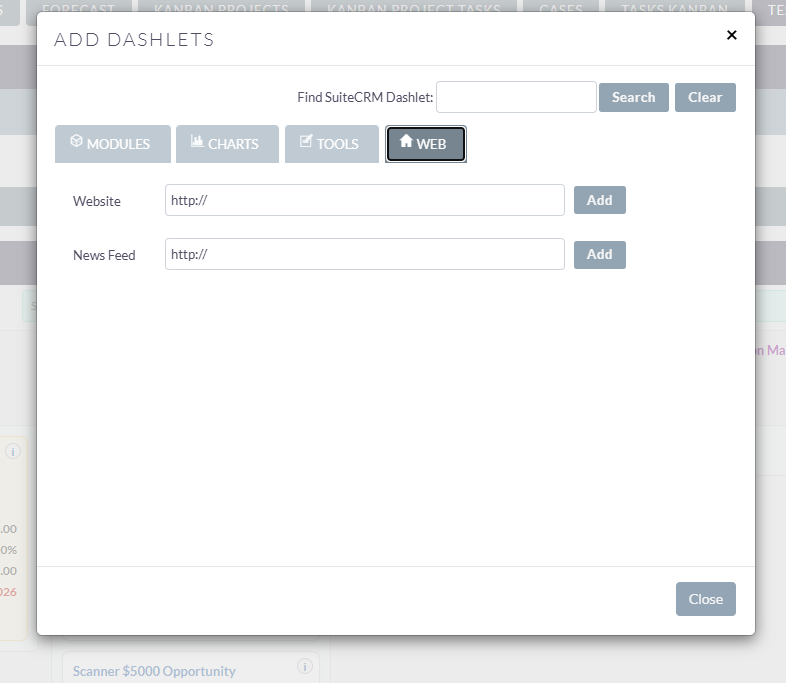
iframes do not work in dashlets. This is a security issue:
I proposed fix on Github to at least allow internal links.
I am just dissapointed, its an important feature and i thought it would of been fixed by now. it works in legacy mode..its defeats the purpose of having suitecrm 8 .. We use google maps etc and its a bummer that we cannot this to work. People like the glitz,glam and shiny pretty things, this would make suitecrm on par if not above other crms but for now its lacking.
Let’s move this topic to suggestion box.
I know the Map feature is probably not widely used day to day but it has that “wow” factor that people really love when they first see it.
What all things could we do with iFrames in SuiteCRM? 
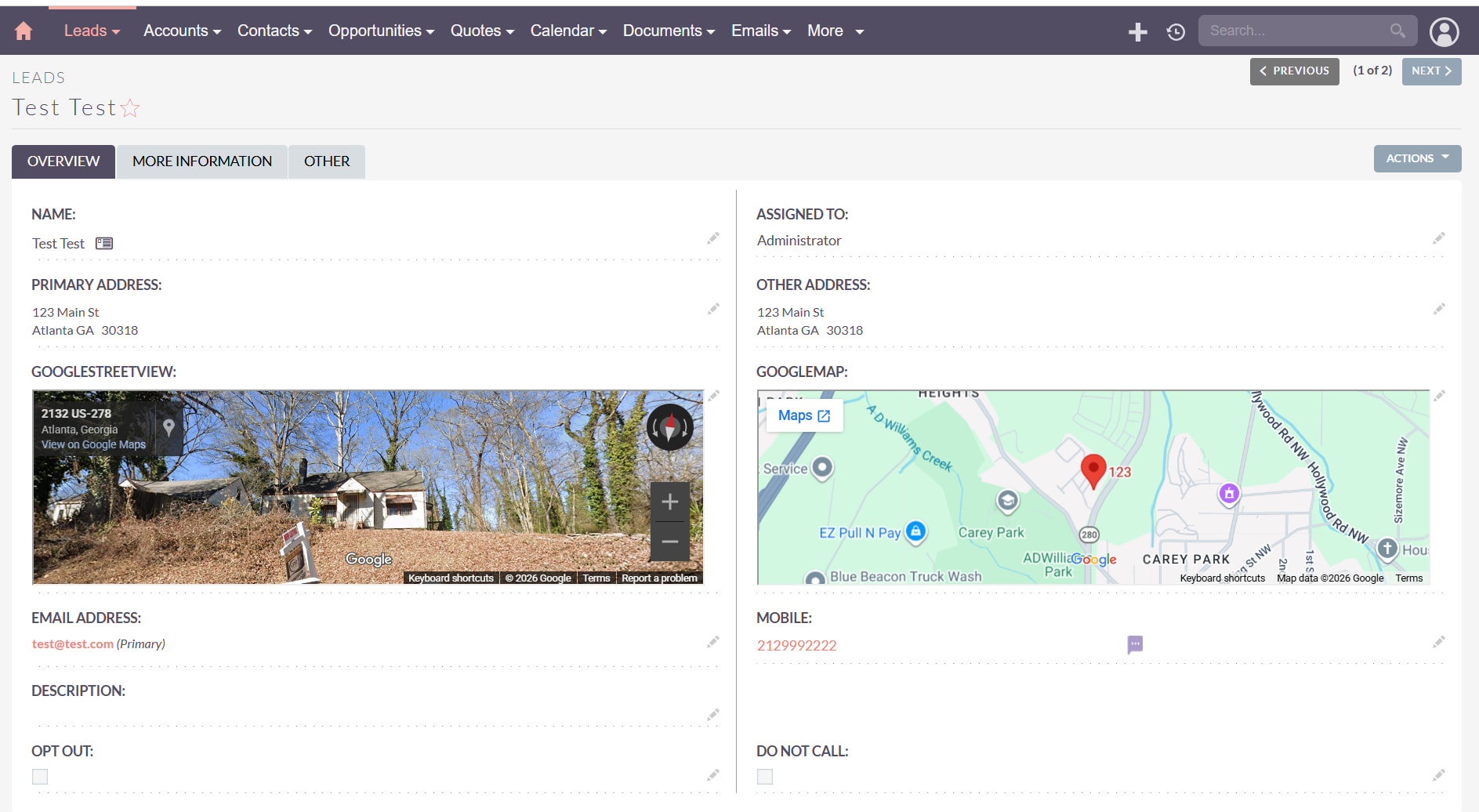
You can embed google maps, web pages, etc. in a record, for example sometimes I use cases as “service calls” and its nice to embed the map for the service rep. On your home page you can embed custom google charts, lots of stuff probably I haven’t thought of.
Yup, am in the real estate biz and the map feature is a necessary thing to have, and provides that WOW factor that others crm have over suitecrm
FINALLY GOT THIS WORKING!!! had to add the code below to apache site conf…. worked on debian 12/ php 8.4 .
<IfModule mod_headers.c>
    # This specifically relaxes the policy for Google Maps and Google Content
    # We use "merge" to add to existing headers rather than overwriting them
    Header merge Content-Security-Policy "frame-src 'self' https://www.google.com https://maps.google.com https://maps.googleapis.com;"

    # Ensure X-Frame-Options allows your pages to be iframed if necessary
    # Note: If it still fails, change "SAMEORIGIN" to "ALLOW-FROM https://www.google.com"
    Header set X-Frame-Options "SAMEORIGIN"

</IfModule>
server {
    server_name crm.example.com;
    root /var/www/suitecrm/public;

    add_header Content-Security-Policy "default-src 'self'; frame-src 'self' https://www.google.com https://maps.google.com https://maps.googleapis.com;" always;
    add_header X-Frame-Options "SAMEORIGIN" always;

    # existing config...
}
sudo nginx -t
sudo systemctl reload nginx
SESSION_COOKIE_SAMESITE=none
did you get the generate URL part to work or just the embedding of an already constructed iframe URL?
Generating the URL is fairly simple:
I haven’t tested the “iframe embedding” recently - but that’s a good idea.
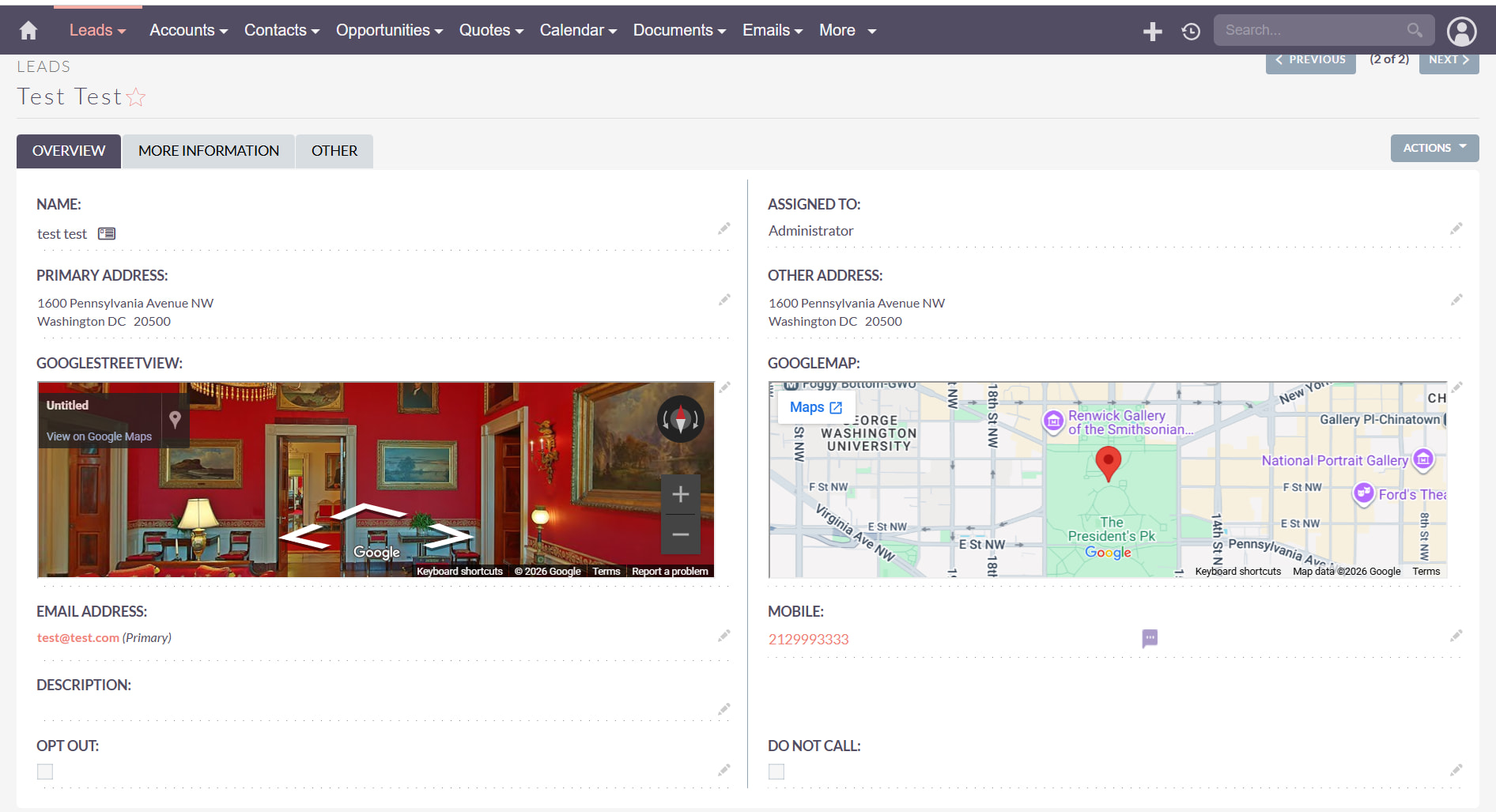
The generated url worked… automatically loaded the google map and streetview.. its awesome now.. everything works out the box.. the crm looks pretty loading up the streetviews and maps now.
That’s awesome! Could you please share some screenshots to see how does it look?
Something is wrong here… after i cleared cache, looks like it went back to not working again =( … hopefully someone can help me figure this out, i know it can work from previous pictures i just dont understand whats making it dissapear even after a repair rebuild, and i even went back to the studio and resaved the iframe ..
<IfModule mod_headers.c>
    Header always set Content-Security-Policy "default-src 'self'; frame-src 'self' https://www.google.com https://maps.google.com https://*.google.com https://*.googleapis.com; child-src 'self' https://www.google.com https://maps.google.com https://*.google.com https://*.googleapis.com;"
    Header always set X-Frame-Options "SAMEORIGIN"
</IfModule>
sudo a2enmod headers
sudo apache2ctl configtest
sudo systemctl reload apache2
.env:SESSION_COOKIE_SAMESITE=none
SESSION_COOKIE_SECURE=true
php bin/console cache:clear
Thanks for the feedback, ive tried all of the above.. and it still doesnt work now.. i just dont understand how it could of worked before and not now…
Have you tried the below?
Admin -> Repair -> JS files
Rebuild and repair files related to JS.
Also, are you using https for your website?