“Clicking Next” on the install page where I get the error creates a XHR post to install.php?sugar_body_only=1&storeConfig=1 with all form data.
This returns 200 with no body/errors.
Then the client side triggers another XHR post to install.php with less form data than the previous XHR and checkDBSettings: true
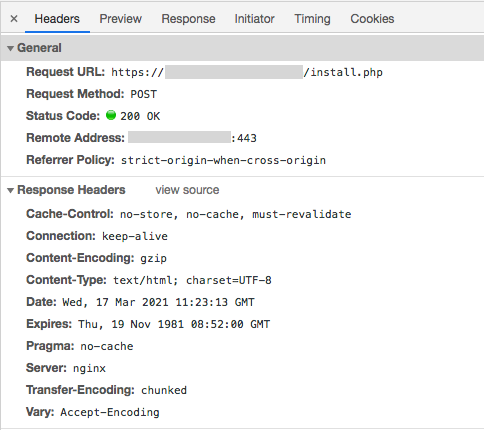
This call returns 200 but with errors in body.
<p><b>Please fix the following errors before proceeding:</b></p><ul><li class="error">The provided database host, username, and/or password is invalid, and a connection to the database could not be established. Please enter a valid host, username and password</li></ul></div>
This second XHR is handled here: install.php#L354
And this is the line where the error is coming from:
install/checkDBSettings.php#L140
include/database/MysqliManager.php#L296
mysqli_connect returns the db instance or false in error case. Getting false is not particularly useful to determine why it is failing.
You should enable error reporting for mysqli before attempting to make a connection
Tell mysqli to throw errors so we know what is going on. Add the following line at include/database/MysqliManager.php#L315.
@mysqli_report(MYSQLI_REPORT_ERROR | MYSQLI_REPORT_STRICT);
Now in the error log we see the following…
2021/03/17 12:21:36 [error] 95950#95950: *450 FastCGI sent in stderr: "PHP message: PHP Fatal error:  Uncaught mysqli_sql_exception: The server requested authentication method unknown to the client in /opt/apps/suitecrm/include/database/MysqliManager.php:326
Stack trace:
#0 /opt/apps/suitecrm/include/database/MysqliManager.php(326): mysqli_connect('localhost', 'suitecrm', 'password-redacted', '', '')
#1 /opt/apps/suitecrm/install/checkDBSettings.php(140): MysqliManager->connect(Array, false)
#2 /opt/apps/suitecrm/install.php(363): checkDBSettings()
#3 {main}
  thrown in /opt/apps/suitecrm/include/database/MysqliManager.php on line 326" while reading response header from upstream, client: XX.XX.XX.XX, server: crm.example.com, request: "POST /install.php HTTP/1.1", upstream: "fastcgi://unix:/run/php/php-fpm.sock:", host: "crm.example.com", referrer: "https://crm.example.com/install.php"
Okay, so probably a Mysql 8 related issue. Now that we know what the underlying problem is it is easy to resolve. When I create the suitecrm mysql db user I need to make sure and set their auth type to password.
It would be great if SuiteCRM was having mysqli throw errors so that they could be caught and more useful error messages could be displayed (or at least logged) so users don’t need to go learn the code base and insert random logging statements to figure out why something isn’t working (a very basic auth config problem in this case).