Hi @rumburak,
Regarding the issues you’ve mentioned:
Creating a process
Sorry forgot to mention one thing. You need to run ./bin/console cache:clear or in alternative delete the suite 8 cache folder.
Anyway, if that still does not work, could you try the following please?
- change
APP_ENV=prodtoAPP_ENV=qain the.envfile - Open you browser’s dev tools in the network tab
- Go to the accounts module detail view
- Clear the network tab
- Click on the button to trigger the action
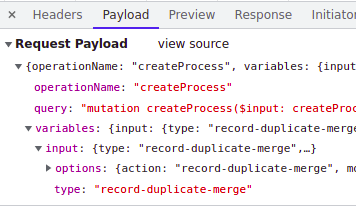
- Check the network tab. It should have a
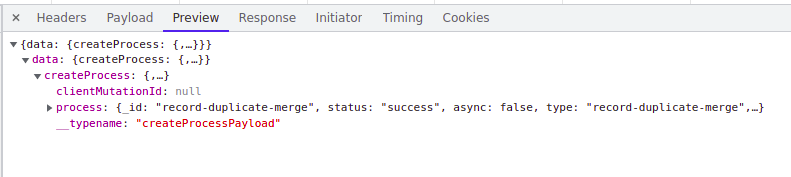
graphqlcall. if you check the request that is sent it should haveCreateProcessand the value oftypeshould be the same as thekeyyou configured on therecordAction - If there is an error, on the response for that request you should have an
errorentry and a stack trace with more details
The request and response look something similar to:
Adding a label
At the legacy way of adding labels still applies.
So in your case you be adding something something like:
public/legacy/custom/Extension/modules/Accounts/Ext/Language/en_us.<some-meaningfull-name>.php
with contents like
<?php

$mod_strings['LBL_SEND_THROUGH_API'] = '<your-label>';
After adding:
- Run Repair and Rebuild
- Refresh your browser
Hope this helps