ok, I took the long path to change all those in php errors mentioned files to the github version - I am staggered how this can be. All I ever did was update, and some of those files were changed three years ago, so some update then might have gone wrong. There might be more problems from this?
But ok, now I’ve subtracted those errors, just thiose error remains:
php_errors.log is empty now. Web page shows no trace on creation of the case.
sugarcrm.log:
Mon Nov 26 17:04:59 2018 [18406][220d3c9a-6b05-a5c6-0806-5432b597e235][ERROR] fromUser: Conversion of 2018-11-26 16:04:59 from user format d.m.Y H:i failed
Mon Nov 26 17:04:59 2018 [18406][220d3c9a-6b05-a5c6-0806-5432b597e235][ERROR] fromUser: Conversion of 2018-11-26 16:04:59 from user format d.m.Y H:i failed
Mon Nov 26 17:04:59 2018 [18406][220d3c9a-6b05-a5c6-0806-5432b597e235][ERROR] fromUser: Conversion of 2018-11-26 16:04:59 from user format d.m.Y H:i failed
Mon Nov 26 17:04:59 2018 [18406][220d3c9a-6b05-a5c6-0806-5432b597e235][ERROR] fromUser: Conversion of 2018-11-26 16:04:59 from user format d.m.Y H:i failed
So a lot errors are fixed, but the real issue remains. Since my normal upgrade path might have been flawed, is there a documented wy to migrate my data into a new appliance with suitecrm, or might this be even more difficult?
I changed just a few things - mostly bugfixes from things that did break earlier. These errors all came out of nowhere when upgrading to 7.8.23, but of course I skipped some steps due to many bugs in the versions between that I did not want to have…
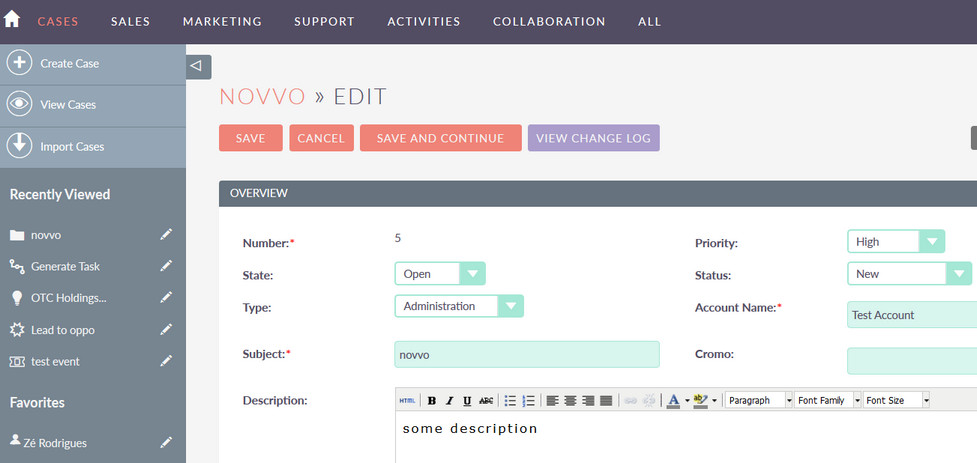
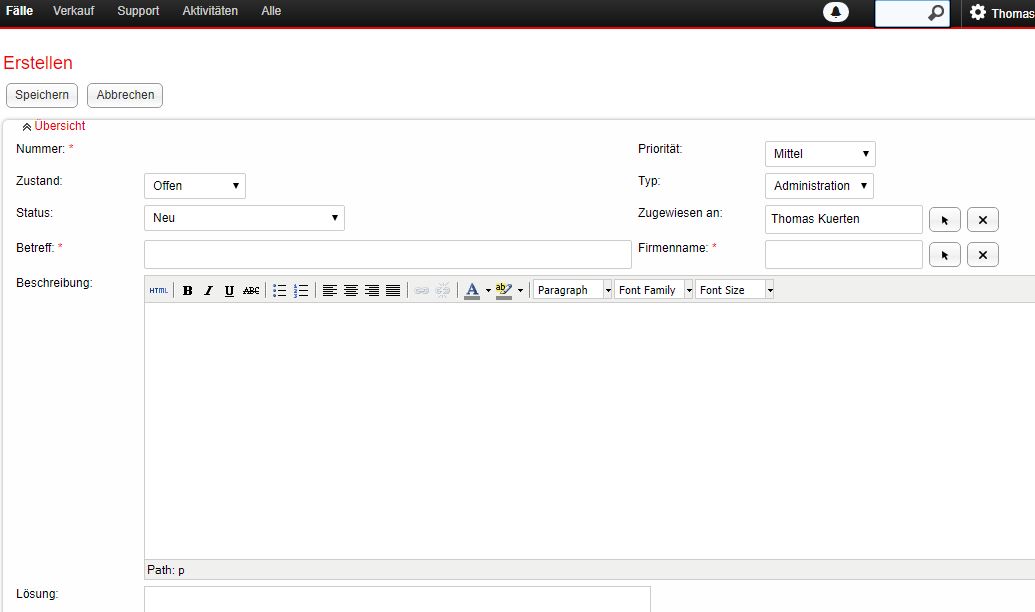
This is quite simple: I go to cases and click on “create”. The new Case then I fill in whatever and as soon as I click on “save” the description vanishes.
All other imput stays, but the description is empty.
I have to add that this behavior is visible in Edge and Chrome. Internet Exporer 11 seems to be able to save the description field.
I put Chrome into developer mode and get this while opening a new case:
Particularly, the description field. That is using TinyMCE editor, is yours the same?
If something’s broken in your TinyMCE maybe you could try making a full backup of your entire SuiteCRM directory, and then running a “composer update” from the root. Install composer if necessary. This updates 3rd party software.
No, my screen looks like this, we don’t use the new Theme as I find it barely readable with the washed out colors and big empty spaces so that everything needs to be scrolled…
I don’t think ist a TinyMCE issue, ist somehow the view.edit.php file thats broken so that the description is not saved but everything else is. Maybe related to Javascript or something because IE11 does it correctly but Chrome doesn’t?
I’ve seen this Question unanswered in this Forum for other Versions, nowhere there is a solution?
I am ata Point where I am thinking of Setting up from Scratch, though all the Errors came from “normal” update path…
Yeah maybe you can attempt a fresh install (same version, 7.8.23) and migrating the full database and the custom and upload directories.
It’s even better if you can avoid migrating “custom” as a whole (it might bring your problem along) but rather add the necessary changes in, one by one, doing sanity checks in between.
ok, I’ve setup a plain new server with 7.8.23 and now I am kind of looking stupid how to transfer the Database content to the new installation.
I know how to handle a complete mysql dump and import, but do I need to take care for the content before I can import it? Are there some tables to leave out?
Any hints would be appreciated, maybe somebody has written this into this forum already, I couldn’t find it.
I just don’t want to break things again, the new installation looks like it works much better than my old patched ever did.
There needs to be some consistency between the database and the custom directory. If you run into an inconsistency, a QR & R should resolve it (make sure you scroll to the bottom to see if it offers a button to sync vardefs with database). But there’s no point in gaining consistency just because it’s deleting all your customizations, because it ha no information about them.
If you move database and “custom” at the same time, and then QR & R, you should be alright.
Then we will find out if your migration brought your problems along with it, or if it left them behind like we hope